If you’ve ever spent an afternoon writing emails, creating social posts, chasing invoices, and trying to plan next month’s marketing — all by yourself — you already know the problem. Running a small business in 2026 means wearing every hat, and there’s simply not enough hours in the day. That’s exactly why so many small business owners are turning to AI tools to pick up the slack.
Your small business needs AI that works for you, not against your budget or processes — here are the tools that actually deliver on that promise.
Key Takeaways
- AI writing tools streamline content creation, customer communication, and marketing for resource-constrained small business teams.
- Feature-rich platforms like ChatGPT and Claude offer flexibility, while specialized tools provide industry-specific advantages and better ROI.
- Pricing ranges from free tiers to enterprise plans; most small businesses find value between $20-100 monthly per user.
- Real-world success depends on matching tool capabilities to your specific workflow, whether email, social media, or product descriptions.
- Trade-offs exist between ease-of-use, customization depth, and cost; no single tool dominates all categories equally.
In This Article
- Why Small Businesses Need AI Writing Tools in 2026
- What Makes an AI Writing Tool Right for Your Business?
- Top AI Writing Tools for Small Business: Feature Breakdown
- Pricing Comparison: What You’ll Actually Spend
- Real-World Use Cases: Who Should Use What?
- Pros, Cons, and Trade-Offs
- The Verdict: Which AI Tool Should You Choose?
- Ready to Get Started? Here’s Your Next Step
Why Small Businesses Need AI Writing Tools in 2026
Content has always mattered for small businesses, but the bar has shifted dramatically. Your customers now expect regular blog posts, social media updates, email newsletters, product descriptions, and ad copy — often across multiple platforms simultaneously. For a solo operator or a lean team, keeping up with that demand without burning out is nearly impossible.
The pressure isn’t just about volume. It’s about consistency and quality. A competitor with a bigger budget can hire a full content team. You probably can’t. That gap used to feel insurmountable — but AI writing tools have quietly leveled the playing field in a meaningful way.
Here’s what small business owners are actually dealing with day to day:
- Time poverty — Writing a single blog post can take three to four hours. Most owners simply don’t have that time to spare.
- Budget constraints — Hiring freelance writers or a marketing agency is expensive, often running hundreds to thousands of dollars per month.
- Content fatigue — Even if you enjoy writing, producing fresh, engaging content week after week drains creative energy fast.
- SEO pressure — Search engines reward consistent, keyword-optimized content, which requires both skill and time to produce.
AI writing tools address all of these pain points directly. They help you produce a first draft in minutes, maintain a consistent brand voice, and cover more ground without adding headcount. What was once considered a nice-to-have productivity experiment has become a genuine competitive necessity.
The good news? You don’t need a big budget or a technical background to benefit. The tools available in 2026 are more intuitive, more capable, and more affordable than ever — you just need to know which one fits your situation.
What Makes an AI Writing Tool Right for Your Business?
Not every AI writing tool is built with small businesses in mind. Some are designed for enterprise teams with dedicated IT support and five-figure software budgets. Others are built for solo creators who just need a quick caption. Before you commit to any tool, it’s worth knowing exactly what to look for — so you don’t end up paying for features you’ll never use or struggling with a platform that wasn’t made for you.
Ease of Use for Non-Technical Users
The best AI writing tool for your business is one you’ll actually use. That means an intuitive dashboard, clear navigation, and ready-made templates that don’t require any setup or coding knowledge. Look for tools that let you get your first piece of content out the door within minutes of signing up — not after a two-hour onboarding call. If you find yourself reading documentation just to write a product description, that’s a red flag. The interface should feel closer to a Google Doc than a developer console.
Pricing Models That Fit Small Budgets
Pricing structures vary widely across AI writing tools, and the differences matter when you’re watching every dollar. Some tools offer free tiers with limited word counts — useful for testing, but rarely enough for real business output. Others use pay-as-you-go credits, which work well if your content needs are irregular. Monthly subscriptions give you predictable costs, while annual plans typically save you 20–30%. The key question to ask yourself isn’t just “can I afford this?” — it’s “will this tool save me enough time or freelancer spend to justify the cost?” For most small businesses, the ROI becomes clear within the first month.
Quality and Brand Consistency
Raw output quality matters, but brand consistency is what separates a useful tool from a transformative one. The better platforms let you define your tone of voice, upload style guidelines, and save custom settings so every piece of content sounds like you — not a generic AI. Look for tools that support editing workflows, so you can review and refine drafts rather than publishing raw output. The goal isn’t to remove the human touch entirely; it’s to handle the heavy lifting so you can focus on the final polish.
Top AI Writing Tools for Small Business: Feature Breakdown
Not every AI writing tool is built with the same user in mind. Some are designed for solo creators who need a quick first draft, while others are built to support entire marketing teams producing content at scale. The three tools below represent the strongest options across different budgets and use cases — here’s what each one actually does best.
Copy.ai: Best for Starting Free
If you want to test AI writing without committing a dollar, Copy.ai is one of the most generous starting points available. Its free tier gives you real access to the platform — not just a watered-down demo — so you can genuinely evaluate whether it fits your workflow. When you’re ready to scale, the Pro plan unlocks unlimited words and more advanced features, while the Chat interface makes it feel less like a tool and more like a creative collaborator.
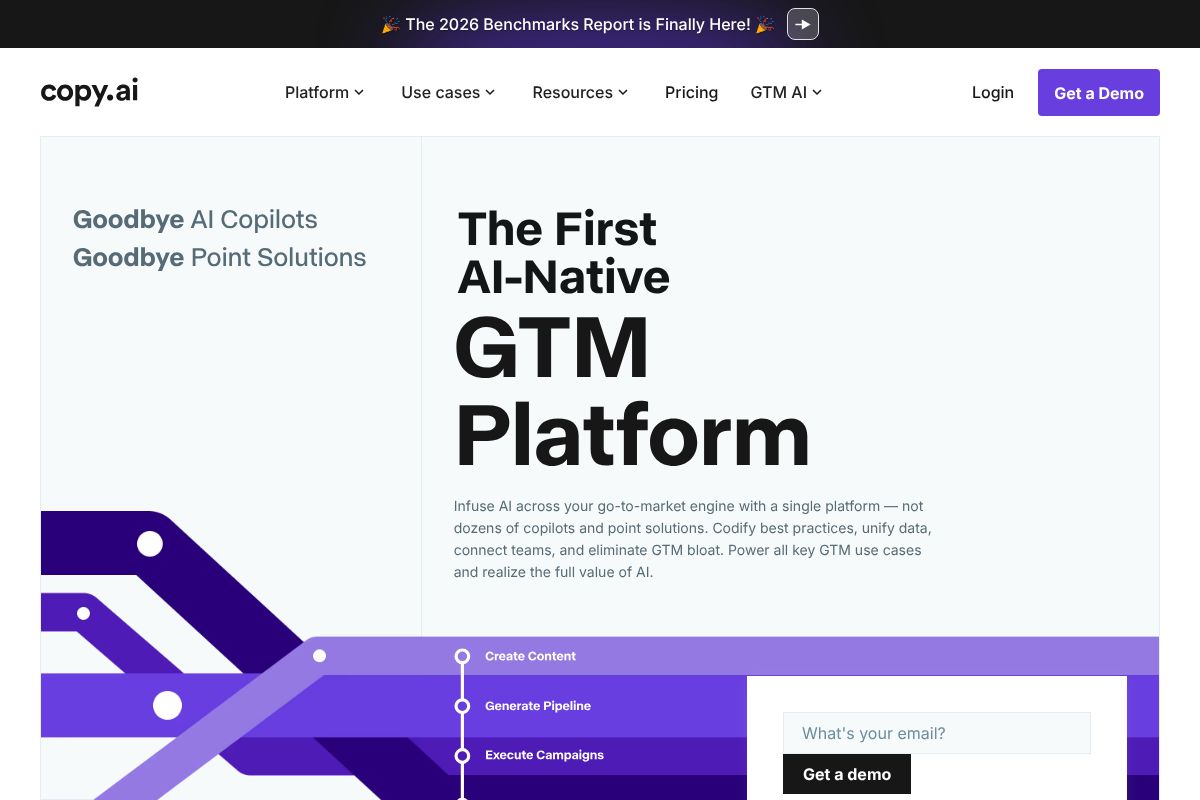
What really sets Copy.ai apart is its Agents feature, which lets you automate multi-step content workflows — think researching, drafting, and formatting in a single automated sequence. This makes it especially powerful for small teams who want to do more without hiring more. Pricing starts free, with paid tiers stepping up from there to accommodate growing needs.
- Generous free tier — no credit card required to start
- Chat interface for natural, back-and-forth content creation
- Agents feature for automating repetitive content tasks
- Best for: solo creators and small teams exploring AI for the first time
Jasper AI AI: Best for Brand-Consistent Teams
Jasper AI is built for businesses that care deeply about sounding like themselves — consistently, across every piece of content they produce. Its standout feature is brand voice training, which lets you feed the platform your existing content so it learns your tone, style, and messaging before it writes a single word. For marketing teams and agencies managing high content volumes, that consistency is worth a lot.
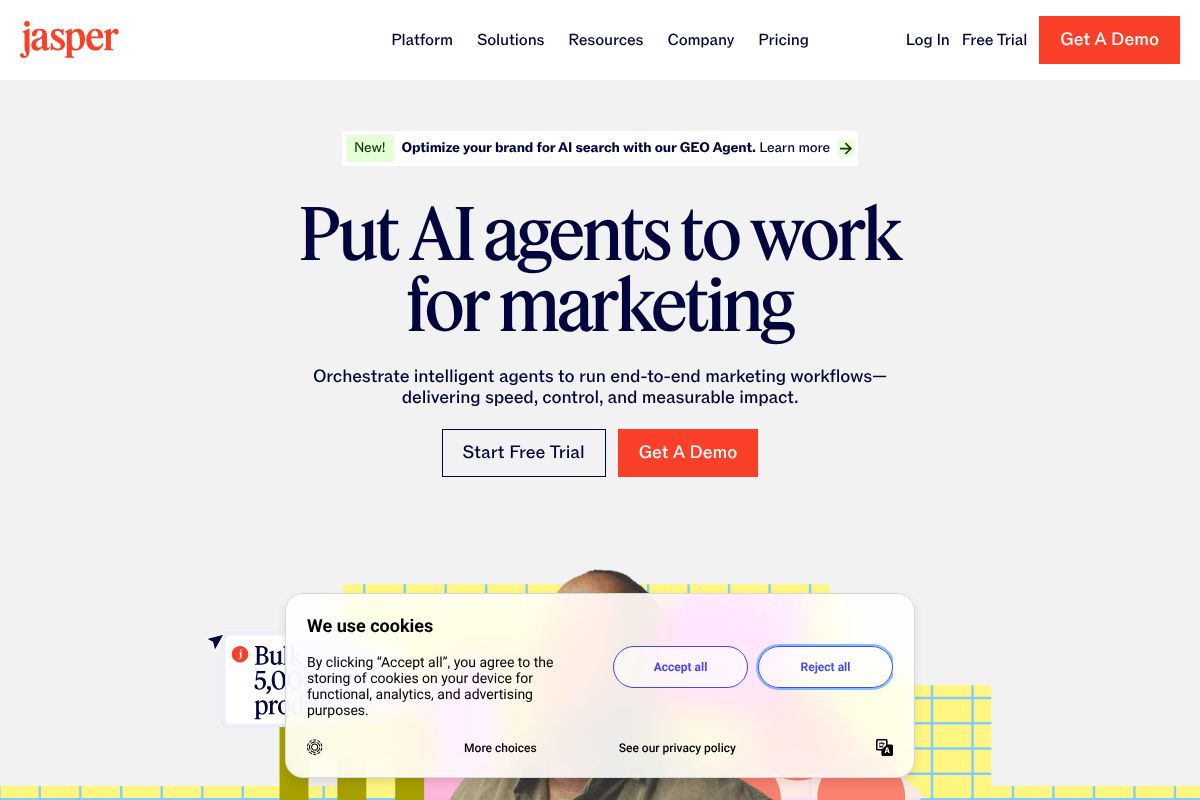
Jasper’s Teams plan supports collaboration across multiple users, making it a practical choice for agencies or in-house marketing departments where more than one person is touching content. It’s not the cheapest option on this list, but for teams scaling content production, the time savings tend to justify the investment quickly.
- Brand voice training using your existing content
- High-volume content creation with consistent output quality
- Teams plan designed for multi-user collaboration
- Best for: marketing teams and agencies scaling content output
Rytr: Best for Budget-Conscious Beginners
Rytr earns its place on this list by keeping things simple and affordable. If you’re a freelancer or solopreneur who just wants to write better emails, product descriptions, or social captions without a steep learning curve, Rytr delivers that without overwhelming you with features you’ll never use. Its interface is clean, intuitive, and genuinely non-technical — you don’t need to read a tutorial to get your first draft out.
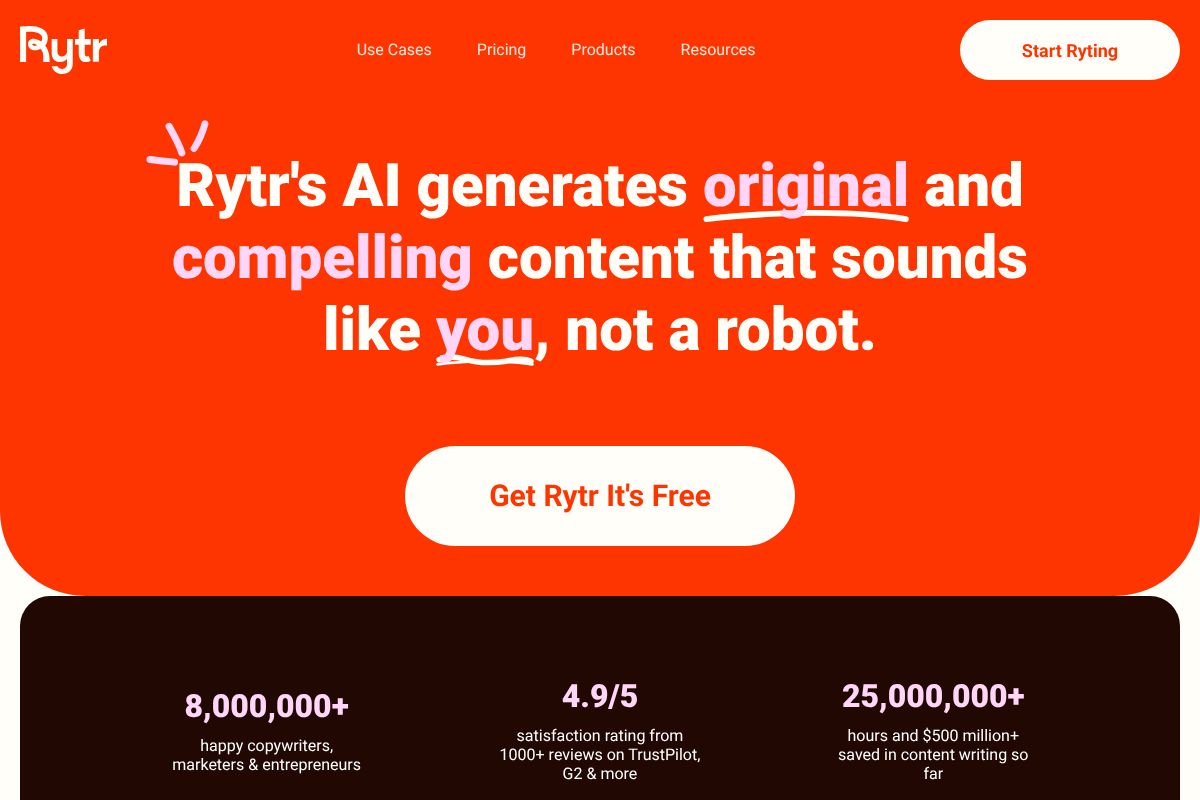
The free tier covers basic usage, and the paid plan comes in at just $29 per month — one of the most accessible price points among serious AI writing tools. It won’t replace Jasper for enterprise-level brand work, but for individuals just getting started with AI-assisted writing, it’s a low-risk, high-value entry point.
- Free tier available with no technical setup required
- Paid plan at $29/month — among the most affordable options
- Simple, beginner-friendly interface with minimal learning curve
- Best for: freelancers and solopreneurs starting their AI writing journey
Pricing Comparison: What You’ll Actually Spend
Understanding the true cost of an AI writing tool goes beyond the headline price. Between free tiers, annual billing discounts, and team seat fees, what you pay can vary significantly depending on how you use the product. Here’s a clear breakdown so you can match your budget to your actual content needs.
| Tool | Free Tier | Mid-Tier (Monthly) | Premium (Monthly) |
|---|---|---|---|
| Copy.ai | 2,000 words/month | $49/month (Pro) | Custom (Teams) |
| Jasper AI | 7-day trial only | $49/month (Creator) | $125/month (Teams) |
| Rytr | 10,000 characters/month | $29/month (Unlimited) | Custom (Agency) |
Free Tier Options
If you want to test before committing, Rytr offers the most generous free tier — 10,000 characters per month with access to core use cases like emails, product descriptions, and social content. That’s enough to get a genuine feel for the tool without entering a credit card.
Copy.ai gives you 2,000 words per month on its free plan, which covers light testing but will feel limiting quickly if you produce content regularly. Jasper AI doesn’t offer an ongoing free tier — only a 7-day trial, which is enough to evaluate quality but doesn’t give you long-term low-stakes access.
- Best free tier for testing: Rytr
- Best trial for evaluating quality: Jasper AI (7-day full access)
- Free tier verdict: Free plans work for occasional use, but most small businesses will outgrow them within a month
Paid Tiers and Value
For most small business owners, the mid-tier paid plans are where the real value lives. Rytr’s $29/month plan unlocks unlimited character generation — a strong deal if your needs are straightforward. Copy.ai and Jasper AI both sit at $49/month for their entry paid tiers, but offer meaningfully different capabilities at that price point.
Jasper’s Creator plan at $49/month includes brand voice features and longer-form document support, making it worth the premium if content quality directly drives revenue — think product pages, email campaigns, or blog content. Copy.ai’s Pro plan focuses on workflow automation and templates, which pays off if you’re producing high volumes of repetitive content.
- At $29/month, Rytr delivers strong ROI for freelancers writing 20+ pieces per month
- At $49/month, Jasper AI earns back its cost if it saves you just 3–4 hours of writing time
- Upgrading makes sense when free-tier limits are slowing your output or restricting key features
Hidden Costs to Watch
A few line items can quietly inflate your bill. Jasper AI’s Teams plan charges per seat, so adding even one collaborator jumps your cost significantly. Annual billing typically saves you 20–25% across all three tools, but locks you in — make sure you’ve tested thoroughly before committing. Copy.ai’s enterprise workflows and some advanced integrations sit behind higher-tier paywalls that aren’t always obvious upfront. Always check whether the features shown in marketing demos are actually included in the plan you’re considering.
Real-World Use Cases: Who Should Use What?
Pricing and features only tell part of the story. The real question is whether a tool actually fits how you work day-to-day. Here’s a practical breakdown by audience type, so you can match your situation to the right recommendation.
Solo Content Creators and Freelancers
You’re a solopreneur blogger, a freelance copywriter juggling five clients, or a creator trying to stay consistent without burning out. In this case, you don’t need enterprise-grade collaboration — you need something fast, affordable, and easy to pick up on day one.
Rytr is a strong starting point here. At $29/month, it covers a wide range of content types with minimal setup, and the learning curve is genuinely shallow. If you want to test the waters before spending anything, Copy.ai’s free tier gives you access to core templates without a credit card. Either option lets you start producing usable content within the first hour.
- Low monthly commitment that makes sense even at part-time output
- No team features you’ll never use cluttering the interface
- Quick-start templates for blogs, social captions, and client emails
Small Marketing Teams
You manage content for a five-person team, or you’re a marketing lead responsible for keeping brand voice consistent across channels. At this scale, individual productivity matters less than coordinated output — and that’s where Jasper AI earns its price tag.
Jasper’s brand voice tools let you define tone, style, and messaging guidelines once, then apply them across every piece your team produces. Copy.ai Pro is worth considering too, especially if your team runs repetitive campaign workflows that benefit from automation. Both support collaboration, but Jasper edges ahead on brand consistency.
- Shared brand voice settings reduce editing time significantly
- Team workflows keep everyone producing on-message content
- Scalable output without proportionally scaling headcount
E-Commerce and Service Businesses
You’re running an online store, a local service business, or a growing agency that needs product descriptions, landing pages, and promotional emails — fast. Copy.ai handles this well with its template library built around conversion-focused formats.
If SEO is a priority — think category pages or blog content designed to rank — Writesonic is worth a look specifically for its search-optimized content features. Between the two, you can cover nearly every written touchpoint a customer encounters before buying.
- Product description generators that scale across large catalogs
- Landing page and email copy templates built for conversions
- SEO-focused drafts that reduce time spent on keyword optimization
Pros, Cons, and Trade-Offs
No AI writing tool is a silver bullet. The honest truth is that every platform covered here has meaningful limitations — and understanding those trade-offs upfront will save you frustration later. The goal isn’t to find a perfect tool; it’s to find the right fit for how you actually work.
When AI Writing Tools Fall Short
The most common issue you’ll run into is AI hallucination — where the tool confidently generates information that’s simply incorrect. Statistics, dates, product specs, and industry-specific claims are especially prone to errors. If you publish without fact-checking, that’s a credibility risk you can’t afford.
Tone inconsistency is another real limitation. AI can drift mid-draft, shifting from professional to overly casual without warning. This gets worse with niche topics — if your business operates in a specialized industry, the model may lack enough context to write with genuine authority.
- Fact-checking is non-negotiable, especially for data-heavy content
- Niche or technical topics often require significant human rewriting
- Tone can feel generic without careful prompting and editing
- Customer support quality varies — some platforms are slow to respond at scale
How to Get the Best Results
The quality of your output is directly tied to the quality of your input. Vague prompts produce vague content. The more context you give — audience, purpose, tone, key points — the less editing you’ll need on the back end.
Treat AI as a capable first-draft partner, not a finished-content machine. Build in time for human editing, especially to inject your brand’s personality. Most tools offer brand voice training features — actually use them. And refine iteratively: run a draft, adjust the prompt, run it again.
- Write detailed prompts that include audience, goal, and tone
- Use brand voice settings to reduce stylistic drift across drafts
- Always edit for accuracy, nuance, and personality before publishing
- Set realistic expectations — AI accelerates your work, it doesn’t replace your judgment
The Verdict: Which AI Tool Should You Choose?
There’s no single “best” AI tool for small businesses — the right choice depends on your budget, how much content you produce, the size of your team, and how comfortable you are tinkering with settings. The good news is that the market in 2026 is mature enough that you don’t have to compromise much, regardless of where you land.
Think through four key factors before committing to any platform:
- Budget: How much can you realistically spend monthly without needing to justify the ROI immediately?
- Content volume: Are you publishing a few pieces a week or running a high-output content operation?
- Team size: Do you need collaboration features, or are you a solo operator?
- Technical comfort: Are you happy to prompt-engineer your way to great output, or do you want guided templates?
Start with a free tier or trial wherever possible. Most tools offer enough functionality in a trial period to tell you whether the workflow actually fits your business — don’t skip that step.
Quick Decision Guide
- If your budget is $0 right now: Start with a free-tier option and focus on learning strong prompting habits before upgrading.
- If you’re a solo content creator or freelancer: Prioritize a tool with flexible templates and solid long-form output at a low monthly cost.
- If you manage a small marketing team: Look for platforms with team seats, brand voice controls, and collaboration features built in.
- If you produce high volumes of content weekly: Invest in a mid-to-premium tier plan — the time savings will outpace the cost quickly.
- If you’re in a niche or technical industry: Choose a tool that allows detailed custom instructions or brand voice training, and budget extra time for editing.
- If you’re just testing the waters: Pick one tool, commit to it for 30 days, and measure the actual time saved before evaluating alternatives.
The best AI tool is ultimately the one you’ll use consistently. A powerful platform that sits unused because the interface frustrates you is worth less than a simpler tool you open every day.
Ready to Get Started? Here’s Your Next Step
The best way to find your ideal AI tool isn’t to read more reviews — it’s to actually use one. Most of the top platforms make that easy without asking for your credit card upfront.
Here’s a simple, no-risk approach to get moving this week:
- Start with a free tier. Both Copy.ai and Rytr offer free plans with enough functionality to test real workflows — not just demo prompts. Sign up for one (or both) and run them through an actual task you do every week.
- Set a two-week test window. Commit to using your chosen tool consistently for 14 days. That’s enough time to move past the learning curve and see genuine results.
- Track two things only: time saved and content quality. You don’t need a complicated system — a simple note at the end of each week is enough to make a clear-headed decision.
- Upgrade with intention. If the free tier proves its value, consider stepping up to Jasper AI for more advanced brand voice controls and team features.
You don’t need to get this perfect on the first try. The goal is to start small, measure honestly, and build from there.
Not sure which tool fits your specific situation? Drop your use case in the comments — happy to help you think it through.
Our Verdict
Editorial rating: 4.6/5
Best AI tool depends on your budget and use case
ChatGPT and Claude lead for versatility and affordability, while specialized tools like Jasper and Copy.ai deliver better results for specific workflows. The trade-off: generalist tools require more prompt refinement, whereas specialized platforms cost more but need less hands-on optimization.
Frequently Asked Questions
What is the cheapest AI tool for small business writing?
ChatGPT’s free tier and Claude’s free version offer robust capabilities at zero cost. For paid options, tools like Jasper and Copy.ai start around $39-49 monthly, making them affordable entry points for small teams needing consistent, scalable content generation.
Can small businesses use free AI tools effectively?
Yes. Free versions of ChatGPT, Claude, and Gemini handle emails, social posts, and basic copywriting well. However, they lack advanced features like brand voice training, bulk processing, and priority support that paid tiers offer for growing businesses.
Which AI tool is best for customer service emails?
ChatGPT and Claude excel at tone-aware, contextual email drafting. For automation at scale, HubSpot’s AI assistant integrates directly into CRM workflows. Specialized tools like Intercom AI focus on support tickets and reduce response time significantly for small support teams.
Do I need multiple AI tools or just one?
One versatile tool like ChatGPT or Claude handles 80% of small business needs. Add a specialized tool only if you need specific features like SEO optimization, design, or video scripting. Most small businesses succeed with one primary tool plus free alternatives.
Related Reads
- Best AI Tool for Blog Posts: Top Picks for 2024
Find the best AI tool for blog posts. Compare Jasper, Copy.ai, Writesonic & Rytr. Honest reviews, pricing, and which fit…
- Copy.ai vs Writesonic: Which AI Writer Wins in 2026?
Compare Copy.ai and Writesonic in 2026. See pricing, features, and which AI writing tool fits your content needs best.…
- Best AI Writing Tool for Content Creators in 2024
Find the best AI writing tool for your needs. Compare top options like Jasper, Copy.ai, and Writesonic with honest revie…