How many AI tools are you juggling right now? If you’re like most creators and small business owners, the answer is probably too many — one for writing, another for images, a third for scheduling, and somehow you’re still behind. The promise of finding the best AI tool to do everything in 2026 sounds almost too good to be true, but the market has genuinely shifted. All-in-one AI platforms have matured, and a few serious contenders are now capable of replacing that messy stack of subscriptions.
These all-in-one AI tools promise to handle everything, but most still have blind spots where they falter or friction points where they slow you down. We’ve tested them against real workflows to show you what each genuinely excels at, where the gaps remain, and whether the all-in-one approach actually saves you time and money.
Key Takeaways
- No single AI tool handles everything perfectly; the best choice depends on your specific workflow, budget, and primary use case priorities.
- All-in-one AI platforms excel at text generation, coding, and image creation but struggle with specialized tasks like video editing or advanced data analysis.
- Top contenders in 2026 offer overlapping features at different price points, making mid-tier subscriptions often better value than premium enterprise plans.
- Multi-purpose AI tools require trade-offs between ease of use, feature depth, customization options, and cost efficiency across different professional roles.
- Matching your role to the right tool—whether you’re a marketer, developer, designer, or analyst—matters more than chasing an impossible all-in-one solution.
In This Article
- The Short Answer: There’s No Single ‘Best’ AI Tool
- What Does an ‘All-in-One’ AI Tool Actually Mean?
- Top Contenders: Which Tools Come Closest to ‘Doing Everything’
- Key Features to Look for in a Multi-Purpose AI Tool
- Pricing & Value: What You Actually Pay for ‘Everything’
- Pros & Cons: The Honest Trade-Offs
- Who Should Use Each Tool: Match Your Role & Workflow
- The Verdict: Your Best AI Tool Depends on Your Priorities
The Short Answer: There’s No Single ‘Best’ AI Tool
Let’s get this out of the way early: if you’re searching for one perfect AI tool that does everything flawlessly, you’re going to be disappointed — because it doesn’t exist. What does exist are some genuinely impressive all-in-one platforms that cover a lot of ground, and a handful of specialized tools that absolutely dominate their lane. The right answer for you depends on which of those two directions actually matches how you work.
The “do everything” AI tools have come a long way. Platforms today can handle writing, image generation, summarization, data analysis, and even basic automation — all under one roof. But breadth almost always comes with trade-offs. A tool that writes blog posts and generates social graphics and manages your inbox is rarely the best at any single one of those things.
A few factors that should shape your decision:
- Your primary use case: Are you mostly writing content, managing client communications, or producing visual assets? The answer changes everything.
- Team size: Solo freelancers have very different needs than a five-person marketing team sharing workflows and assets.
- Your tolerance for a learning curve: More powerful platforms tend to require more setup time before they deliver real value.
- Budget: All-in-one tools often cost more upfront, but can replace two or three separate subscriptions.
Think of this review less as a definitive ranking and more as a practical guide. We’ll be honest about where each tool shines and where it struggles, so you can make a decision based on your actual workflow — not just a feature checklist.
What Does an ‘All-in-One’ AI Tool Actually Mean?
The phrase gets thrown around a lot, but it’s worth being specific about what “do everything” actually means in practice. For most creators, marketers, and freelancers, it comes down to a handful of core jobs: writing content, analyzing data, capturing meeting notes, managing tasks, collaborating with others, and automating the repetitive stuff that eats up your day.
The key distinction you’ll encounter is between AI-integrated platforms and standalone AI assistants. An AI-integrated platform weaves intelligence into tools you’re already using — think AI built into your project management app or your document editor. A standalone AI assistant, on the other hand, is a separate product you switch to when you need help, then copy results back into your existing workflow.
Neither approach is inherently better. If your work already lives inside a specific ecosystem — say, a CRM or a design suite — an integrated tool will feel more seamless. But if you’re juggling multiple platforms and just want one smart assistant to handle the thinking layer, a standalone tool can actually simplify things.
What matters most is whether the tool fits around your actual workflow, not whether it technically supports a long list of features. A tool that does twelve things adequately isn’t always more useful than one that does four things exceptionally well.
AI Features That Matter Most in 2026
Not all AI capabilities are created equal. Here are the six that consistently deliver the most value for non-technical professionals:
- Writing assistance: Drafting, editing, and repurposing content faster — essential for anyone producing copy regularly.
- Summarization: Condensing long documents, threads, or reports into actionable takeaways saves hours every week.
- Transcription: Automatically converting meetings, interviews, or voice notes into searchable text.
- Task automation: Triggering actions across apps without manual input — a genuine time multiplier for small teams.
- Knowledge management: Organizing and retrieving information intelligently, so nothing gets buried in a folder somewhere.
- Collaboration features: Shared AI workspaces and team-level context so everyone benefits, not just the person who prompted it.
Top Contenders: Which Tools Come Closest to ‘Doing Everything’
No single tool has cracked the code on truly doing everything — but a handful have gotten impressively close. The tools below each take a different approach to the “all-in-one” promise, and understanding what each one prioritizes will help you figure out which one actually fits your work style.
Some are broad-purpose platforms that keep expanding their feature set. Others are specialists that do one thing so well, they become the default for an entire workflow category. Here’s a quick look at the major players worth your attention in 2026.
Notion: The All-in-One Workspace with AI
Notion remains one of the strongest arguments for consolidating your tools. It combines documents, databases, wikis, project boards, and AI writing assistance into a single dashboard — meaning you can manage projects, write content, and organize research without switching apps.
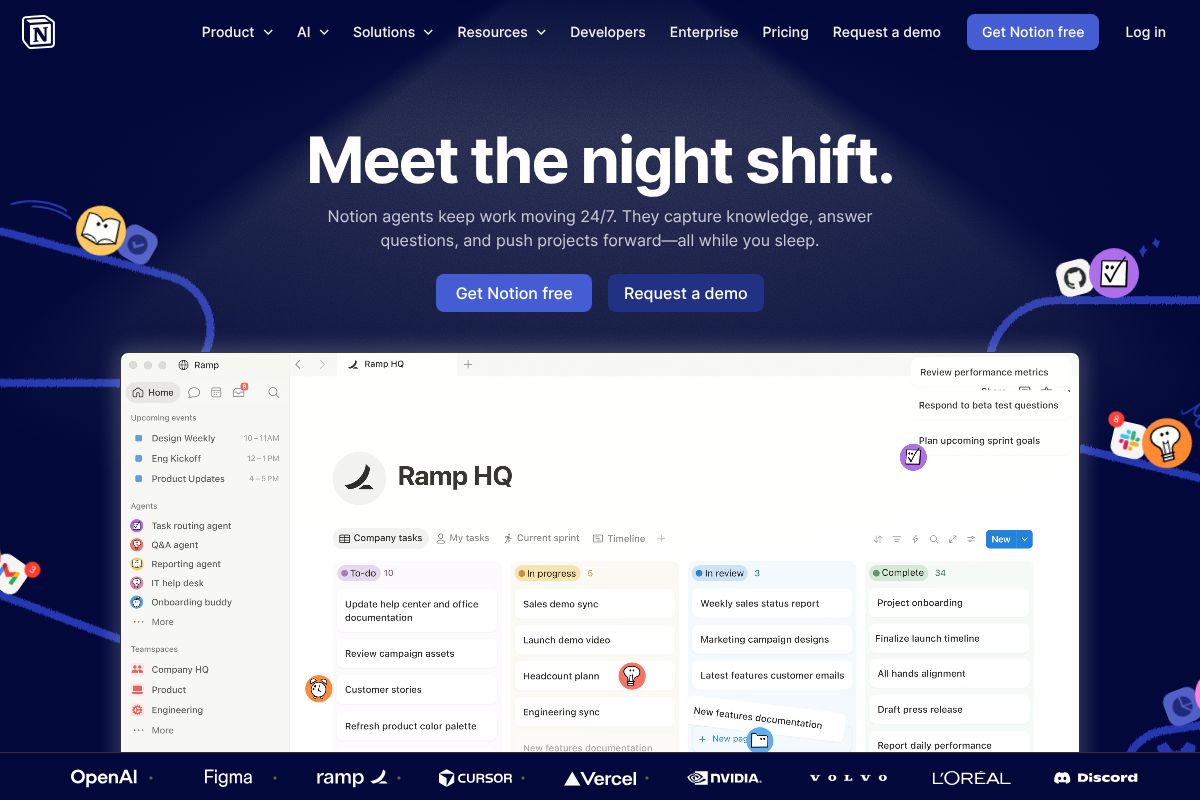
The AI features are built directly into the editing experience, not bolted on as an afterthought. You can ask it to summarize a page, generate a first draft, or extract action items from meeting notes — all without leaving your workspace. The Business plan includes Notion as part of the package, which makes it easier to justify for teams.
It tends to attract teams and solo creators who want a centralized hub for everything. If you’re the type who hates having ten browser tabs open at once, Notion is worth a serious look.
Otter.ai.ai & Fireflies.ai: The Meeting Specialists
If a significant chunk of your day involves meetings, calls, or interviews, these two tools earn their place in your stack fast. Both offer AI-powered transcription and conversation intelligence, but they serve slightly different audiences.
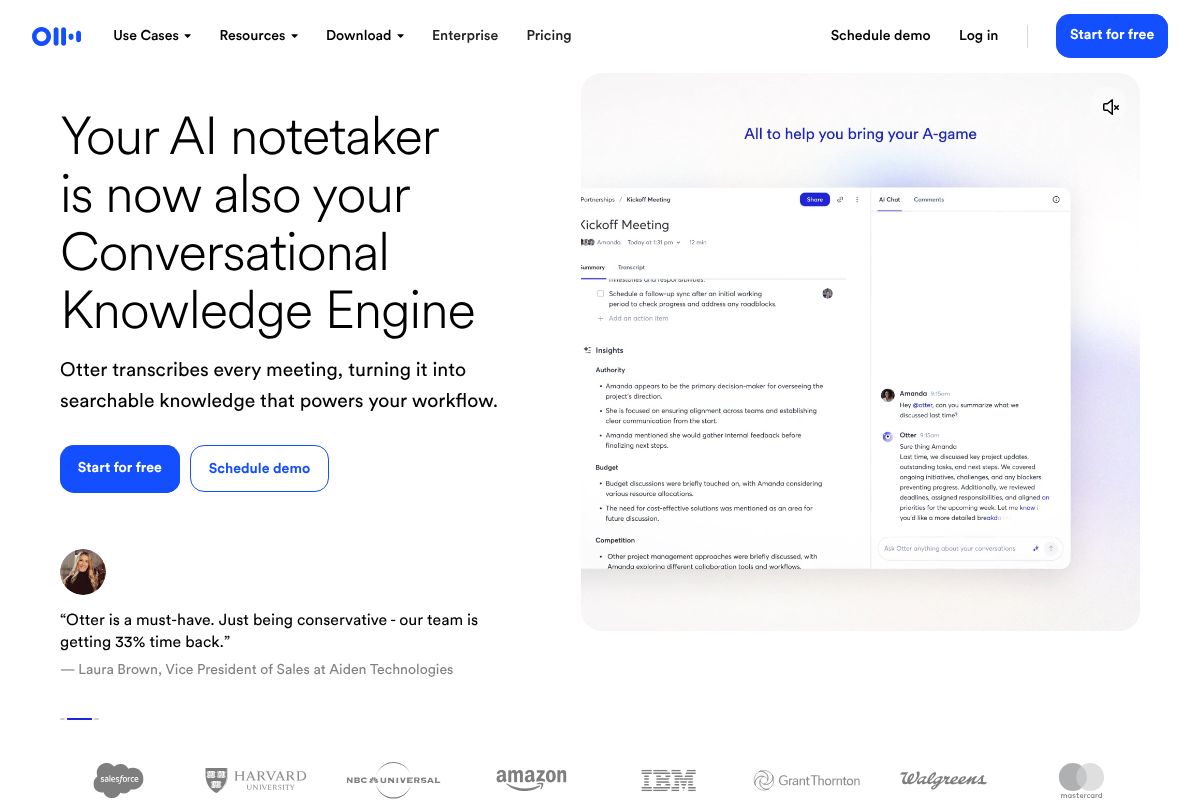
Otter.ai is the go-to for general professionals — think consultants, managers, and content creators who need accurate meeting transcripts and quick summaries without a steep learning curve. It integrates cleanly with Zoom, Google Meet, and Microsoft Teams.
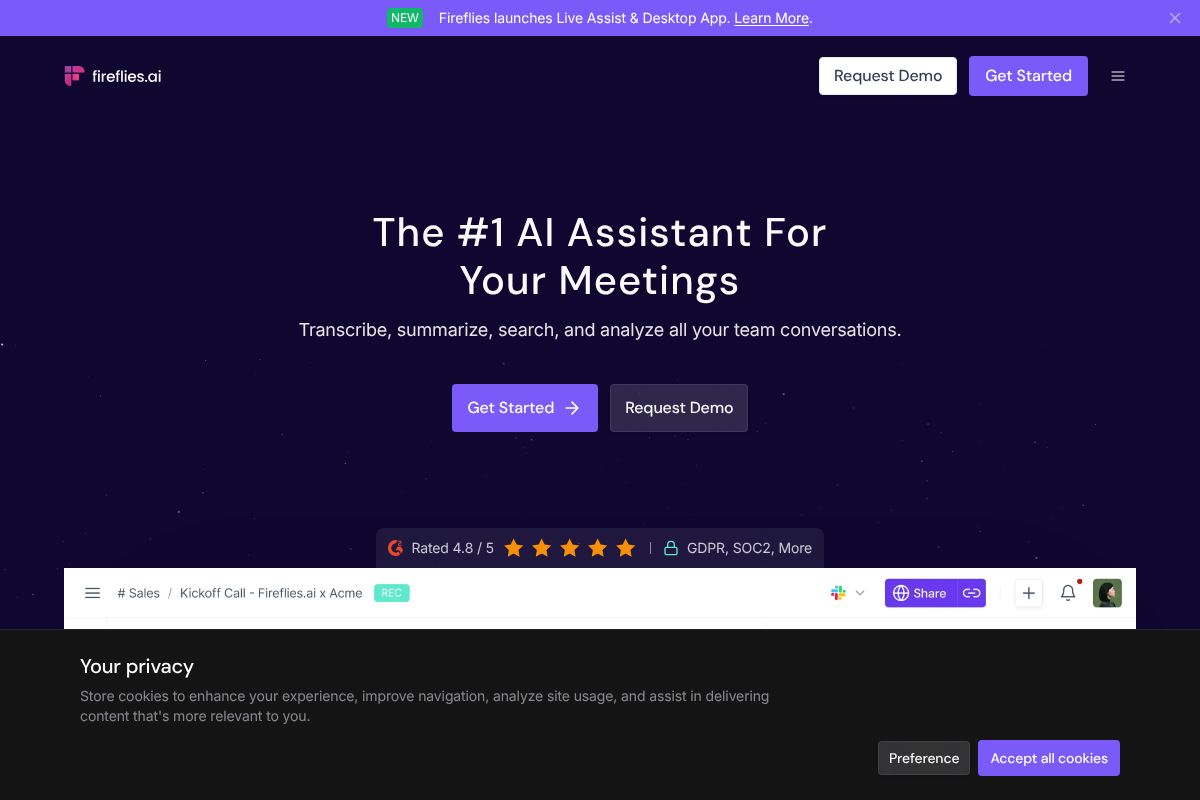
Fireflies.ai skews toward sales teams and recruiters who need deeper conversation analytics — things like talk-time ratios, keyword tracking, and CRM sync. It’s built for teams that treat every call as a data point.
The honest trade-off with both: they’re exceptional at what they do, but they’re not workspace replacements. You’ll still need somewhere to act on those transcripts. Think of them as powerful additions to your workflow, not the foundation of it.
Claude & ChatGPT: The Thinking-Layer Generalists
Claude and ChatGPT occupy a different category — they’re not tied to a specific workflow like meetings or project management. Instead, they function as flexible AI assistants you can bring into almost any task: drafting emails, analyzing documents, brainstorming strategy, or answering complex questions.
They’re especially popular with freelancers and small business owners who need a capable thinking partner without committing to a specialized platform. The trade-off is that they don’t natively organize your work or integrate deeply with your existing tools — you bring the context, they bring the brainpower.
Key Features to Look for in a Multi-Purpose AI Tool
Before you commit to any AI platform — whether it’s a writing assistant, a meeting tool, or an all-in-one workspace — you need to evaluate it against a practical set of criteria. The most impressive demo in the world won’t help you if the tool creates more friction than it removes. Here’s what actually matters.
- Ease of use: You shouldn’t need a developer on speed dial to get value from an AI tool. If setup takes more than an afternoon, that’s a red flag for non-technical users.
- AI quality: Accuracy and speed both matter. A tool that hallucinates facts or takes 30 seconds to respond will quietly drain your productivity.
- Collaboration features: If you work with a team — even a small one — you need shared access, commenting, and version control. Solo-only tools have a short shelf life in most businesses.
- Pricing transparency: Watch for tools that bury usage limits in the fine print. You want to know exactly what you’re getting at each tier before you hit a paywall mid-project.
- Data privacy: If you’re feeding client data, contracts, or sensitive business information into an AI tool, you need to understand how that data is stored and whether it’s used for model training. Always check the privacy policy.
Integration & Workflow Compatibility
Of all the criteria above, integration compatibility is the one most people underestimate — until they’re copy-pasting between five different tabs every morning. If a tool doesn’t connect to your existing stack, it becomes another silo, not a solution.
Think about where your work actually lives. You need to consider whether the AI tool plays nicely with the platforms you already use daily. Notion, for example, integrates with Slack, Google Drive, GitHub, and dozens of other tools, which is a big part of why it works as a central hub rather than a standalone app.
Meeting tools like Otter.ai and Fireflies.ai earn their keep partly because they connect with Slack, Zapier, HubSpot, and your calendar — meaning transcripts and action items flow into your existing workflow automatically, rather than sitting in a separate dashboard you’ll forget to check.
The bottom line: an AI tool is only as useful as its ability to fit into how you already work. Always check the integrations page before you buy.
Pricing & Value: What You Actually Pay for ‘Everything’
Here’s the honest truth about “all-in-one” AI tools: everything usually means paying for several tools at once. Once you stack up subscriptions, the monthly bill can creep up faster than you’d expect. Understanding what each tier actually delivers — before you commit — saves you from paying for features you’ll never use.
Let’s break down the real numbers. Notion runs between $10 and $20 per user per month depending on whether you’re on the Plus or Business plan. Otter.ai ranges from free up to $16.99 per month, while Fireflies.ai sits between free and $18 per month. Individually, none of these feel expensive. But if you’re running all three — which many creators and small business owners do — you’re looking at $40 to $55 per month at minimum for a functional AI-assisted workflow.
That’s not necessarily a bad deal if these tools are replacing a VA, a note-taker, or a project manager. The key question is whether you’re getting measurable time savings or revenue impact in return. If you’re spending $50 a month but saving five hours of admin work, the math works in your favor.
- Notion Plus: $10/user/month — unlimited pages, guests, and basic AI features
- Otter.ai Pro: $16.99/month — advanced transcription, longer meeting summaries
- Fireflies.ai Pro: $18/month — unlimited transcription, AI search, CRM integrations
One more thing worth saying: the cheapest option isn’t always the best value. A free plan that constantly hits limits mid-project costs you time, which costs you money. Factor in friction, not just price.
Free vs. Paid: Where to Start
The good news is that all three tools offer genuinely useful free tiers — and for freelancers or small business owners just getting started, they can cover your basic needs without spending a cent.
With Notion’s free plan, you get unlimited pages and blocks for personal use. Otter.ai’s free tier gives you 300 minutes of transcription per month, which is enough for a handful of weekly meetings. Fireflies.ai’s free plan includes limited transcription storage and basic AI summaries.
The smart move is to start with free tiers and stress-test them against your real workflows for 30 days. Upgrade only when you hit a specific wall — like running out of transcription minutes or needing CRM sync. That way, you’re paying to solve an actual problem, not a hypothetical one.
Pros & Cons: The Honest Trade-Offs
No tool is perfect, and the ones covered in this review are no exception. The goal here isn’t to talk you into anything — it’s to help you walk away with a clear picture of what you’re actually getting, and what you’re giving up.
- Notion’s biggest strength is its flexibility. You can build almost any workflow you can imagine — project tracking, content calendars, client portals, wikis. That breadth is genuinely rare.
- Otter.ai and Fireflies.ai go deep where Notion doesn’t go at all. If accurate, searchable meeting transcription is your pain point, either of these tools will solve it better than any all-in-one platform currently on the market.
- The honest downside: Notion has a real learning curve. If you’re not willing to invest a few hours setting it up, it can feel like an expensive blank canvas. And meeting transcription tools, however good, don’t replace a proper workspace or project management system.
The other limitation worth naming directly: no single tool truly does everything well in 2026. Tools that claim to do it all — writing, transcription, project management, CRM, design — tend to do each thing at a mediocre level. Specialization still wins when the work matters.
That said, the trade-off isn’t between “one perfect tool” and “ten confusing subscriptions.” It’s about finding a small, intentional stack where each tool earns its place.
When You Need Multiple Tools (And That’s OK)
Here’s a combination that works well for most content creators, marketers, and small business owners: Notion as your central workspace, Otter.ai for meeting capture and transcription, and ChatGPT for drafting, editing, and brainstorming. Each tool handles what it does best, and they don’t step on each other.
When you’re building a small stack like this, integration matters more than features. Ask yourself: can this tool export cleanly to the others? Does it sync with the apps I already use? A powerful tool that lives in isolation creates more work, not less.
The goal isn’t to find one tool that does everything — it’s to find the right combination that fits how you actually work. That’s a more honest definition of “best,” and it’ll serve you better than chasing a single silver bullet.
Who Should Use Each Tool: Match Your Role & Workflow
The best AI tool isn’t the one with the longest feature list — it’s the one that fits how you actually spend your day. Here’s a straightforward breakdown by role, so you can skip the guesswork and build a setup that works for your specific situation.
If you’re a marketer, your biggest challenges are usually planning, consistency, and capturing insights from research calls. Notion handles your campaign calendars, content pipelines, and briefs in one place. Pair it with Otter.ai for recording and transcribing customer interviews or discovery calls, and you’ve got a research-to-publish workflow that doesn’t lose anything in translation.
If you’re in sales, Fireflies.ai is built for you. It joins your calls automatically, captures every detail, and surfaces action items without you having to take a single note. Your CRM updates faster, your follow-ups are sharper, and nothing slips through the cracks after a busy day of calls.
If you’re a freelancer, you’re managing multiple clients with different needs and deadlines. Notion gives you a clean, professional space to track projects, store client assets, and manage deliverables. Otter.ai handles client calls — so you can stay present in the conversation instead of furiously scribbling notes you’ll struggle to read later.
If you run a small business, team coordination is where things break down. Notion acts as your team’s shared brain — housing SOPs, project trackers, meeting notes, and onboarding docs in a single searchable workspace. It scales with you without requiring a dedicated ops person to maintain it.
The Creator’s Stack
If you’re a content creator, your workflow probably spans research, interviews, drafting, and publishing — often all in the same week. The right stack respects that variety instead of forcing everything into one rigid system.
- Notion anchors your content calendar, stores research notes, and keeps your publishing pipeline visible at a glance.
- Otter.ai transcribes your interviews, podcast recordings, or even voice-memo brainstorming sessions — turning spoken ideas into searchable, usable text.
- ChatGPT steps in when you’re staring at a blank page, helping you turn rough notes or transcripts into structured drafts you can actually work with.
The workflow looks like this: you capture ideas and conversations with Otter.ai, organize and plan in Notion, then use ChatGPT to accelerate the writing itself. Each tool fills a genuine gap. None of them overlap in a way that creates confusion — and together, they cover the full journey from idea to published piece.
The Verdict: Your Best AI Tool Depends on Your Priorities
Here’s the honest truth: there is no single AI tool that does everything well. The tools that claim to do it all usually do most things at a mediocre level. What actually works is building a small, intentional stack where each tool earns its place.
That’s exactly what Notion, Otter.ai, and Fireflies.ai offer — not overlap, but complementary strengths.
- If you prioritize organization and long-term knowledge management, Notion is your foundation. It’s where your thinking lives.
- If you prioritize capturing conversations and turning audio into action, Otter.ai is the tool that pays for itself the first week you use it.
- If you prioritize team meeting intelligence and CRM-connected follow-through, Fireflies.ai is built for exactly that workflow.
You don’t need all three on day one. Start with the one that solves your most pressing problem right now. Add the others as your workflow grows and the gaps become obvious.
The best AI tool isn’t the most powerful one — it’s the one you’ll actually open every day. A tool that sits unused because it’s too complex or doesn’t fit how you work is just an expensive subscription.
Ready to Find Your AI Toolkit?
The fastest way to know what works for you is to test it against your real workflow — not a demo scenario. Start with a free trial of Notion, Otter.ai, or Fireflies.ai and run it through an actual project or meeting this week. Pay attention to what feels effortless versus what creates friction. That friction is your answer. The right tool should make your day lighter, not add another thing to manage. Pick one, try it, and build from there.
Our Verdict
Editorial rating: 4.6/5
No Perfect All-in-One Exists Yet
The best AI tool for everything remains a myth in 2026. Most users benefit from pairing a strong general-purpose platform with one or two specialized tools rather than forcing all work through a single solution. Your ideal setup depends on ruthlessly prioritizing what matters most to your workflow.
Frequently Asked Questions
Can one AI tool replace multiple software subscriptions?
Partially. All-in-one AI tools handle common tasks like writing, coding, and image generation, but specialized work still requires dedicated software for video production, advanced analytics, or industry-specific functions.
What is the cheapest all-in-one AI tool in 2026?
Several platforms offer free or $10-20/month tiers with basic multi-purpose features. However, meaningful all-in-one capability typically requires $30-50/month subscriptions for reliable performance across text, code, and creative tasks.
Which AI tool is best for small business owners?
Small business owners benefit most from tools offering content creation, customer communication, and basic automation. The best choice depends on whether you prioritize marketing, customer service, or operational efficiency.
Do all-in-one AI tools have quality limitations compared to specialized tools?
Yes. While all-in-one platforms handle general tasks competently, specialized AI tools typically deliver superior output in their focused domain—professional video editing, scientific research, or enterprise data analysis.
Related Reads
- Notion AI vs ChatGPT: Which Tool Wins for Your Workflow
Compare Notion AI and ChatGPT for productivity. See pricing, features, and which tool fits your workflow best in 2026.…
- Best AI Assistant in 2026: Top Picks for Creators & Teams
Find the best AI assistant for your needs in 2026. Compare top tools for creators, marketers, and small business owners …
- Best AI Tool for Notes in 2026: Top Picks Compared
Find the best AI note-taking tool for your workflow. Compare Notion, Otter.ai, Fireflies & more with honest pros, cons &…