Every few months, a new AI model gets crowned “the best” — and right now, that title is being thrown at Grok 3 from every direction. But is Grok 3 really the best AI available in 2026, or is this just another wave of hype? If you’ve been burned before by switching tools only to find the “revolutionary” new model doesn’t actually fit your workflow, you’re not alone.
This honest review cuts through the noise. We’ll look at what Grok 3 genuinely does well, where it falls short, how it stacks up against the competition, and — critically — whether it’s the right tool for you. We’ll also highlight some specialized alternatives worth knowing about, depending on what you actually need to get done.
Key Takeaways
- Grok 3 excels at real-time information processing and creative tasks, but lacks specialized depth in some professional domains compared to competitors.
- Creators and marketers benefit most from Grok 3’s speed and integration capabilities, though pricing scales quickly for heavy enterprise usage.
- Real-world performance depends heavily on your specific use case; Grok 3 dominates conversational AI but underperforms in specialized coding and analysis.
- Honest comparison shows Grok 3 competes strongly against ChatGPT and Claude, yet each platform maintains distinct advantages for different workflows.
- Best AI status remains subjective in 2026; Grok 3 represents excellent value for general users but isn’t universally superior across all categories.
In This Article
What Is Grok 3, and Why the Hype?
Grok 3 is the latest conversational AI model from xAI, Elon Musk’s AI company. It launched to significant fanfare, partly because of the name behind it and partly because early benchmarks showed strong performance across reasoning, coding, and general knowledge tasks. In 2026, it sits alongside ChatGPT, Claude, and Gemini as one of the major players in the large language model space.
The “best AI” label gets attached to Grok 3 for a few reasons. It’s deeply integrated with the X platform, giving it real-time access to trending conversations and breaking information. It also performs well on certain academic and technical benchmarks — the kind that get shared widely and generate headlines. But benchmark scores and real-world usefulness are two very different things.
Here’s what Grok 3 actually does: it answers questions, helps with writing, assists with coding, summarizes content, and engages in extended back-and-forth reasoning. That’s not a knock — those are genuinely useful capabilities. But so does nearly every major AI model available right now. The question isn’t whether Grok 3 is impressive; it’s whether it’s meaningfully better for your specific use case.
Before you cancel your current subscriptions and switch, it’s worth understanding where Grok 3 actually fits in the broader landscape — and where it doesn’t.
Grok 3 vs. ChatGPT, Claude, and Other Competitors
In the 2026 AI market, the top models are closer together than ever. Here’s a quick snapshot of how Grok 3 compares:
- Speed: Grok 3 is fast, but so are the latest versions of ChatGPT and Claude. Response speed differences are largely negligible for everyday tasks.
- Accuracy: All four major models perform well on factual queries. Grok 3 has an edge in real-time information thanks to its X integration, but Claude tends to edge ahead on nuanced, long-form reasoning.
- Unique selling point: Grok 3’s real differentiator is its live social data access and its less filtered, more direct tone — which some users love and others find less polished.
- Pricing: Grok 3 is tied to X Premium subscriptions, which may or may not align with how you already spend on tools.
No single model wins across every category. Your best choice depends heavily on what you’re actually trying to accomplish.
Key Features That Matter for Creators and Marketers
Knowing a tool exists and knowing what it actually does for your workflow are two different things. Here’s a practical breakdown of Grok 3’s features from the perspective of someone who needs to produce content, run campaigns, or grow a business — not someone benchmarking AI models for sport.
- Real-time information access: Grok 3 pulls live data from X (formerly Twitter), giving it an edge when you need up-to-the-minute context on trending topics, breaking news, or shifting audience conversations.
- Conversational depth: It handles multi-turn conversations reasonably well, maintaining context across longer exchanges without losing the thread.
- Content generation speed: Outputs are fast. For quick drafts, caption variations, or idea dumps, you’re not waiting around.
- Integration capabilities: Currently, Grok 3 is most tightly integrated within the X ecosystem. Standalone API access exists, but third-party tool integrations are still catching up compared to ChatGPT or Claude.
That last point is worth flagging. If your workflow depends on AI tools connecting smoothly with your CRM, email platform, or content scheduler, Grok 3 may feel more isolated than you’d like right now.
Content Generation and Ideation
For day-to-day content tasks, Grok 3 is genuinely capable. Ask it to draft a blog outline and it’ll deliver a structured, logical framework quickly. Social captions, email subject line variations, and brainstorming sessions all work well — the tone tends to be punchy and direct, which suits short-form content nicely.
Where it gets more nuanced is longer, more polished work. Blog posts and email sequences benefit from a human editing pass — Grok 3 can drift toward a casual, sometimes uneven tone in extended pieces.
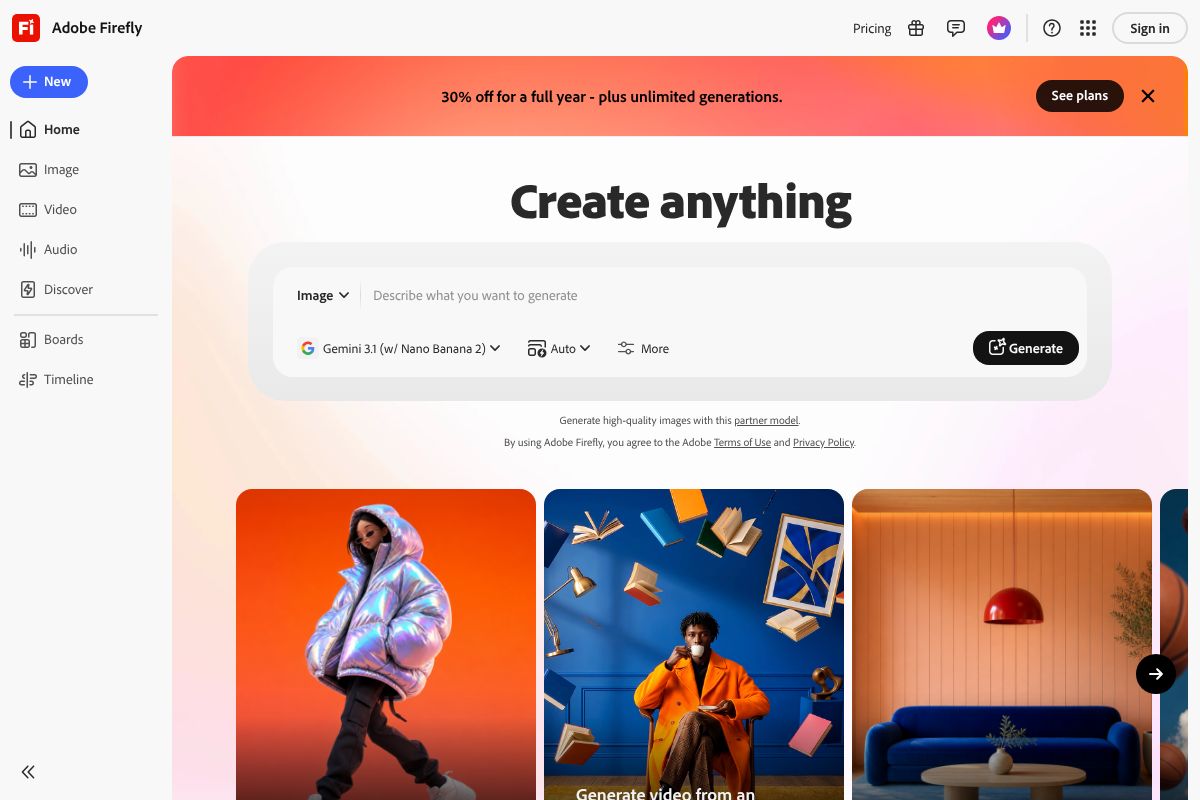
It’s also worth noting that Grok 3 doesn’t generate images natively. If visual content is part of your workflow, you’ll need a dedicated tool. Adobe Firefly/” rel=”sponsored noopener” target=”_blank”>Adobe Firefly is worth considering here — it offers commercially safe AI image generation starting at $4.99/month, with everything trained on licensed Adobe Stock content, so you’re covered for client work.
Bottom line: Grok 3 is a solid ideation and drafting partner, but it works best when you treat its output as a strong first draft rather than a finished product.
The Real Pros and Cons
No AI tool is perfect for every use case, and Grok 3 is no exception. It has some genuinely impressive strengths — but also a few friction points worth knowing before you commit to a subscription. Here’s an honest breakdown.
What Works Well
- Speed: Responses come back fast, even on complex prompts. If you’re working under deadline pressure, that matters.
- Real-time data access: Unlike some competitors, Grok 3 pulls in current information, which is a real advantage for trend-based content and news-adjacent topics.
- Conversational tone: It’s easy to have a back-and-forth dialogue — great for iterating on ideas without starting from scratch each time.
- Reasoning on complex questions: For analytical tasks like comparing options, breaking down strategies, or stress-testing an idea, Grok 3 holds up well.
- Short-form content: Social posts, email subject lines, ad copy — it handles punchy, direct writing reliably.
Where It Falls Short
- Accuracy gaps: Like all large language models, it can confidently state things that aren’t quite right. Always verify facts, especially for anything client-facing.
- Integration limitations: Third-party connections are still limited compared to ChatGPT or Claude, which can be a real workflow blocker.
- Cost vs. alternatives: Depending on your tier, you may find comparable output from cheaper or better-integrated tools for specific tasks.
- No native image generation: If visuals are part of your deliverables, you’ll need a separate tool entirely.
When Grok 3 Shines (and When It Doesn’t)
Grok 3 is at its best when you need fast, research-informed text — think trend analysis, content brainstorming, or drafting copy that needs a current, informed angle. It’s also a strong choice if you’re already spending time on X and want an AI that understands that ecosystem’s context and tone.
It’s a weaker fit when your work is heavily visual. For image generation — especially anything destined for client projects — Adobe Firefly is a more purpose-built option. With plans starting at $4.99/month and a library trained entirely on licensed Adobe Stock images, it’s built specifically for commercially safe creative work in a way that a text-first AI simply isn’t.
Similarly, if your workflow relies on deep integrations with marketing platforms, project management tools, or CRMs, you may find Grok 3 more of a standalone assistant than a connected part of your stack — at least for now.
Pricing and What You Actually Get
Grok 3 is available through X’s subscription structure. The free tier gives you limited access to Grok 3’s capabilities, enough to test the waters but not enough for serious daily use. For full access — including priority responses, longer context windows, and access to the most capable model version — you’re looking at X Premium+, which runs around $40/month.
That’s a notable jump compared to the competition. Here’s how it stacks up:
| Tool | Price/Month | Key Benefit |
|---|---|---|
| Grok 3 (X Premium+) | ~$40 | Real-time data, X ecosystem integration |
| ChatGPT Plus | $20 | GPT-4o, plugins, broad integrations |
| Claude Pro | $20 | Long context, nuanced writing |
| Gemini Advanced | $20 | Google Workspace integration |
At twice the price of ChatGPT Plus or Claude Pro, Grok 3 needs to deliver meaningfully more value to justify the spend. For some users — particularly those who rely on real-time information or are deeply embedded in the X platform — it does. For others, it’s a harder sell.
For freelancers and small business owners, the ROI question is practical: does Grok 3 save you enough time or produce strong enough output to offset that $40/month? If you’re producing trend-driven content or social strategy regularly, the real-time data access alone can pay for itself quickly. But if your work is more evergreen or document-heavy, the premium is harder to justify over more affordable alternatives.
Who Should Actually Use Grok 3?
Grok 3 isn’t a one-size-fits-all tool, and at $40/month, it’s worth being honest about who gets real value from it. The short answer: if your work is tied to real-time information, social trends, or fast-moving news cycles, Grok 3 earns its place. If it isn’t, you might be paying a premium for features you’ll rarely use.
Best Use Cases for Your Role
Here’s a straightforward breakdown of who benefits most — and how:
- Bloggers and writers: Grok 3 is solid for research-heavy content, especially when you need up-to-date stats or trending angles. It drafts well and handles longer prompts without losing context. That said, it’s not dramatically better than Claude Pro for pure long-form writing.
- Social media managers: This is arguably Grok 3’s strongest use case. Its real-time X integration means you can tap into trending conversations, generate reactive content, and monitor sentiment — all without leaving the platform.
- Email marketers: Grok 3 handles campaign copy and subject line variations competently, but it doesn’t offer native email integrations. You’ll likely need to pair it with other tools in your stack.
- Product teams and small business owners: Useful for competitive research, customer messaging drafts, and brainstorming — but the $40 price tag means you should be using it daily to justify the cost.
For creators who need more than just words — think social graphics, branded visuals, or client-ready images — Grok 3 has a clear gap. Pairing it with a design-focused AI tool makes sense here. Adobe Firefly is worth considering if you need commercially licensed AI-generated images for client work, with plans starting at just $4.99/month. It fills the visual side of your workflow where Grok 3 simply can’t.
Grok 3 vs. Alternatives: Quick Comparison
Grok 3 doesn’t exist in a vacuum. ChatGPT, Claude, and Perplexity are all serious contenders in 2026, and depending on your workflow, one of them might actually serve you better. Here’s a straightforward look at how they stack up.
| Tool | Ease of Use | Speed | Accuracy | Pricing | Best For |
|---|---|---|---|---|---|
| Grok 3 | Moderate | Fast | Strong (real-time data) | $40/month (X Premium+) | Social media, trending content, X users |
| ChatGPT (GPT-4o) | Very easy | Fast | Strong (broad tasks) | $20/month (Plus) | General use, plugins, diverse workflows |
| Claude Pro | Easy | Moderate | Excellent (long-form) | $20/month | Long-form writing, nuanced reasoning |
| Perplexity Pro | Very easy | Very fast | Strong (cited sources) | $20/month | Research, fact-checking, sourced answers |
A few things stand out from this comparison. Grok 3 is the most expensive option at $40/month, and that price is harder to justify unless you’re already deep in the X ecosystem. ChatGPT remains the most versatile all-rounder, while Claude Pro consistently outperforms on nuanced, long-form writing tasks.
Perplexity Pro is worth a special mention for researchers and fact-checkers — it surfaces cited, sourced answers faster than any of the others, which is genuinely useful if accuracy and attribution matter in your work.
The honest takeaway: Grok 3 wins on real-time social intelligence, but loses on value for money compared to its main rivals. If your work isn’t tied to X or trending content, you’ll likely get equal or better results from a cheaper alternative.
The Honest Verdict: Is Grok 3 the Best AI?
So, is Grok 3 really the best AI in 2026? The honest answer is: it depends entirely on what you need it for. “Best” isn’t a single answer when every tool has a different strength — and Grok 3 is no exception.
Grok 3 genuinely excels at real-time content, social media intelligence, and tasks that benefit from live data. If you’re a marketer riding trending topics, a creator building content around breaking news, or someone deeply embedded in the X platform, Grok 3 is arguably the strongest tool available right now. In those specific contexts, it’s hard to beat.
But if you’re writing long-form articles, drafting client proposals, or doing deep research? Claude Pro and ChatGPT will serve you better — at half the price. Grok 3’s $40/month subscription is a tough sell for general-purpose work when cheaper alternatives match or outperform it outside its core strengths.
Here’s what many successful creators are actually doing: combining tools rather than committing to just one. A practical setup might look like this:
- Grok 3 for trend-driven copy and social content
- Claude Pro or ChatGPT for long-form writing and strategy
- Adobe Firefly for AI-generated visuals that are commercially licensed and safe for client work — especially useful if you’re pairing written content with professional imagery
Adobe Firefly is worth highlighting here because it fills a gap that text-based AI tools simply can’t — starting at $4.99/month, it gives designers and marketers access to commercially safe image generation trained on licensed Adobe Stock content.
The bottom line: Grok 3 is an excellent AI, but it’s not the universal best. Know your use case, and build your toolkit accordingly.
Ready to Upgrade Your AI Toolkit?
If Grok 3 sounds like the right fit for your workflow — particularly if you’re heavy on social content, real-time research, or X-native strategy — it’s absolutely worth trying. Just go in with clear expectations about where it excels and where it doesn’t.
But if your needs go beyond text generation, here are two tools worth adding to your stack:
- Adobe Firefly — If you’re a designer or marketer who needs AI-generated images safe for client and commercial work, Firefly is the responsible choice. Starting at $4.99/month, it integrates directly into Photoshop with tools like Generative Fill and Generative Expand, and every image is trained on licensed Adobe Stock content — so there’s no legal grey area.
- Canva Pro — If you’re a non-designer who just needs polished graphics fast, Canva Pro’s AI-assisted design tools make it easy to create social posts, presentations, and marketing materials without a steep learning curve.
The best AI toolkit in 2026 isn’t a single app — it’s a combination of tools that each do one thing really well. Start with your biggest bottleneck, solve that first, and build from there.
Your workflow deserves tools that actually fit it. Don’t pay for features you won’t use — but don’t shortchange yourself on the ones you will.
Our Verdict
Editorial rating: 4.4/5
Excellent AI, but not universally best.
Grok 3 delivers impressive speed, real-time capabilities, and strong creative performance that justifies its 2026 reputation. However, declaring it the best AI overlooks that superiority depends entirely on your specific needs—specialized professionals may still prefer focused alternatives despite Grok 3’s overall strength.
Frequently Asked Questions
Is Grok 3 better than ChatGPT for content creation?
Grok 3 matches ChatGPT’s creative capabilities with faster response times and better real-time data integration. However, ChatGPT maintains stronger fine-tuning options for specialized brand voices and longer-form content consistency.
How much does Grok 3 cost compared to other AI tools?
Grok 3’s base tier starts competitively, but enterprise pricing exceeds Claude and ChatGPT for high-volume users. Mid-tier creators typically find Grok 3 offers better value than premium alternatives for general-purpose tasks.
Can Grok 3 replace my current AI toolkit?
Grok 3 handles most general AI tasks effectively, but specialized needs like advanced coding, image generation, or data analysis may require supplementary tools. Most professionals benefit from using Grok 3 alongside one or two focused alternatives.
What makes Grok 3 different from other AI assistants?
Grok 3 prioritizes real-time information access and conversational speed over other platforms. Its integration with live data sources gives it advantages in news, research, and time-sensitive content, though some users prefer competitors’ interface design.
Related Reads
- Which AI is Best for Advertising? Top Tools for 2026
Find the best AI tools for advertising in 2026. Compare features, pricing, and real-world use cases for creators and mar…
- Is ChatGPT the Best AI for Image Generation? 2026 Review
ChatGPT can generate images, but is it the best? Compare features, pricing, and real-world use cases for creators and ma…
- Adobe Firefly Review 2026: AI Image Generator for Creators
Adobe Firefly review 2026: See how this AI image generator stacks up for creators, marketers & freelancers. Pricing, fea…