Need stunning visuals but don’t have the budget for a designer — or the time to learn one? You’re not alone. Whether you’re a content creator building a brand, a marketer scrambling for social assets, or a small business owner who just needs something that looks professional, the demand for great imagery is relentless. The good news? The best free AI art generators in 2026 have gotten remarkably capable, and several of them won’t cost you a cent to get started.
Free AI art generators range from genuinely impressive to borderline unusable, and the difference comes down to what you’re actually trying to create.
Key Takeaways
- Free AI art generators deliver professional-quality images without upfront costs, making creative tools accessible to hobbyists and professionals alike.
- Top free options balance ease of use with output quality, though watermarks and limited monthly credits remain common trade-offs.
- Key features worth prioritizing include customizable prompts, style variety, resolution options, and commercial usage rights for your generated artwork.
- Paid alternatives unlock unlimited generations, higher resolutions, and priority processing, justifying upgrades for serious creators and commercial projects.
- Starting free allows experimentation and skill-building before committing financially, with most platforms offering straightforward paths to premium features.
In This Article
- What Is an AI Art Generator?
- Top Free AI Art Generators in 2026
- Key Features to Look for in a Free AI Art Generator
- When Free Isn’t Enough: Paid Alternatives Worth Considering
- Pros and Cons of Free AI Art Generators
- Comparison: Free vs. Paid AI Art Generators
- Our Verdict: Which Free AI Art Generator Should You Choose?
- Final Thoughts: Start Free, Upgrade When You’re Ready
What Is an AI Art Generator?
An AI art generator is a tool that turns your written descriptions — called prompts — into visual images. You type something like “a cozy coffee shop at sunset, watercolor style,” hit generate, and within seconds you have a custom image that didn’t exist anywhere before. No drawing skills, no design software, no stock photo subscription required.
These tools have become a go-to resource for creators who need visuals fast. Blog headers, social media graphics, product mockups, YouTube thumbnails, brand mood boards — AI art generators can handle all of it. And in 2026, the gap between “free” and “paid” quality has narrowed significantly, making them genuinely useful for everyday work rather than just experimentation.
Beyond simple text-to-image generation, many tools now support style transfer — where you upload an existing image and apply a new artistic style to it — as well as image editing, background removal, and variation generation. The creative possibilities have expanded well beyond what most people expect from a free tool.
How AI Art Generators Work
At a high level, these tools use machine learning models trained on massive libraries of images and text. When you type a prompt, the model interprets your words and generates a new image that matches the description — blending concepts, styles, and visual elements it has learned from that training data.
You don’t need to understand any of that to use them effectively. The interface is usually as simple as a text box and a button. Most tools generate results in under 30 seconds, and many let you refine or remix outputs with follow-up prompts. For non-designers, that speed and simplicity is the whole point — you get professional-looking visuals without a learning curve.
Top Free AI Art Generators in 2026
Not every great AI art tool requires a subscription or a credit card. The options below are either completely free or offer a generous enough free tier to be genuinely useful for regular work. Here’s an honest look at what each one delivers — and where it falls short.
Clipdrop
Clipdrop is one of the cleanest free AI art experiences available right now. You can generate images directly from a text prompt without creating an account, which makes it ideal for quick one-off needs. The output quality is consistently strong, with sharp detail and good prompt adherence even on the free tier.
The main trade-off is that free generations come with a Clipdrop watermark, which limits how usable the images are for professional projects. You also get a capped number of monthly generations before hitting a paywall. For casual use or testing ideas before committing to a paid plan, though, it’s hard to beat the ease of access.
- No signup required for basic use
- Fast generation — typically under 15 seconds
- Clean, intuitive interface
- Limitation: Watermark on free outputs; monthly generation cap
Craiyon
Craiyon (formerly DALL-E mini) has been around long enough to build a loyal following, and it remains one of the most beginner-friendly free tools available. The interface is stripped back to the essentials — type your prompt, hit generate, and get a grid of nine image variations. No technical knowledge needed.
The free plan does have noticeable limitations. Generation times can stretch to 45–60 seconds, and the image resolution on the free tier is lower than most competitors. Results can also feel stylistically inconsistent. That said, for someone just exploring AI art for the first time, Craiyon is a low-pressure starting point with no strings attached.
- Completely free with daily credits
- Generates nine variations per prompt
- Great for beginners and experimentation
- Limitation: Slower generation speeds and lower resolution on free plan
Hugging Face Spaces
Hugging Face Spaces is less a single tool and more a community-powered platform hosting dozens of AI art models — all free to use in your browser. You can access everything from Stable Diffusion variants to experimental fine-tuned models built by independent researchers. The variety is unmatched by any single-product tool.
The trade-off is that the experience is less polished. Some Spaces run slowly due to shared compute resources, interfaces vary widely between models, and you may need to experiment to find the right one for your use case. If you’re willing to explore, though, the sheer depth of what’s available here — at zero cost — is genuinely impressive.
- Access to multiple AI models in one place
- Free, no credit card required
- Regularly updated with new community models
- Limitation: Variable performance and less beginner-friendly interface
Stable Diffusion Online
Stable Diffusion Online gives you browser-based access to the Stable Diffusion model without any local installation or account setup. For anyone who wants the power of Stable Diffusion without the technical overhead of running it locally, this is the most frictionless route available.
Quality is solid, and the results feel more controllable than some fully automated tools. The main limitations are generation speed — which can lag during peak usage times — and a daily generation limit on the free tier. It’s not the place to generate dozens of images in a session, but for occasional use it delivers real value at no cost.
- No signup or installation required
- Powered by the widely respected Stable Diffusion model
- Decent prompt control for a free tool
- Limitation: Slower during peak hours; daily generation cap applies
Other Notable Free Options
A few other tools are worth knowing about if the options above don’t quite fit your workflow.
Leonardo.ai offers a free tier with a daily token allowance that resets every 24 hours. The image quality is genuinely impressive — on par with many paid tools — and the platform includes features like canvas editing and model fine-tuning. The free tier is more restrictive than it used to be, but it’s still one of the better free experiences available for creators who want higher-end results.
Ideogram has carved out a niche for itself by handling text within images far better than most competitors. If you need to generate graphics that include readable words or stylized typography, Ideogram’s free tier is worth trying. Daily free generations are limited, but the quality is high enough to make each one count.
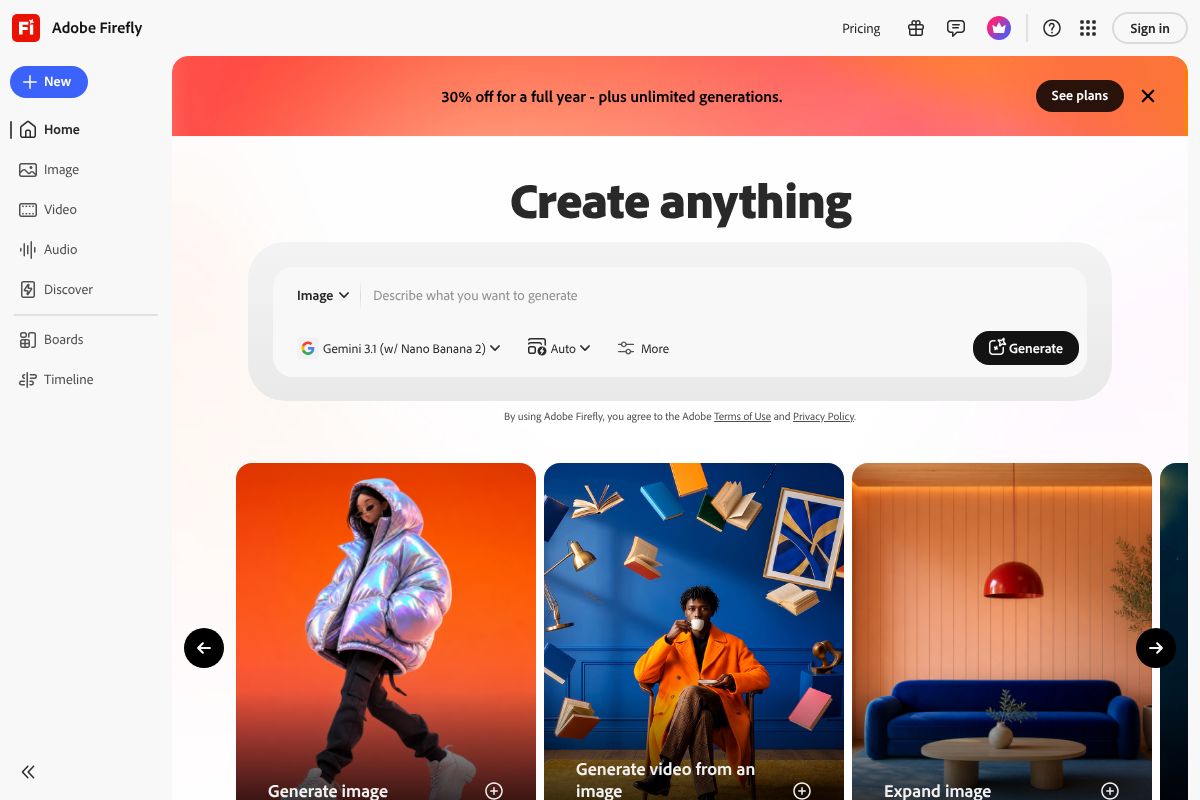
Adobe Firefly/” rel=”sponsored noopener” target=”_blank”>Adobe Firefly also offers a limited free tier through Adobe’s web app, with no Creative Cloud subscription required. It’s particularly strong for realistic photo-style images and integrates well with Adobe’s broader ecosystem if you’re already using their tools.
- Leonardo.ai: High-quality outputs, daily token refresh, good for serious creators
- Ideogram: Best-in-class text rendering within images, limited daily free generations
- Adobe Firefly: Polished, photo-realistic results, free tier available without full Adobe subscription
Key Features to Look for in a Free AI Art Generator
Not all free AI art generators are created equal. Before you commit to one platform, it’s worth knowing what separates a genuinely useful free tool from one that frustrates you within the first ten minutes. Here are the key factors to evaluate.
- Image quality: Look at resolution and detail. Some free tiers cap output at lower resolutions, which is fine for social media but limiting for print or professional use.
- Customization options: The best tools let you adjust style, aspect ratio, and use negative prompts — instructions telling the AI what to leave out of the image.
- Commercial use rights: This one matters more than most people realize. Some free tiers explicitly prohibit commercial use, meaning you can’t use the output for client work, products, or monetized content without upgrading.
- Ease of use: A clean interface with prompt suggestions or style presets makes a big difference if you’re not experienced with writing detailed AI prompts.
- Free tier limits: Pay attention to whether limits reset daily, monthly, or never. Daily resets are generally more generous in practice than a monthly credit pool that runs dry in week one.
The honest trade-off with free plans is that you’re usually giving up something — whether that’s speed, resolution, generation volume, or commercial licensing. Paid tiers typically unlock faster processing, higher-resolution exports, and unrestricted commercial rights. For casual or personal use, free tiers are often more than enough. For professional or client-facing work, you may hit the ceiling quickly.
Quality vs. Speed Trade-offs
Free users are rarely the platform’s top priority when it comes to server resources. During peak hours especially, you may find yourself waiting longer for results than a paid subscriber would. This is a deliberate design choice — it’s one of the main incentives to upgrade.
Resolution is another common limitation. Many free tiers generate images at standard web resolution, which looks great on a screen but won’t hold up if you need to print large-format materials or use the image in high-end design work. Upscaling features, where available, are often paywalled too.
Set your expectations accordingly: free AI art tools are excellent for ideation, social content, and personal projects. If you need fast turnaround and publication-ready quality consistently, a paid plan — even an entry-level one — will save you time and frustration in the long run.
When Free Isn’t Enough: Paid Alternatives Worth Considering
Free AI art generators are genuinely impressive for personal projects and experimentation, but there’s a point where their limitations start costing you more than a paid plan would. If you’re doing client work, producing content at volume, or trying to maintain consistent brand visuals, the free tier ceiling tends to arrive faster than you’d expect.
The three areas where paid tools consistently pull ahead are commercial licensing clarity, output volume, and workflow integration. When a client is paying you for deliverables, you need to be certain the images you hand over are legally clean — and that’s where free plans often leave you with uncomfortable ambiguity.
Adobe Firefly: Best for Client Work
If you’re a freelancer, designer, or agency doing paid projects, Adobe Firefly is one of the most defensible upgrades you can make. Its core differentiator isn’t just image quality — it’s the fact that every image generated is commercially licensed and trained exclusively on Adobe Stock and public domain content. That means you can hand deliverables to clients without worrying about IP disputes.
Pricing runs from $4.99/month for the standalone Firefly plan up to $54.99/month for full Creative Cloud access. The higher tiers make the most sense if you’re already living in Photoshop, Illustrator, or Premiere Pro — Firefly is deeply integrated into those tools, letting you generate and edit without breaking your existing workflow.
- Commercially safe outputs — suitable for client-facing and paid work
- Native integration with Photoshop, Illustrator, and Adobe Express
- Generative Fill and text-to-image features built into tools you already use
- Consistent quality with strong brand and style controls
The honest caveat: if you’re not already in the Adobe ecosystem, the entry cost may feel steep for AI image generation alone.
Canva Pro Pro: Best for Non-Designers
For small business owners, marketers, and content creators who don’t have a design background, Canva Pro remains one of the smartest all-in-one upgrades available. At $15/month or $120/year, you’re not just paying for AI image generation — you’re getting a full design toolkit built around people who don’t speak design fluently.
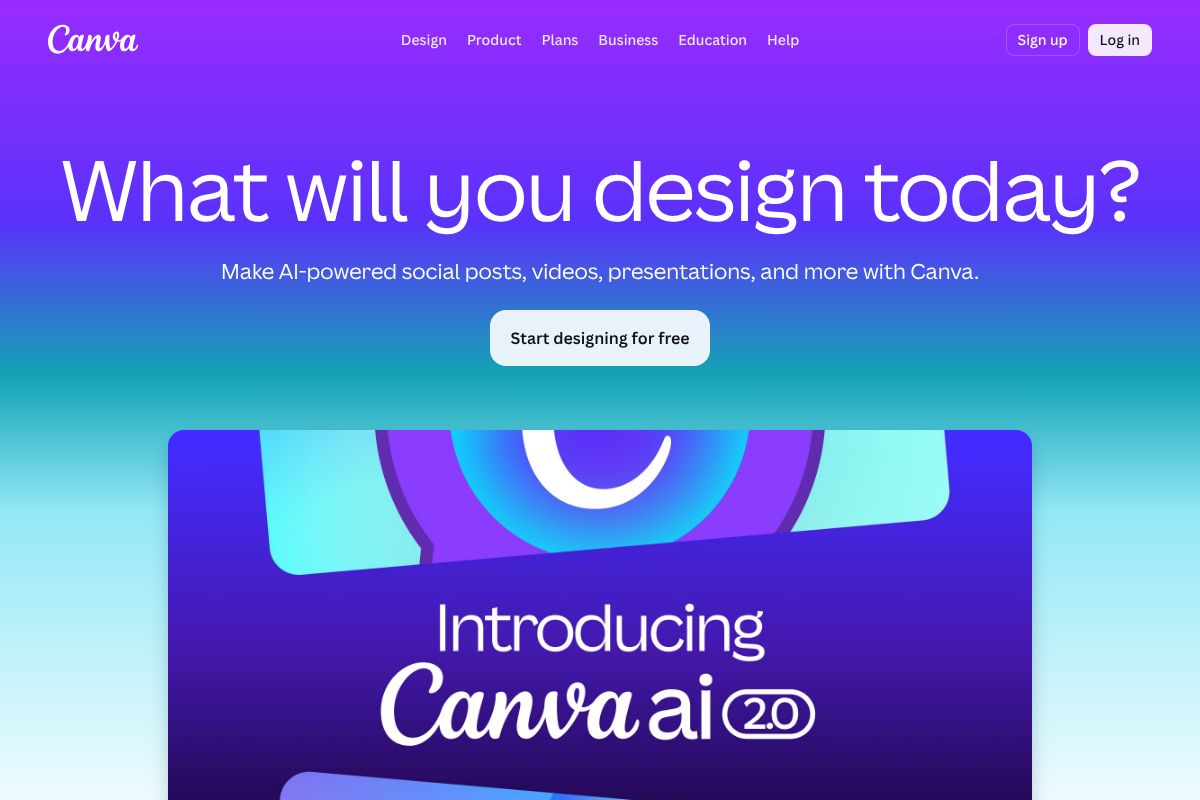
The AI image generator inside Canva Pro is solid for social media content, blog graphics, and marketing materials. More importantly, it sits alongside thousands of templates, a brand kit feature, and one-click resize tools — so you can go from AI-generated image to a finished, on-brand Instagram post in minutes.
- Beginner-friendly interface with no learning curve
- Thousands of customizable templates for social, print, and web
- Brand kit to lock in your colors, fonts, and logo
- Magic Studio AI tools including background remover and image generation
- One-click resize across multiple formats simultaneously
Canva Pro won’t satisfy a professional designer looking for fine-grained control, but for non-designers producing regular content, it removes more friction than almost any other tool at this price point.
Other Paid Tools Worth Knowing
Beyond these two, Midjourney continues to set the benchmark for raw artistic quality and remains a favorite among illustrators and creative directors willing to invest time in prompt craft. It starts at around $10/month and operates through Discord, which is either charming or inconvenient depending on your workflow preferences. If pure visual output quality is your top priority and you don’t mind a steeper learning curve, it’s worth a look.
The bottom line: paid tools make the most sense when commercial licensing, volume output, or brand consistency are non-negotiable. For everything else, the free options covered earlier in this guide will take you surprisingly far.
Pros and Cons of Free AI Art Generators
Free AI art generators have come a long way, and for many use cases, they’re genuinely impressive. But “free” always comes with trade-offs — and being clear-eyed about those trade-offs will save you frustration down the line. Here’s an honest look at both sides.
The Pros
- No cost, no commitment: You can start generating images in minutes without entering a credit card or signing up for a trial you’ll forget to cancel.
- Great for experimentation: Free tiers let you test a tool’s style and capabilities before deciding whether it’s worth paying for.
- Low barrier to learning: If you’re new to AI art and still figuring out how prompting works, free tools are a low-stakes place to practice.
- Surprisingly capable for casual use: For social media drafts, mood boards, or personal projects, the quality is often more than good enough.
The Cons
- Limited generations: Most free plans cap you at a small number of images per day or month, which gets restrictive fast.
- Watermarks: Several tools stamp their branding on free-tier outputs, making them unsuitable for professional delivery.
- Lower resolution and quality: Free tiers frequently restrict output quality, leaving you with images that look great small but fall apart when scaled up.
- Unclear commercial rights: Licensing terms on free plans vary widely — and some explicitly prohibit commercial use. Always read the fine print before using an image in a client project or paid campaign.
- Slower generation speeds and ads: Free users are often deprioritized in queues, and some platforms pad the experience with advertisements.
When Free Tools Work Best
Free AI art generators genuinely shine in the right context. If you’re learning how to write effective prompts, experimenting with different visual styles, or just need a quick concept image to share internally, a free tool is all you need. They’re also a solid choice for personal projects — blog headers, social media posts for your own channels, or creative side projects where commercial licensing isn’t a concern.
Think of free tools as a starting point rather than a long-term solution. Once you’re generating images regularly, relying on client work, or need consistent quality at volume, the limitations will start to outweigh the savings. But for non-commercial use and early-stage exploration, they’re a perfectly sensible place to start.
Comparison: Free vs. Paid AI Art Generators
Choosing the right tool comes down to your specific needs — volume, quality, and whether you’ll use the images commercially. The table below gives you a quick side-by-side look at how the most popular options stack up, so you can make an informed decision without wading through pages of pricing docs.
| Tool | Free Tier | Quality | Speed | Commercial Use | Ease of Use | Best For |
|---|---|---|---|---|---|---|
| Microsoft Designer | Generous (daily credits) | High | Fast | Yes (personal/commercial) | Very Easy | Beginners, social content |
| Adobe Firefly (Free) | Limited monthly credits | Very High | Fast | Yes (commercially safe) | Easy | Marketers, brand-safe work |
| Canva (Free) | Limited AI generations | Good | Fast | Restricted on free plan | Very Easy | Designers already using Canva |
| Canva Pro | N/A (paid, ~$15/mo) | Good–High | Fast | Yes | Very Easy | All-in-one design + AI workflow |
| Adobe Firefly (Paid) | N/A (via Creative Cloud) | Very High | Very Fast | Yes (full commercial rights) | Easy | Professional creatives, agencies |
What This Table Tells You
If commercial use is a priority, Adobe Firefly is the safest choice — its outputs are trained on licensed content, which matters when client work is involved. Microsoft Designer punches above its weight for a free tool, offering solid quality and surprisingly clear usage rights.
Canva’s free tier is convenient if you’re already designing there, but the AI generation limits are tight enough that power users will hit a wall quickly. Upgrading to Canva Pro makes more sense if you want AI art baked into a broader design workflow rather than as a standalone feature.
The honest takeaway: free tools are genuinely useful, but each one has a ceiling. Knowing where that ceiling sits — in quality, rights, or volume — helps you pick the right tool before you’re halfway through a project and stuck.
Our Verdict: Which Free AI Art Generator Should You Choose?
There’s no single “best” free AI art generator — the right pick depends entirely on what you’re trying to do. That said, some clear patterns emerge once you’ve spent time with each tool.
- Beginners and casual users: Start with Craiyon. It’s zero friction, requires no account, and lets you experiment freely without worrying about limits or settings.
- Speed and workflow efficiency: Clipdrop is your best bet if you need clean, usable images fast — especially for product visuals or social content.
- Creative experimentation: Hugging Face is ideal if you want to push boundaries, test different models, and learn how prompt engineering actually works. It rewards curiosity.
- Commercial or client work: Free tools get complicated here. If usage rights matter — and they should — you’ll want to look seriously at paid options before publishing anything professionally.
The honest summary: free AI art tools have come a long way, and most of them are genuinely good enough for personal projects, social media, and early-stage creative work. But they all have ceilings — in output quality, generation volume, or commercial clarity. Knowing which ceiling you’ll hit first is the smartest way to choose.
Ready to Upgrade? Here’s What to Consider
If you’re running into limits — whether that’s daily generation caps, watermarks, or uncertainty around usage rights — it’s worth considering a paid option before those gaps start costing you time or clients.
Adobe Firefly is the strongest step up for professional creatives. Its outputs are built on licensed content, which means full commercial rights without the legal grey areas that come with many free tools. If you work with agencies or clients, that peace of mind alone is worth it.
Canva Pro makes sense if you want AI image generation folded into a complete design workflow — not just a standalone generator. You get higher volume, better quality, and everything stays in one place.
Neither upgrade is urgent if free tools are meeting your needs today. But if you’re producing content at volume or selling your work, the investment pays for itself quickly.
Final Thoughts: Start Free, Upgrade When You’re Ready
The best approach with AI art tools is simple: start with what’s free, and only pay when you hit a wall that actually matters. Most of the free tools covered in this article will handle personal projects, social content, and creative exploration without costing you a cent.
When you do hit that wall — whether it’s watermarks, usage rights, or daily limits that slow your workflow — you don’t have to make a big leap. Both Adobe Firefly and Canva Pro offer accessible entry points, and neither requires a long-term commitment upfront. You can test the waters before fully committing.
- Adobe Firefly is worth trying if commercial rights and output quality are your top priorities.
- Canva Pro is the smarter pick if you want AI generation built into a broader design toolkit.
- Free tiers from both platforms are still genuinely useful if you’re not ready to upgrade yet.
There’s no single “best” tool for everyone — it depends on what you’re making, how often, and whether you’re publishing commercially. The only way to find your fit is to experiment.
So go ahead — generate something today. You might be surprised how far the free options take you.
Our Verdict
Editorial rating: 4.6/5
Free AI art tools deliver real value today
Free AI art generators have matured significantly, offering quality outputs that satisfy most creative needs without payment. However, serious creators will eventually hit limitations around resolution, generation speed, and commercial rights, making paid upgrades worthwhile for professional workflows.
Frequently Asked Questions
Can I use free AI art generator images commercially?
Most free AI art generators allow commercial use, but check individual terms carefully. Some platforms restrict commercial rights to paid tiers, while others permit it freely. Always verify licensing before monetizing generated artwork.
What’s the difference between free and paid AI art generators?
Free versions typically offer limited monthly generations, lower resolutions, and watermarks. Paid tiers provide unlimited access, higher quality outputs, faster processing, and advanced customization options for serious creators and professional workflows.
Do free AI art generators produce good quality images?
Yes, modern free AI art generators produce impressive quality suitable for most uses. Output quality rivals paid options for standard projects, though paid versions excel in resolution, detail, and customization for professional-grade work.
Which free AI art generator is easiest to use?
User-friendliness varies by platform, but most top free generators feature intuitive interfaces requiring only text prompts. Look for platforms with clear tutorials, preset styles, and straightforward navigation to minimize learning curves for beginners.
Related Reads
- Midjourney vs Adobe Firefly: Which AI Image Generator Wins in 2026?
Compare Midjourney and Adobe Firefly in 2026. See pricing, features, and which AI image generator is best for your creat…
- Best AI Image Tool for Marketers in 2026
Find the best AI image tool for marketers. Compare top generators, pricing, and features to boost your content creation …
- Midjourney Review 2026: AI Image Generator for Creators
Honest Midjourney review 2026. See pricing, features, pros/cons, and how it compares to other AI image generators for cr…