If you’ve ever stared at a blank screen trying to come up with your fifth social media post of the week, you already know the struggle. Keeping up with content demands across Instagram, LinkedIn, TikTok, and X can feel like a full-time job on top of your actual full-time job. That’s exactly why so many creators, marketers, and small business owners are turning to AI tools to fill the gap.
The mistake most people make when choosing an AI for social media isn’t picking the wrong tool; it’s picking one that doesn’t match their platform or workflow.
Key Takeaways
- Adobe Firefly/” rel=”sponsored noopener” target=”_blank”>Adobe Firefly excels at generating commercially safe, brand-consistent images with enterprise-grade licensing protection for businesses.
- Canva Pro Pro delivers fastest content creation for non-designers, combining templates, AI generation, and editing in one platform.
- Best AI for social media depends on your priorities: commercial safety, speed, budget, or design flexibility.
- Feature comparison reveals Firefly offers superior image quality while Canva Pro provides broader tool integration and affordability.
- Pricing ranges from Canva’s $180 annually to enterprise Firefly plans, making budget a key decision factor.
In This Article
- What Does ‘Best AI for Social Media’ Actually Mean?
- The Top AI Tools for Social Media Content Creation
- Adobe Firefly: Best for Commercially Safe, Brand-Consistent Images
- Canva Pro: Best for Speed and Non-Designers
- Feature Comparison: Firefly vs. Canva Pro
- Pricing Breakdown: What You’ll Actually Spend
- Who Should Use Which Tool?
- The Verdict: Which AI Should You Choose?
What Does ‘Best AI for Social Media’ Actually Mean?
Before diving into specific tools, it’s worth being honest about what “best” actually means here — because it’s not a one-size-fits-all answer. A freelance photographer looking for quick Instagram captions has completely different needs from a marketing manager who needs to produce 30 branded graphics a week. The tool that saves one person hours could frustrate another entirely.
At its core, the problem most creators are trying to solve is the same: you need fast, on-brand content without hiring a full design or copywriting team. The question is which part of that workflow is slowing you down most. AI tools in this space generally fall into a few distinct categories:
- AI copywriting tools — generate captions, post copy, hashtags, and content calendars
- AI image generators — create original visuals from text prompts
- AI-powered design platforms — combine templates with smart automation for polished graphics
- All-in-one social media suites — handle scheduling, copy, and visuals under one roof
Throughout this review, we’ll evaluate tools against a consistent framework: output quality, ease of use, speed, pricing, and how well the tool maintains your brand voice or visual identity. Those five factors matter far more than raw feature counts.
One thing worth noting: 2026 tools are meaningfully better than what was available even a year ago. Generation speeds are faster, pricing has dropped across most platforms, and the quality gap between AI-assisted content and professionally produced content has narrowed significantly. That makes right now a genuinely good time to reassess which tools belong in your workflow.
The Top AI Tools for Social Media Content Creation
Before diving into individual reviews, it helps to understand the landscape. The AI tools dominating social media content creation in 2026 fall into four broad categories: AI image generators like Midjourney and Adobe Firefly, design platforms with built-in AI like Canva, AI video tools, and copywriting assistants. Each solves a different problem — and knowing which category you actually need saves you a lot of time and money.
Here’s what’s worth understanding upfront: most creators and marketers don’t rely on just one tool. The more realistic workflow looks like using a copywriting AI to draft your captions, a design platform or image generator to produce the visuals, and sometimes a scheduling tool layered on top. Two or three tools working together tends to produce better results than any single platform trying to do everything.
- AI image generators — Best for creating original, eye-catching visuals from scratch using text prompts
- AI-powered design platforms — Best for polished, on-brand graphics using templates and smart automation
- AI video tools — Best for Reels, TikToks, and short-form video without a production team
- AI copywriting tools — Best for captions, ad copy, hashtags, and content calendars at scale
AI Image Generators vs. Design Platforms: What’s the Difference?
This is one of the most common points of confusion, and it’s worth clearing up before you spend money on the wrong tool. AI image generators like Midjourney and Adobe Firefly create visuals entirely from text prompts — you describe what you want, and the AI builds it from scratch. The results can be stunning, but they require some experimentation to get right.
Design platforms with AI, like Canva, work differently. They start with templates and add AI features on top — think background removal, text-to-image within a layout, or auto-resizing for different platforms. The output is more immediately usable for branded content, but you’re working within a more structured environment.
If you need original, creative imagery with no constraints, an image generator is your tool. If you need consistent, professional graphics that match your brand quickly, a design platform will serve you better.
Adobe Firefly: Best for Commercially Safe, Brand-Consistent Images
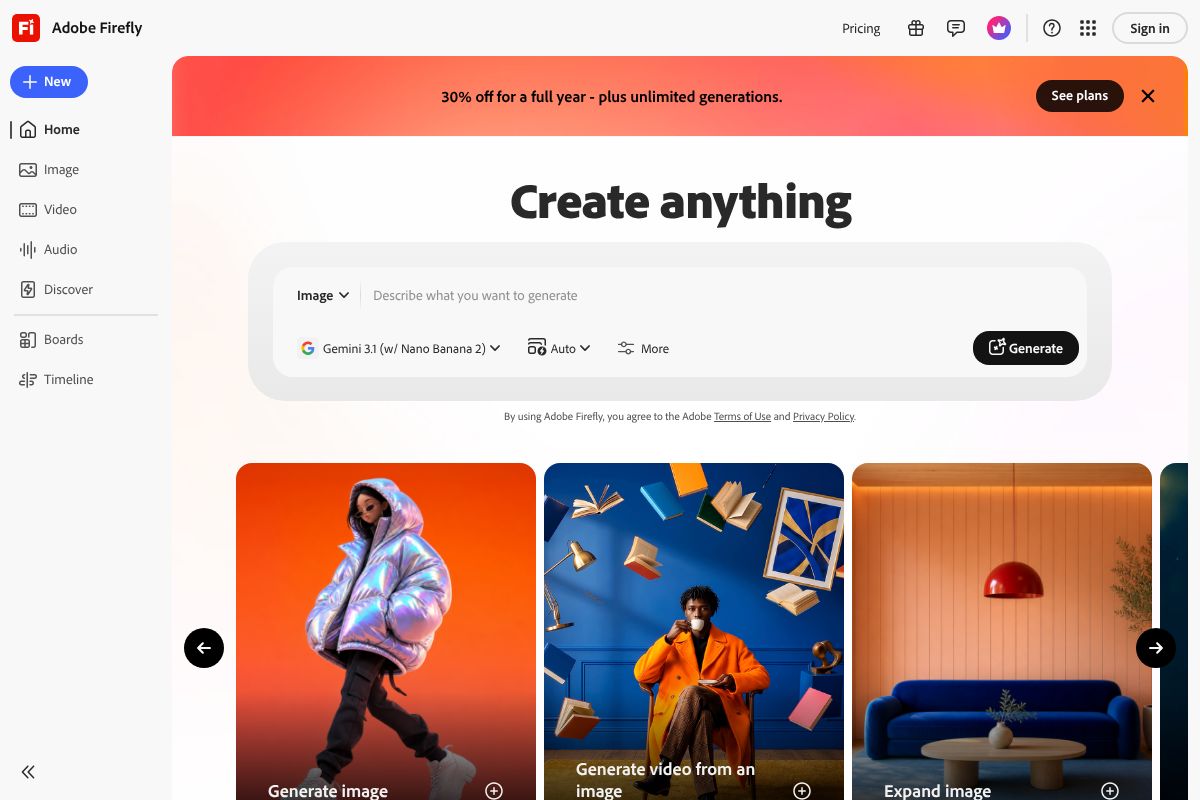
If you’re creating content for clients or running a business where legal exposure matters, Adobe Firefly deserves serious consideration. Unlike some AI image tools that train on scraped web content, Firefly is built on licensed and public domain material — meaning every image you generate comes with a commercial license included. No copyright gray areas, no awkward conversations with clients, no risk.
That peace of mind alone makes it worth the price for many professionals. Plans run from $4.99 to $54.99 per month in 2026, depending on how many generative credits you need and whether you’re bundling it with other Adobe apps. If you’re already paying for Creative Cloud, Firefly is likely already sitting in your toolkit waiting to be used.
Where Firefly really shines is consistency. When you’re producing a series of social posts that need to feel visually cohesive — same lighting, same style, same color palette — Firefly’s style reference tools make that achievable without hiring a photographer or illustrator. That’s a meaningful advantage for brand-heavy work.
The honest trade-off: Firefly has a steeper learning curve than something like Canva. If you’re not already comfortable navigating Adobe’s interface, expect a ramp-up period. It rewards users who are willing to invest time learning the ecosystem, but it’s not the fastest option for beginners who need something polished in ten minutes.
Key Features That Matter for Content Creators
Here’s what makes Firefly genuinely useful for day-to-day social content work — beyond just the image generation itself:
- Generative Fill: Remove or replace parts of an image with AI-generated content that blends seamlessly — ideal for repurposing existing brand photos without a reshoots
- Style consistency tools: Apply a visual style across multiple images so your feed looks intentional, not random
- Batch processing: Generate multiple variations at once, saving significant time when you’re building out a content calendar
- Adobe Stock integration: Combine generated images with licensed stock assets inside the same workflow
- Cross-app functionality: Use Firefly directly inside Photoshop and Express, so you’re not jumping between tools
For content creators who produce high volumes of visual content and can’t afford legal risk, these features add up to a genuinely professional-grade solution.
Canva Pro: Best for Speed and Non-Designers
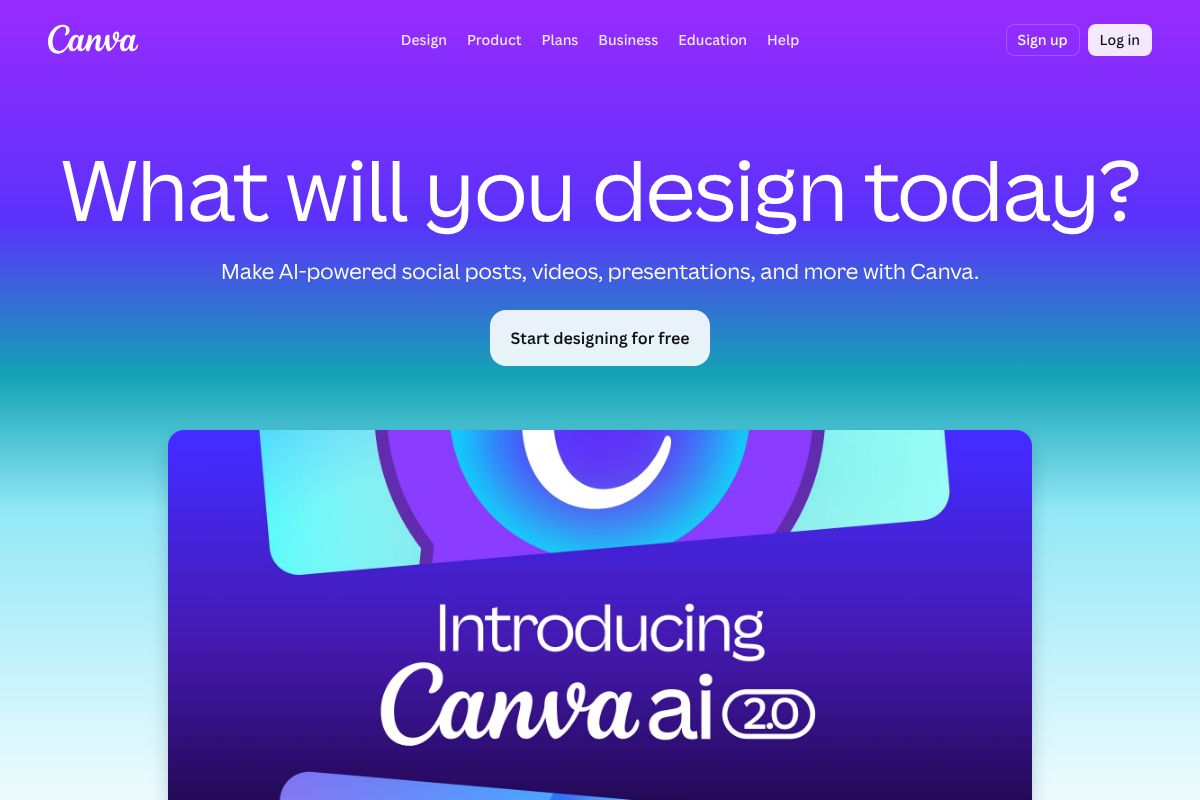
If Adobe Firefly is built for power users, Canva Pro is built for everyone else — and that’s not a criticism. For small business owners, freelancers, and creators who need professional-looking social content without a design degree, Canva Pro is one of the most practical tools available in 2026.
At $15/month or $120/year, it’s also one of the more affordable options in this category. You get access to thousands of templates, a drag-and-drop editor, an AI background remover, and Magic Write — Canva’s built-in AI copywriting tool that helps you draft captions, headlines, and post copy directly inside your design workflow. That means fewer tabs, fewer tools, and faster turnaround.
The appeal is simple: you can go from a blank canvas to a polished, publish-ready social graphic in under ten minutes. No tutorials required. The interface is intuitive enough that most users are productive on day one.
The honest trade-off is that Canva’s templates can start to feel generic if you don’t take the time to personalize them. You’ll also find less customization depth compared to something like Adobe Firefly — fine-grained control over image generation, layering, and style matching just isn’t Canva’s strength. It’s optimized for speed, not precision.
Why Canva Works for Busy Creators
Speed is Canva Pro’s biggest selling point, but it’s the workflow efficiency underneath that makes it stick. The Brand Kit feature lets you store your fonts, colors, and logos so every piece of content you create stays on-brand automatically — no manual adjustments each time.
- Brand Kit: Lock in your brand colors, fonts, and logos for instant consistency across all posts
- Collaboration tools: Share designs with teammates or clients for real-time feedback without exporting files
- Mobile app: Create and publish directly from your phone — useful when you’re working on the go
- Content Planner: Schedule posts to social platforms without leaving Canva
- Magic Write: Generate caption drafts and copy suggestions inside the design editor itself
For creators juggling multiple platforms and tight deadlines, Canva Pro removes friction at almost every step of the content creation process.
Feature Comparison: Firefly vs. Canva Pro
Both Adobe Firefly and Canva Pro are genuinely excellent tools — but they’re built for different workflows and different types of creators. Rather than declaring a winner, here’s a side-by-side look at where each one shines so you can decide which fits your needs.
| Feature | Adobe Firefly | Canva Pro |
|---|---|---|
| Image Generation Quality | High — detailed, photorealistic output with fine style control | Good — solid AI image generation, optimized for quick social use |
| Ease of Use | Moderate — intuitive for Adobe users, steeper for newcomers | Very easy — drag-and-drop interface, minimal learning required |
| Pricing | Included in Creative Cloud plans; standalone access via generative credits | Canva Pro starts at ~$15/month per user |
| Commercial License | Yes — trained on licensed content, commercially safe outputs | Yes — Pro assets and AI-generated images are commercially licensed |
| Learning Curve | Medium — rewards time investment with greater creative control | Low — most users are productive within the first session |
| Best For | Designers, photographers, brands needing precision and polish | Marketers, creators, small teams needing speed and consistency |
The simplest way to self-identify: if you need pixel-level control and your work demands a high production standard, Firefly is worth the investment of time. If you need to produce polished, on-brand content fast across multiple platforms, Canva Pro removes more friction day-to-day.
Many creators actually use both — Firefly for hero images and campaign visuals, Canva Pro for templated posts, stories, and scheduled content. There’s no rule that says you have to choose just one.
Pricing Breakdown: What You’ll Actually Spend
Let’s get specific about costs, because “affordable” means different things depending on how you work. Both tools have tiered pricing in 2026, and the right plan depends on how heavily you’ll use AI generation features.
Adobe Firefly
Firefly’s standalone pricing runs from $4.99/month for a basic generative credits plan up to $54.99/month for high-volume creative use. If you’re already paying for a Creative Cloud subscription, Firefly credits are bundled in — so you may already have access without realizing it. The mid-tier plans around $19–$29/month are where most individual creators land.
Canva Pro
Canva Pro costs $15/month billed monthly, or $120/year if you pay annually — that’s effectively two months free. For small teams, per-seat pricing applies, so costs can scale quickly. The annual plan is almost always the smarter move if you’re committing to it as a core tool.
The Hidden Costs Worth Calculating
- Learning time: Firefly can take several hours to get comfortable with — time that has real value for busy freelancers
- Overlap costs: Using both tools means potentially $35–$70/month combined, depending on your plans
- Opportunity cost: If either tool saves you just 3–4 hours per month, and you bill at $50/hour, you’ve already earned back your subscription
The ROI math is straightforward: calculate how many content pieces you produce monthly, estimate the time saved per piece, and multiply by your hourly rate or the cost of outsourcing. Most creators find that even one tool pays for itself within the first week of regular use.
Who Should Use Which Tool?
The honest answer is that the “best” tool depends almost entirely on how you work and what you’re making. There’s no universal winner here — just different tools built for different workflows and priorities.
Here’s a quick breakdown by creator type:
- Freelance designers and agencies: If you’re producing branded deliverables for clients — campaign hero images, ad creatives, or anything that needs to feel truly custom — Adobe Firefly is the stronger choice. The commercial licensing clarity alone makes it worth the investment when client work is on the line.
- Solo content creators and small business owners: If speed and volume are your priorities, Canva Pro is hard to beat. You can go from idea to published post in minutes, without touching a single design setting you don’t understand. It’s built for people who need to show up consistently, not just beautifully.
- Marketers managing multiple channels: You likely need both, honestly. The good news is that the combined cost is manageable, and the workflow payoff is real.
Neither tool requires you to be a designer. But Firefly rewards patience and creative curiosity, while Canva rewards anyone who just needs to get it done.
The Hybrid Approach: Using Both Tools Together
Many creators have quietly settled into a two-tool workflow — and it makes a lot of sense once you see how naturally these platforms complement each other.
The typical setup looks something like this: use Canva Pro for your day-to-day content — Instagram carousels, Stories, quick promotional graphics, and anything template-driven. Then bring in Adobe Firefly when you need something that stands out — a campaign launch image, a custom visual for a blog header, or a hero graphic that needs to feel distinctly yours.
Firefly handles the heavy creative lifting; Canva handles the volume. Together, they cover nearly every social media content need without forcing you to compromise on either quality or speed. If your budget allows for both, this hybrid approach is genuinely the most flexible way to work in 2026.
The Verdict: Which AI Should You Choose?
If you’ve made it this far, you probably already have a gut feeling about which tool fits your workflow. Here’s how to make it official.
Choose Adobe Firefly if commercial image safety matters to you, if you want visuals that feel genuinely custom, or if you’re building a brand identity that needs to stand apart from templated content. It rewards creative investment and gives you outputs you can use confidently in paid campaigns.
Choose Canva Pro if you need to move fast, post consistently, and produce polished content without a steep learning curve. It’s the most accessible all-in-one social media tool available right now — and in 2026, it’s more powerful and affordable than ever.
The good news? You don’t have to commit blindly to either. Both platforms let you test before you spend:
- Canva offers a generous free tier that gives you real access to core features
- Adobe Firefly includes free monthly credits so you can generate images before upgrading
Our honest recommendation: try both for a week. Use Canva for your regular posting schedule and Firefly for one standout creative. You’ll know by day five which one earns a permanent place in your toolkit — and which combination makes your content genuinely better.
Our Verdict
Editorial rating: 4.6/5
Firefly for quality, Canva for speed
Adobe Firefly and Canva Pro dominate 2026’s social media AI landscape, each excelling in different areas. Firefly delivers superior image quality and commercial safety, while Canva Pro wins on speed and affordability—choose based on whether quality or efficiency matters more to your workflow.
Frequently Asked Questions
Is Adobe Firefly or Canva Pro better for social media?
Adobe Firefly wins for brand consistency and commercial licensing, while Canva Pro is better for speed and non-designers. Your choice depends on whether you prioritize image quality or ease of use.
Can I use AI-generated images on social media legally?
Yes, but licensing matters. Adobe Firefly includes commercial rights, while Canva Pro’s terms vary by subscription level. Always verify your tool’s licensing agreement before publishing commercially.
What’s the cheapest AI tool for social media content?
Canva Pro costs $180 annually and includes AI image generation, templates, and editing. Free versions exist but offer limited AI features, making Pro the most affordable paid option.
How long does it take to create social media content with AI?
Canva Pro users create posts in minutes using templates and AI generation. Adobe Firefly requires more steps but produces higher-quality images, typically taking 10-15 minutes per asset.
Related Reads
- Midjourney vs Adobe Firefly: Which AI Image Generator Wins in 2026?
Compare Midjourney and Adobe Firefly in 2026. See pricing, features, and which AI image generator is best for your creat…
- Best Commercial AI Art Generator for 2026
Find the best commercial AI art generator for your needs. Compare top tools, pricing, and features for creators and busi…
- Adobe Firefly Review 2026: AI Image Generator for Creators
Adobe Firefly review 2026: See how this AI image generator stacks up for creators, marketers & freelancers. Pricing, fea…