If you’ve ever spent hours briefing a designer, waiting days for revisions, and still ended up with visuals that miss the mark — you’re not alone. Finding the best commercial AI art generator for 2026 has become one of the most practical decisions a creator or marketer can make. These tools have matured dramatically, and the gap between AI-generated imagery and professional design work is narrowing fast.
But not all AI art generators are created equal — especially when you need images you can actually use in your business, on products, or in client work without legal headaches. Licensing matters. Quality matters. Workflow matters.
Commercial licensing, image quality, and pricing vary wildly across AI art generators — here’s how the top tools stack up and who they’re actually built for.
Key Takeaways
- Commercial AI art generators balance quality output with affordability, making professional-grade design accessible to businesses of all sizes.
- Top 2026 tools offer specialized features like batch processing, API integration, and commercial licensing for enterprise-level creative workflows.
- Pricing models range from subscription-based to pay-per-generation, allowing teams to choose cost structures matching their production volume.
- Key differentiators include image resolution, style customization, training speed, and whether tools provide full commercial usage rights.
- Selecting the right generator depends on your industry, budget constraints, technical expertise, and specific creative requirements for your projects.
In This Article
What Makes a Commercial AI Art Generator Worth Using?
Not every AI image tool is built with business use in mind. Some are great for personal projects or social media experimentation, but fall short the moment you need to use an image in a paid campaign, on product packaging, or in client deliverables. A genuinely useful commercial AI art generator needs to check three boxes: clear licensing rights, consistent output quality, and a workflow that doesn’t slow you down.
Speed is part of the equation too. If a tool takes five minutes to generate a single image — or requires you to prompt it twenty times to get something usable — it’s eating into the time you’re supposed to be saving. The best tools balance quality with efficiency, giving you production-ready visuals in seconds, not sessions.
There’s also the question of consistency. For branding and marketing work, you need images that feel cohesive across a campaign, not a random mix of styles. Tools that offer style controls, reference image inputs, or brand-specific fine-tuning have a real edge here.
Why Commercial Licensing Matters
Commercial use means you’re generating revenue — directly or indirectly — from the images you create. That includes using visuals in ads, on a client’s website, in products you sell, or in any paid content. Many AI art tools offer free or low-cost tiers that explicitly exclude commercial use, which creates real legal exposure if you’re not paying attention.
Using unlicensed AI images in client work or business marketing isn’t just a terms-of-service issue — it can lead to takedowns, contract disputes, or worse. Some platforms retain partial rights to images generated on their servers, which gets complicated fast in a professional context.
- Personal use — Images for private enjoyment, non-monetized content, or personal projects
- Commercial use — Images used in paid advertising, products, client deliverables, or revenue-generating content
- Extended commercial rights — Coverage for high-volume use, resale, or print-on-demand products
Always read the licensing terms before committing to a tool — especially if you’re working with clients who will own the final assets.
Top Commercial AI Art Generators in 2026
The AI art space has matured significantly, and a handful of tools have pulled ahead for professional and commercial use. Each one takes a different approach — some prioritize image quality, others focus on workflow integration, and a few are built specifically with legal safety in mind. Here’s a quick look at the leading options worth your attention.
Adobe Firefly/” rel=”sponsored noopener” target=”_blank”>Adobe Firefly: The Designer’s Choice
Adobe Firefly stands out from the crowd for one reason that matters more than almost anything else in professional work: every image you generate is commercially licensed by default. Adobe trained Firefly exclusively on licensed and public domain content, which means you’re not rolling the dice on copyright exposure when you hand assets to a client.
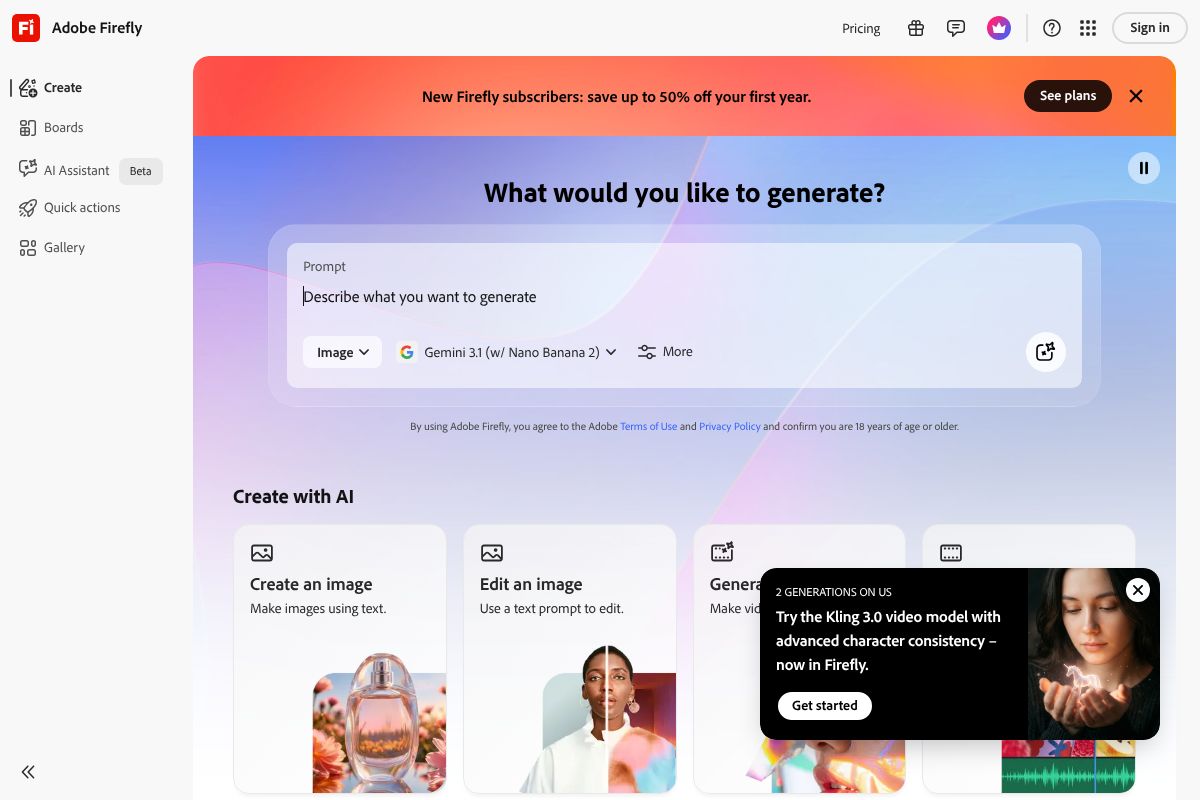
Beyond the legal peace of mind, Firefly integrates directly into Photoshop, Illustrator, and the broader Creative Cloud ecosystem. If you’re already working in Adobe’s tools, the workflow is seamless — you can generate, edit, and refine without jumping between apps.
- Built-in commercial licensing on all generated images
- Creative Cloud integration — works inside Photoshop and Illustrator
- Generative Fill and Expand for photo editing and compositing
- Style controls for consistent visual output across campaigns
Firefly is the strongest choice for designers, agencies, and freelancers doing client work where legal clarity is non-negotiable. It’s not the most experimental tool on the market, but for professional-grade output you can actually use, it’s hard to beat.
Canva Pro Pro: The All-in-One Platform
If you’re a small business owner, marketer, or content creator who doesn’t live inside Adobe’s ecosystem, Canva Pro is likely the smarter starting point. It combines an enormous template library, a full design editor, and AI image generation in a single platform — no switching between tools required.
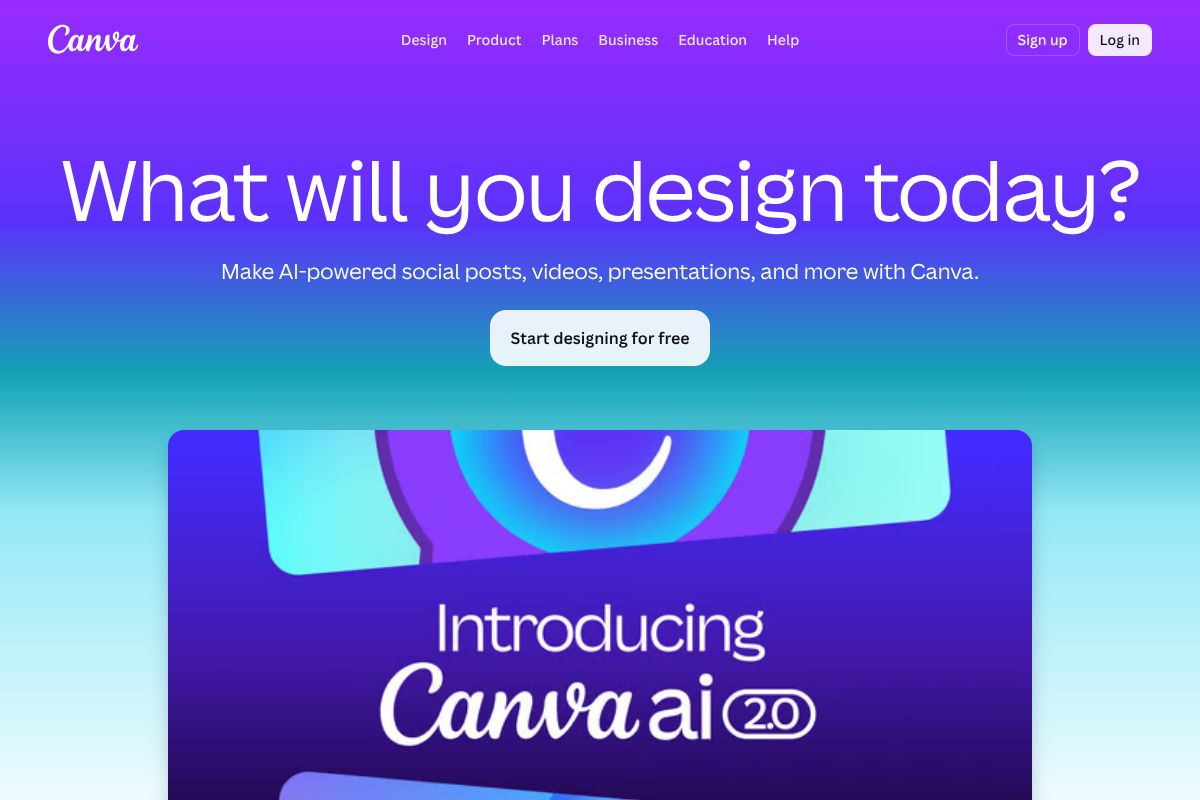
Canva’s AI image generator, powered by multiple models under the hood, includes commercial rights for images created on paid plans. That means you can drop generated visuals straight into your social posts, ads, or presentations without a separate licensing headache.
- Commercial rights included on Canva Pro-generated images
- Thousands of templates for social media, marketing, and print
- Drag-and-drop editor — no design experience needed
- Brand Kit for maintaining consistent colors, fonts, and logos
Canva Pro won’t give you the raw image quality of a dedicated generator, but for creators who need design and AI generation in one place, it’s an exceptionally practical choice. The learning curve is minimal, and the output is ready to publish.
Other Tools Worth Knowing
Beyond those two featured options, a few other platforms are worth a mention depending on your specific needs:
- Midjourney — Still produces some of the most visually striking outputs available, but commercial licensing requires a paid subscription and the interface remains Discord-based, which isn’t for everyone.
- DALL-E 3 — Accessible through ChatGPT Plus and the OpenAI API, with commercial rights on paid tiers. Strong for prompt-following and realistic imagery, though less control over style consistency.
- Runway — Better suited for video and motion work than static images, but increasingly relevant for creators working across formats.
Key Features to Look For
Not every AI art generator is built for business use. Before you commit to a platform — free trial or paid plan — there are a handful of features that genuinely matter when you’re creating images for commercial purposes. Use this as your checklist when evaluating any tool.
Commercial Rights & Legal Safety
A commercial license means you have the legal right to use generated images in paid work — ads, client deliverables, products, branded content, and more. Without it, you’re technically using images you don’t own for profit, which creates real liability. This is non-negotiable for any business application. Always check the platform’s terms of service, not just its marketing copy. Some tools grant commercial rights only on paid tiers, and a few restrict usage in specific industries like legal or medical. When in doubt, read the fine print before you publish.
Speed, Quality, and Customization
Generation speed matters more than you might expect — especially when you’re iterating on concepts or producing multiple assets in a single session. Look for tools that deliver results in under 30 seconds without sacrificing resolution. Output quality should hold up at the sizes you actually need: social graphics, print materials, or web banners. Beyond quality, customization is where tools really differentiate themselves. The best platforms let you control style, mood, color palette, and composition — and maintain that consistency across a batch of images, so your brand looks cohesive rather than random.
Integration and Workflow
A great image generator that lives in isolation from your other tools will slow you down. Look for API access if you want to automate image creation at scale, and check whether the platform offers plugins for tools you already use — Adobe Express, Canva, Figma, or your CMS. Export formats matter too: PNG and SVG support gives you flexibility across print and digital. The smoother the tool fits into your existing workflow, the more value you’ll actually get out of it day to day.
Pricing Breakdown: What You’ll Actually Spend
Sticker price rarely tells the whole story with AI art tools. Between credit limits, team seat fees, and features locked behind higher tiers, your actual monthly spend can look very different from what’s advertised. Here’s how the two leading commercial options break down in practice.
Adobe Firefly Pricing
Adobe Firefly runs from $4.99/month for the basic standalone plan up to $54.99/month for the Premium tier, with several steps in between. Each plan comes with a set number of generative credits — once you burn through them, you either wait for the monthly reset or purchase additional credits separately. The lower tiers work fine for occasional use, but if you’re producing images at volume, you’ll likely need the mid-range or Premium plan to avoid interruptions. For agencies and designers doing regular client work, the Premium tier makes the most sense — it includes higher credit allocations, priority generation speeds, and commercial licensing that covers client deliverables without ambiguity.
Canva Pro Pricing
Canva Pro comes in at $15/month or $120/year — the annual plan saves you about $60 compared to paying month-to-month, which adds up. For that price, you get unlimited AI image generation through Canva’s built-in tools, along with the full suite of design features, brand kits, and background removal. Team collaboration is included, though adding more than five seats bumps you into the Canva for Teams pricing structure. For solopreneurs, freelancers, and small teams who want an all-in-one design and image generation workflow without tracking credit balances, Canva Pro is genuinely hard to beat on value.
Cost Per Image: The Real Metric
Rather than comparing monthly fees directly, calculate your cost per usable image based on how you actually work. If you generate 200 images a month but only use 40, your real cost is your monthly plan divided by 40 — not 200. Factor in revision cycles too, since most workflows require multiple generations per final asset. A $15/month plan that produces 40 publish-ready images costs you $0.38 per image. That’s a number worth knowing before you commit to any tier.
Pros and Cons: The Honest Trade-Offs
No AI art generator is perfect for every use case. Before you commit to a subscription, it’s worth understanding where each tool genuinely excels — and where it’s likely to frustrate you. Here’s an honest look at the leading options.
Adobe Firefly Strengths and Limitations
Adobe Firefly is one of the most commercially trustworthy options available right now. Its outputs are trained on licensed content, which means you’re on solid legal ground when using images for client work, advertising, or resale.
- Strengths: Professional-grade output quality, seamless Creative Cloud integration, and clear commercial licensing make it a strong choice for agencies and working designers
- Limitations: The steeper learning curve can be a real barrier if you’re not already inside the Adobe ecosystem
Cost is also a meaningful consideration. Firefly’s full feature set requires an active Adobe subscription, which can feel like a lot for a solo creator or freelancer who only needs occasional image generation. If you’re not already paying for Creative Cloud, the entry price is hard to justify purely for AI art.
Canva Pro Strengths and Limitations
Canva Pro is the easiest on-ramp to AI image generation for non-designers. The interface is intuitive, the pricing is transparent, and everything lives in one place — from generation to final design export.
- Strengths: Beginner-friendly workflow, affordable flat-rate pricing, and an all-in-one platform that eliminates tool-switching for most content creators
- Limitations: Customization depth is noticeably shallower than specialized tools — you have less control over fine-grained style, composition, and prompt interpretation
The community of advanced users is also smaller compared to platforms like Midjourney, which means fewer tutorials, prompt libraries, and creative references to learn from. For complex or highly specific creative briefs, Canva’s AI tools may leave you wanting more control.
Common Challenges Across All Tools
Regardless of which platform you choose, a few pain points show up consistently across the board.
- Output consistency: Getting the same character, style, or visual identity across multiple images is still genuinely difficult — even with detailed prompts
- Prompt engineering: There’s a real learning curve to writing prompts that reliably produce what you’re imagining; early results can be hit-or-miss
- Quality misses at scale: When you’re generating large volumes, a meaningful percentage of outputs will require regeneration or manual editing, which affects your true cost per image
- Ethical considerations: Questions around AI training data and artist consent haven’t been fully resolved industrywide — something worth factoring into your brand’s values and public positioning
These aren’t dealbreakers, but they’re worth setting realistic expectations around. The best results come from creators who treat prompt writing as a skill to develop, not a one-click solution.
Who Should Use Each Tool?
Not every AI art generator is built for the same workflow. The right choice depends less on which tool has the most features and more on how you actually work — your volume, your budget, and how much creative control you need day to day.
Best for Designers and Agencies
If you’re a freelance designer or part of a creative agency, Adobe Firefly is likely your strongest option. Its deep integration with Photoshop and Illustrator means you’re not switching between apps or reformatting outputs — you’re generating directly inside the tools you already use. Firefly’s commercially safe training data also matters when you’re delivering work to clients who need clean IP ownership. For batch processing and maintaining visual consistency across a campaign, that workflow advantage is hard to overstate.
Best for Solo Creators and Small Business Owners
If you’re running a small business or creating content on your own without a design background, Canva Pro is the most practical starting point. You don’t need to learn prompt engineering or understand aspect ratios — the interface guides you through the process. The combination of AI image generation, templates, and direct publishing tools in one platform saves real time. For social media graphics, promotional materials, and branded content on a tight budget, it covers the essentials without a steep learning curve.
Best for High-Volume Content Production
Marketing teams and agencies producing content at scale need more than a good interface — they need automation. Tools with robust API access, batch generation capabilities, and workflow integrations with platforms like Zapier or Make are worth prioritizing here. Options like Midjourney’s API tier or Firefly’s enterprise offering let you plug image generation directly into content pipelines, reducing manual steps. If you’re producing hundreds of assets per week, that kind of automation is where the real cost savings show up.
The Verdict: Which One Should You Choose?
There’s no single “best” commercial AI art generator — the right tool depends entirely on how you work, what you’re making, and who you’re making it for. That said, two tools consistently rise to the top for different reasons. Adobe Firefly is the strongest choice when commercial safety, professional quality, and creative control matter most. Canva Pro wins when accessibility, speed, and an all-in-one workflow are the priority.
If you’re still on the fence, use the quick framework below to point yourself in the right direction.
Quick Decision Framework
Answer these four questions to find your best fit:
- What’s your budget? If you need to keep costs minimal and already use Canva, Canva Pro gives you AI generation without adding another subscription. If you’re already in the Adobe ecosystem, Firefly is included — no extra cost.
- What’s your design experience? Beginner or non-designer? Go with Canva Pro. Comfortable with creative tools and want more control? Adobe Firefly rewards that investment.
- How much volume are you producing? For occasional social graphics and marketing assets, either works well. For high-volume, automated pipelines, prioritize tools with API access like Firefly’s enterprise tier.
- Do you have client IP concerns? If you’re delivering assets commercially and need clean, legally defensible image rights, Adobe Firefly’s commercially safe training data makes it the safer professional choice.
Once you know which category you fall into, the decision becomes straightforward. Explore the tools that match your needs — most offer free trials, so you can test before committing.
Get Started Today
The best way to find your ideal AI art generator isn’t to read more reviews — it’s to actually use one. Both Adobe Firefly and Canva Pro offer low-risk entry points, so there’s no reason to stay on the sidelines. A few test images will tell you more about fit and output quality than any comparison chart.
If you’re leaning toward professional-grade control and commercial safety, start with Adobe Firefly — you can access it through a free Adobe account with a limited monthly credit allowance. If you want an all-in-one design and generation workflow without a steep learning curve, try Canva Pro, which includes a free trial so you can explore its AI features before paying anything.
Test both if you can. The time investment is small, and the clarity you’ll gain is worth it.
Next Steps
- Sign up for a free trial of Adobe Firefly or Canva Pro — or both.
- Generate 5–10 test images using prompts relevant to your actual work.
- Compare outputs side by side for quality, style, and usability.
- Calculate your cost per image based on your typical monthly volume.
- Decide based on integration — whichever tool slots most naturally into your existing workflow wins.
Bookmark this page as you explore — pricing and features in the AI space shift quickly, and we update this guide regularly to keep the comparisons accurate and current.
Frequently Asked Questions
Can I use AI-generated art commercially without licensing issues?
Yes, most commercial AI art generators include licensing terms allowing business use. Always verify the tool’s terms of service to ensure full commercial rights are granted for your intended applications.
What’s the average cost of a commercial AI art generator in 2026?
Pricing typically ranges from $10-100 monthly for individual plans to $500+ for enterprise solutions. Many offer pay-per-image options starting at $0.10-$1 per generation depending on resolution and features.
Which AI art generator produces the highest quality images?
Quality varies by use case, but leading 2026 generators like Midjourney, DALL-E 3, and Stable Diffusion XL excel at photorealism, illustration, and stylized art respectively. Test free trials to match your specific needs.
Do commercial AI art generators offer API access for integration?
Most premium commercial tools provide API access for developers. This enables batch processing, custom workflows, and seamless integration into existing business applications and design pipelines.
Related Reads
- Adobe Firefly Review 2026: AI Image Generator for Creators
Adobe Firefly review 2026: See how this AI image generator stacks up for creators, marketers & freelancers. Pricing, fea…
- Midjourney Review 2026: AI Image Generator for Creators
Honest Midjourney review 2026. See pricing, features, pros/cons, and how it compares to other AI image generators for cr…
- Best AI Image Generator for 2026: Top Tools Compared
Find the best AI image generator for your needs in 2026. Compare top tools, pricing, and features for creators and marke…