You’ve written what you think is a great piece of content — but it’s sitting on page four of Google, invisible to the people who actually need it. Sound familiar? The problem often isn’t your writing. It’s that you’re targeting the wrong keywords, or flying blind without real data to back your choices. Finding the best keyword research tool for 2026 can be the difference between content that ranks and content that collects dust.
The keyword research market has never been more competitive—and that’s good news for you, whether you’re bootstrapping solo or managing client accounts across the board. We’ve tested the leading tools, compared their features and pricing, and identified the real trade-offs so you can match the right one to your actual workflow.
Key Takeaways
- Keyword research tools analyze search volume, competition, and intent to identify high-value keywords for SEO strategy and content planning.
- Essential features include search volume data, keyword difficulty scores, competitor analysis, and SERP insights for informed optimization decisions.
- Top tools like Semrush, Ahrefs, and Moz offer comprehensive keyword research with varying pricing models suited to different business sizes.
- Pricing ranges from free basic versions to enterprise plans, with mid-tier subscriptions offering the best value for most digital marketers.
- Choose tools based on your budget, team size, and specific needs—beginners benefit from user-friendly platforms while agencies need advanced features.
In This Article
What Is a Keyword Research Tool?
A keyword research tool helps you figure out exactly what words and phrases people type into search engines when they’re looking for something. Instead of guessing what your audience wants, you get real data — search volumes, competition levels, and related topic ideas — all in one place. Think of it as a window into your audience’s mind.
For content creators, marketers, and small business owners, this kind of insight is invaluable. You can use it to:
- Discover what your audience is actually searching for — not what you assume they’re searching for
- Gauge the competition — understand how hard it will be to rank for a given term before you invest time writing about it
- Plan your content calendar — build a strategy around topics with real demand
- Find low-hanging fruit — uncover niche keywords where you can realistically compete and win traffic
Without a keyword research tool, you’re essentially publishing content and hoping for the best. With one, you’re making informed decisions that compound over time.
Why Keyword Research Matters in 2026
Keyword research has come a long way from simply stuffing high-volume terms into a blog post. Search engines have grown significantly smarter, and so has the way people search. Voice queries, AI-generated search summaries, and conversational prompts have all changed the landscape — meaning the old “target a keyword, repeat it ten times” approach no longer cuts it.
Today, keyword research is really about understanding intent. What problem is someone trying to solve? What stage of the buying journey are they in? The best tools now surface not just search volume, but context — helping you create content people genuinely want to read, not just content engineered to rank. That shift makes keyword research more relevant than ever, not less.
Key Features to Look for in a Keyword Research Tool
Not all keyword research tools are built the same. Some are packed with data but overwhelming to navigate. Others are beginner-friendly but lack the depth you need to make smart decisions. Before committing to any tool, it helps to know which features actually move the needle — and why they matter for your workflow.
Here are the core capabilities worth prioritizing:
- Search volume data — how many people are searching for a term each month
- Keyword difficulty scores — a quick read on how competitive a term is to rank for
- Competitor analysis — visibility into what’s already working for others in your space
- Search intent classification — whether a query is informational, commercial, or transactional
- Content optimization suggestions — guidance on how to structure and improve what you write
- AI-powered insights — smarter recommendations that go beyond raw numbers
Search Volume and Trend Data
Search volume tells you how often a keyword is being looked up each month — and it’s one of the first things you should check before writing anything. A topic that sounds compelling might only attract a handful of searches, making it a poor investment of your time. On the flip side, chasing sky-high volume without context can lead you toward terms that are impossible to compete for.
Trend data adds another layer of value. It shows you whether interest in a topic is growing, declining, or seasonal — so you can time your content strategically. Publishing a piece on a rising trend before it peaks can earn you traffic that compounds for months. The best tools surface both current volume and directional momentum, giving you a fuller picture before you commit.
Competitor Insights and Gap Analysis
One of the fastest ways to find content opportunities is to look at what your competitors are already ranking for. Competitor analysis features let you enter a rival’s domain and see which keywords are driving their traffic — essentially reverse-engineering what’s working in your niche.
Gap analysis takes this a step further by showing you keywords your competitors rank for that you don’t. These gaps represent real, proven demand that you’re currently missing out on. Instead of guessing what to write next, you can build your content calendar around topics with demonstrated search interest and a clear competitive angle. It’s one of the highest-leverage features a keyword tool can offer, especially if you’re trying to grow in a crowded space.
Top Keyword Research Tools Compared
Not every keyword research tool is built for the same person. A solo blogger has different needs than a content team managing dozens of pages, and an SEO agency operates at a different scale than a freelance writer. The three tools below cover most of that spectrum — here’s how they stack up and who each one actually serves best.
Semrush: Best for SEO Professionals
Semrush is the closest thing to an all-in-one SEO command center on the market. Beyond keyword research, it gives you rank tracking, backlink analysis, technical site audits, and deep competitor intelligence — all under one roof. If you’re managing SEO for multiple clients or running a content operation at scale, that breadth is genuinely useful.
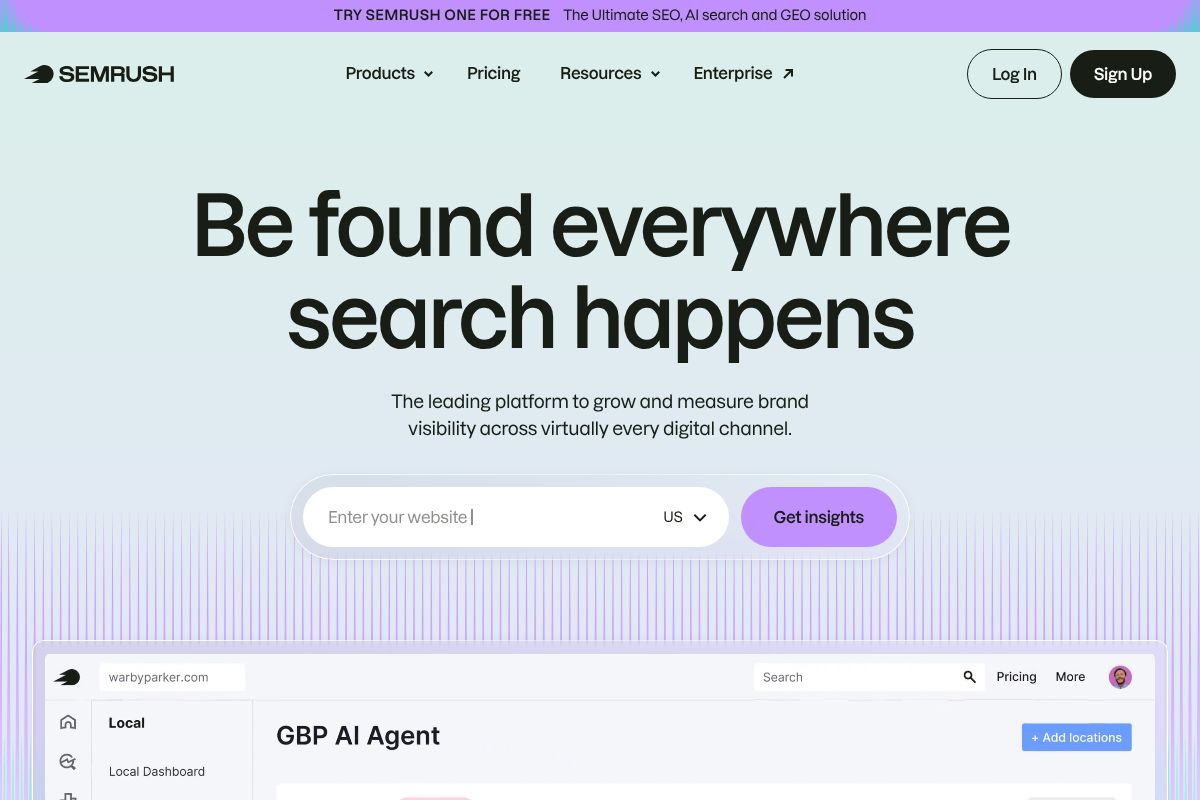
Pricing runs from $139.95 to $499.95 per month, which reflects its enterprise-level positioning. The data is comprehensive and reliable, but that power comes with a learning curve and a price tag that can feel steep if you’re a solo creator who only needs keyword ideas. It’s worth the investment if you’ll actually use the full suite — less so if you only need one slice of it.
- Rank tracking across search engines and locations
- Competitor traffic and keyword analysis
- Technical SEO auditing tools
- Extensive keyword database with difficulty scoring
Surfer SEO SEO: Best for Content Writers
Surfer SEO takes a different approach — instead of front-loading all your research before you write, it helps you optimize while you write. Its Content Editor scores your article in real time based on keyword usage, structure, and content length compared to top-ranking pages. For writers who want actionable guidance without switching between a dozen tabs, that workflow is a genuine time-saver.

Plans range from $89 to $219 per month, making it more accessible than enterprise tools without sacrificing depth. The trade-off is that Surfer is narrower in scope — it excels at on-page optimization but doesn’t replace a full SEO platform for things like rank tracking or backlink research.
- Real-time content scoring inside the editor
- SERP analysis and NLP-based keyword suggestions
- Content audit for existing pages
- Integrates with Google Docs and WordPress
NeuralText: Best for Content Teams Building Authority
NeuralText is built around the idea of topical authority — the practice of covering a subject so thoroughly that search engines recognize your site as a go-to resource. Its clustering features help you map out groups of related keywords and plan content that covers a topic from multiple angles, rather than chasing isolated high-volume terms.
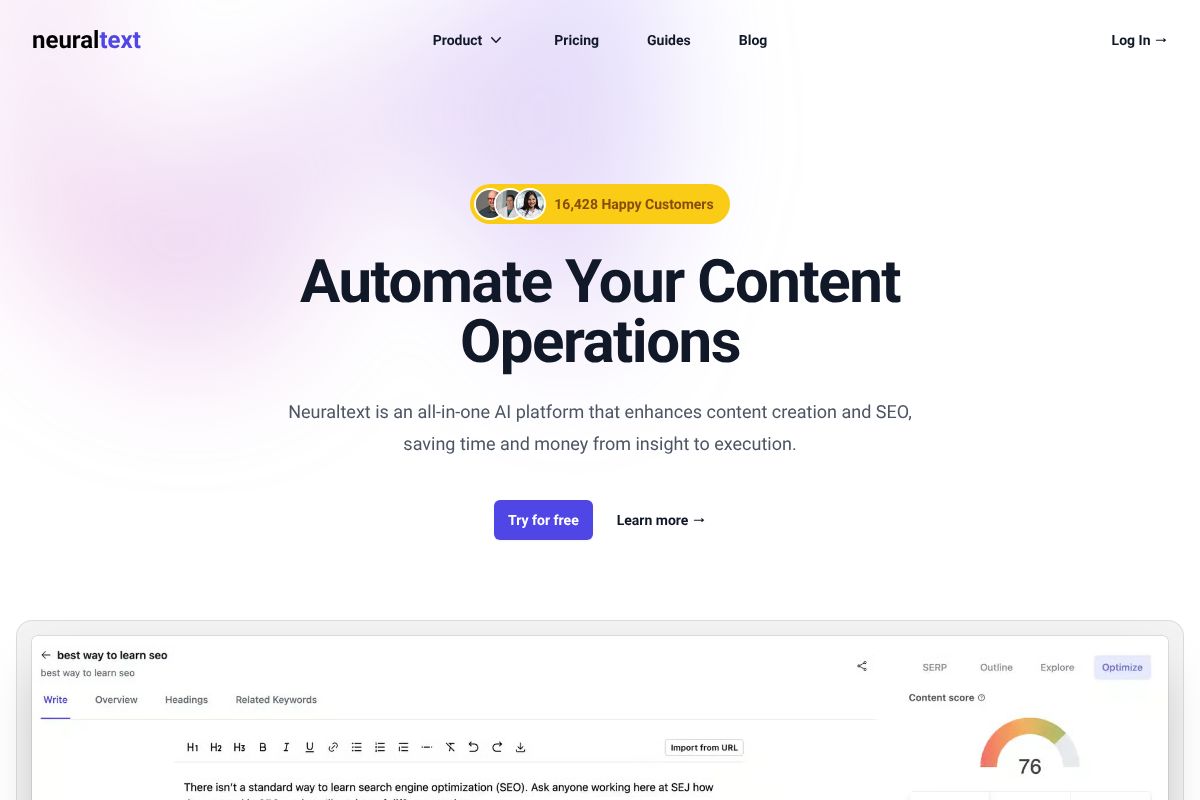
At $19 to $119 per month, it’s one of the most affordable options for small teams that want a structured content strategy without a massive budget. It won’t replace Semrush for deep competitive research, but for building a deliberate content cluster around a niche, it punches well above its price point.
- Keyword clustering and topical mapping
- Content brief generation
- SERP analysis for cluster planning
- Affordable entry point for growing teams
| Tool | Pricing | Best For | Key Strength |
|---|---|---|---|
| Semrush | $139.95–$499.95/mo | SEO professionals & agencies | Comprehensive SEO suite with competitor tracking |
| Surfer SEO | $89–$219/mo | Content writers & bloggers | Real-time on-page optimization while writing |
| NeuralText | $19–$119/mo | Small teams building topical authority | Keyword clustering and content planning |
Pros and Cons: What You Need to Know
No keyword research tool is perfect for every situation. Each of the three picks above comes with genuine strengths — and real limitations worth knowing before you commit to a subscription. Here’s an honest breakdown.
Semrush
- Pros: Unmatched depth of data, competitor analysis, rank tracking across multiple domains, and a full suite of SEO tools beyond keyword research
- Cons: Expensive — the entry-level plan starts at $139.95/month, which is a significant investment for solo creators or small businesses. The platform is also feature-heavy, and the learning curve can feel overwhelming if you just want quick keyword ideas
If you’re managing multiple client sites or running a serious content operation, the depth justifies the cost. For a one-person blog or side hustle, it’s likely overkill.
Surfer SEO
- Pros: Exceptional for real-time content optimization, intuitive Content Editor, and genuinely useful for writers who want guidance while they work
- Cons: Rank tracking capabilities are limited compared to Semrush, and it’s not built for deep competitive research or backlink analysis. It’s a writing aid first, an SEO research platform second
If your workflow lives in a Google Doc or content editor, Surfer fits naturally. If you need to monitor rankings across dozens of pages, you’ll likely need a second tool alongside it.
NeuralText
- Pros: Affordable, solid keyword clustering, and a clean interface that doesn’t overwhelm newer users
- Cons: Smaller feature set than the other two, and as a newer platform, it lacks the data history and track record that Semrush and Surfer have built over years
It’s a smart starting point, but power users may hit its limits sooner than expected.
When to Choose Each Tool
The right choice really comes down to how you work and what you’re trying to accomplish. Ask yourself a few honest questions before deciding.
- Choose Semrush if you’re tracking rankings across multiple websites, running competitor audits, or managing SEO for clients. It’s built for people who live in data.
- Choose Surfer SEO if you’re a writer or content marketer who wants real-time optimization feedback as you draft articles. It’s ideal for bloggers building organic traffic through consistent publishing.
- Choose NeuralText if you’re a small team or solo creator focused on building topical authority around a niche. Its clustering features help you plan content strategically without a steep learning curve or a steep price tag.
There’s no single winner here — the best tool is the one that fits your actual workflow, not the one with the longest feature list.
Pricing Breakdown and Value for Money
Keyword research tools vary widely in cost, and understanding what you actually get at each price point helps you avoid overpaying — or underspending on something that won’t meet your needs.
Semrush sits at the premium end of the market. Its Pro plan starts at around $139.95/month, with Guru (the most popular tier for growing teams) running closer to $249.95/month. That’s a significant investment, but you’re getting a full suite: keyword research, rank tracking, backlink analysis, site audits, and competitive intelligence all in one place. Annual billing typically saves you around 17%, which adds up over time.
Surfer SEO is more mid-range. Plans start at roughly $89/month for the Essential tier, with the Scale plan landing around $129/month for agencies and heavier users. The pricing reflects its more focused scope — it does content optimization exceptionally well, but it’s not trying to replace a full SEO platform. Annual discounts are available and generally knock off two months’ worth of cost.
NeuralText remains the most accessible option, with entry-level plans starting under $50/month. It’s a lean tool with a lean price tag, which makes it easy to justify for solo creators or small teams testing the waters.
Budget-Friendly Options for Freelancers
If you’re freelancing or just getting started with SEO-driven content, Surfer SEO and NeuralText are the most practical entry points. You don’t need Semrush’s full suite when you’re managing one or two sites.
- NeuralText offers a free trial, letting you explore keyword clustering and content briefs before committing
- Surfer SEO occasionally runs limited free trials and has a lower-cost entry plan that covers the core content workflow
- Both tools allow you to start small and upgrade as your client load or content volume grows
Starting with one of these tools and scaling up — rather than jumping straight into Semrush — is a smart way to build your workflow without overextending your budget early on.
Who Should Use Each Tool?
Not every keyword research tool is built for the same person or the same workflow. Choosing the wrong one doesn’t just waste money — it adds friction to your process and slows you down. Here’s how to match each tool to your actual situation.
For Content Creators and Bloggers
If you’re writing content regularly — whether that’s blog posts, newsletters, or long-form articles — Surfer SEO is the tool most likely to fit naturally into your existing workflow. It doesn’t ask you to become an SEO strategist. Instead, it works alongside your writing process, giving you real-time optimization guidance as you draft.
The way most creators use it looks something like this: you pick a topic, run it through Surfer’s keyword research, and then open the Content Editor while you write. The tool scores your content live, flagging missing terms, ideal word count, and heading structure — without requiring you to jump between a dozen different reports.
- Real-time content scoring removes guesswork from on-page SEO
- Keyword suggestions surface naturally within the writing interface
- No steep learning curve — useful from day one
- Works well for creators managing one to three sites independently
The pain point Surfer solves here is simple: you don’t want to spend an hour doing keyword analysis before you can write a single sentence. Surfer compresses that research phase significantly.
For Marketers Managing Multiple Campaigns
Semrush is the clear fit if you’re overseeing SEO across multiple clients or brands. Its strength is breadth — you can track rankings, audit sites, monitor competitors, and research keywords all from one dashboard. For a marketer juggling several campaigns simultaneously, that consolidation saves serious time.
For Small Business Owners and Freelancers
NeuralText is worth a close look if you need solid keyword clustering and content brief generation without a complex platform to manage. It handles the foundational work — finding keyword opportunities and structuring content plans — without overwhelming you with data you won’t use.
The Verdict: Which Tool Should You Choose?
There’s no single “best” keyword research tool — the right choice depends on what you’re actually trying to accomplish, how much you’re willing to spend, and how much complexity you can realistically manage.
Here’s a straightforward breakdown of how each tool fits different situations:
- Semrush is the strongest all-in-one option if you need comprehensive SEO management — competitor analysis, rank tracking, site audits, and keyword research under one roof. It’s an investment, but it pays off if you’re managing multiple campaigns or clients.
- Surfer is the best fit if your primary goal is turning keyword research into well-optimized content, faster. It bridges the gap between research and writing in a way other tools don’t.
- NeuralText is the smart starting point if budget is a real constraint. It handles keyword clustering and content planning without the premium price tag — a genuine advantage for freelancers and small business owners working lean.
If you’re still unsure, start with the tool that solves your most immediate problem. You can always upgrade or switch as your needs grow.
Getting Started: Next Steps
The easiest way to find your fit is to actually use the tools. Most platforms — including Semrush, Surfer, and NeuralText — offer free trials or entry-level plans that let you test core features before committing. Several also back paid plans with money-back guarantees, so the risk is low.
A practical approach: identify your biggest bottleneck right now. Is it finding the right keywords? Organizing them into a content plan? Writing content that ranks? Let that answer guide your choice.
- Need an all-in-one SEO platform? Start with Semrush today.
- Want faster, smarter content creation? Start with Surfer today.
- Working with a tight budget? Start with NeuralText today.
Pick one, spend a week with it, and you’ll know quickly whether it’s the right tool for your workflow.
Frequently Asked Questions
What is the best free keyword research tool?
Google Keyword Planner and Ubersuggest’s free version offer basic search volume and keyword suggestions. For more detailed analysis, free trials from Semrush or Ahrefs provide limited access to premium features.
How do I choose the right keyword research tool?
Evaluate tools based on search volume accuracy, competitor analysis depth, ease of use, and pricing. Consider your team size, budget, and whether you need local or international keyword data for your specific goals.
Can keyword research tools help with SEO ranking?
Yes. Keyword research tools identify low-competition, high-intent keywords that improve your chances of ranking. They reveal search trends and user intent, enabling you to create targeted content that attracts qualified organic traffic.
Which keyword research tool is best for beginners?
Ubersuggest and Google Keyword Planner are beginner-friendly with intuitive interfaces. Semrush’s free trial also works well for learning, offering guided tutorials and straightforward keyword metrics without overwhelming complexity.
Related Reads
- Surfer SEO vs NeuralText: Which AI Tool Wins in 2026?
Compare Surfer SEO and NeuralText in 2026. See pricing, features, and which AI SEO tool fits your content strategy best.…
- Best AI Tool for SEO Beginners in 2026
Find the best AI SEO tool for beginners in 2026. Compare features, pricing, and ease of use for content creators and sma…
- Surfer SEO vs Frase: Which AI Tool Wins in 2026?
Compare Surfer SEO and Frase in 2026. See pricing, features, and which AI SEO tool fits your content strategy best.…