Need a stunning image for your blog post, social media, or client pitch — but don’t have the budget for a designer or a premium subscription? You’re not alone. The demand for the best free AI picture generator in 2026 has never been higher, and the good news is that the options have never been better. AI image generation has matured rapidly, and several tools now offer genuinely impressive results without charging you a cent. Of course, “free” comes with its own set of trade-offs — usage limits, watermarks, and varying output quality. This article breaks down the top free AI image generators available right now, so you can find the one that fits your workflow, your style, and your budget.
Key Takeaways
- Free AI picture generators produce high-quality images without cost, making professional design accessible to everyone regardless of budget constraints.
- Top free tools offer diverse features including text-to-image generation, style customization, and batch processing capabilities for various creative needs.
- Upgrading to paid plans unlocks higher resolution outputs, faster processing speeds, commercial licensing rights, and advanced editing features.
- Free versions typically include watermarks, usage limits, and fewer customization options compared to premium AI image generation subscriptions.
- Choose free AI generators based on your specific needs: beginners prefer user-friendly interfaces while professionals prioritize output quality and licensing.
In This Article
- What Is an AI Picture Generator?
- Top Free AI Picture Generators in 2026
- Key Features to Look For
- When to Upgrade From Free to Paid
- Pros and Cons of Free AI Image Generators
- Comparison: Free vs. Paid AI Image Tools
- Who Should Use Free AI Picture Generators?
- Final Verdict: Which Free AI Picture Generator Should You Choose?
What Is an AI Picture Generator?
An AI picture generator is a tool that turns written descriptions into images — no design skills required. You type a prompt like “a cozy coffee shop at sunset, watercolor style,” and within seconds the tool produces a brand-new image based on your words. The technology behind this is called text-to-image generation, powered by large AI models trained on billions of images and their descriptions.
These models learn patterns, styles, colors, and compositions from that training data, so when you describe something, the AI can synthesize a visual that matches your intent. You don’t need to understand any of that to use one — if you can type a sentence, you can generate an image.
For creators and small business owners, this opens up a world of possibilities. Need a custom hero image for a blog post? A product mockup concept? A unique social media graphic? AI image generators can handle all of it, often in under a minute. You’re not limited to what’s available in a stock photo library — you can describe exactly what you need and get something tailored to your vision.
How AI Image Generators Save You Time and Money
The practical benefits go beyond just convenience. Think about what you’d normally spend to get a custom image: a stock photo subscription can run $30–$50 per month, and hiring a freelance designer for a single piece can cost anywhere from $50 to several hundred dollars.
With a free AI image generator, you can:
- Skip the stock photo subscription — generate unique visuals instead of browsing generic libraries
- Avoid designer wait times — get results in seconds, not days
- Test multiple creative directions instantly — tweak your prompt and generate variations until something clicks
- Produce more content at scale — ideal for creators who publish frequently and need fresh visuals regularly
For freelancers and small teams working with tight budgets, that adds up quickly. Even the free tiers of today’s leading tools are capable enough to handle real-world content needs.
Top Free AI Picture Generators in 2026
With so many options available, it helps to know which free tools are actually worth your time. The five picks below cover a range of use cases — from social media graphics to detailed illustrations — and each has a genuinely usable free tier. That said, every free plan comes with trade-offs, so read carefully before committing to one.
1. Microsoft Designer (Free Tier)
Microsoft Designer integrates directly with your Microsoft account and generates images using a model powered by DALL-E technology. It’s one of the most beginner-friendly options available, with a clean interface that doesn’t require any learning curve.
- Key strength: Tight integration with Microsoft 365 apps and easy drag-and-drop editing
- Main limitation: Daily generation limits apply, and outputs can feel a bit generic for highly stylized creative work
2. Leonardo.ai (Free Tier)
Leonardo.ai is a favorite among creators who want more control over their image style. The free plan gives you 150 tokens per day, which refreshes daily — enough for casual use but not high-volume production.
- Key strength: Wide selection of fine-tuned models and strong stylistic consistency
- Main limitation: Generations on the free plan are publicly visible in the community feed by default
3. Ideogram (Free Version)
Ideogram stands out for one specific reason: it handles text inside images better than almost any other free tool. If you need a graphic with a readable quote, label, or headline baked in, this is the tool to try.
- Key strength: Exceptional text rendering within generated images
- Main limitation: Limited generation slots per day and fewer style controls compared to Leonardo
4. Clipdrop (Free Tier)
Clipdrop, built on Stability AI’s technology, offers a suite of image tools beyond just generation — including background removal and upscaling. The free tier is useful for quick edits and light generation work.
- Key strength: Versatile toolset that goes beyond text-to-image
- Main limitation: Watermarks appear on some exports at the free level, which limits professional use
5. Adobe Firefly/” rel=”sponsored noopener” target=”_blank”>Adobe Firefly (Free Tier)
Adobe Firefly is designed with commercial use in mind — its training data is licensed, which matters if you’re creating content for clients or brands. The free plan includes a monthly credit allowance that resets each month.
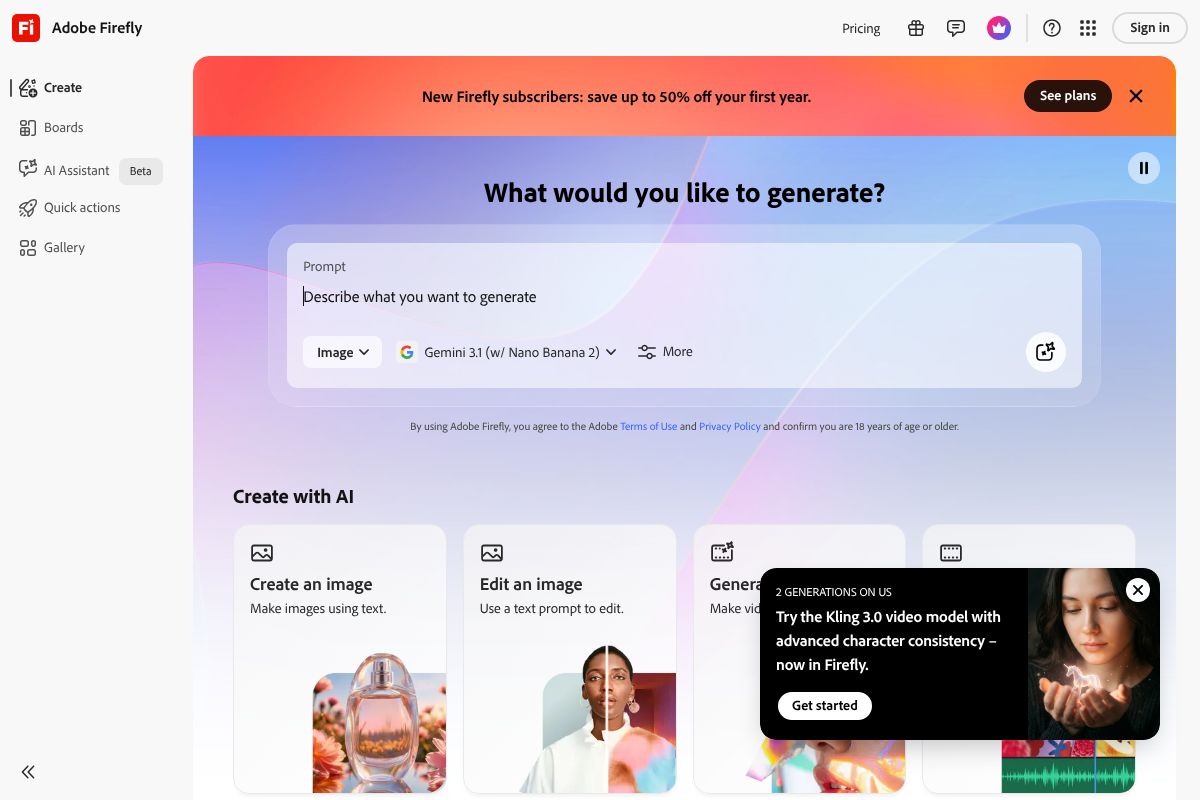
- Key strength: Commercially safer outputs and seamless integration with Adobe Express
- Main limitation: Monthly credits run out faster than you’d expect with regular use
Free Tier Limitations You Should Know
Before you dive in, it’s worth setting realistic expectations. Free plans across all these tools come with constraints that can affect how useful they are for ongoing work.
Here are the most common limitations you’ll run into:
- Monthly or daily credit caps: Most tools give you a fixed number of generations per day or month. Once you hit the limit, you either wait or upgrade.
- Watermarks on exports: Some platforms add a visible watermark to images generated on free plans, which isn’t ideal for professional or client-facing content.
- Resolution restrictions: Free tiers often cap output resolution, meaning images may not be print-ready or suitable for large-format use.
- Commercial use restrictions: Not every free plan allows you to use generated images for commercial purposes. Always check the platform’s terms before using free outputs in paid work.
- Public visibility: Some tools make your free-tier generations visible to the wider community, which can be a concern if you’re working on proprietary or client projects.
None of these limitations are deal-breakers for casual use, but they’re worth knowing upfront so you can choose the right tool for your specific workflow.
Key Features to Look For
Not all free AI image generators are created equal. Before you commit to one, it helps to know which features actually move the needle for day-to-day creative work — and which ones are just nice-to-have extras.
Prompt Understanding
The best tools translate your text descriptions into accurate, on-brand visuals without requiring you to learn a complex prompt language. If a generator consistently misses the mark — wrong colors, wrong mood, wrong composition — it wastes more time than it saves. Look for tools that handle natural, conversational prompts well.
Speed
Generation time matters more than people realize, especially if you’re producing content at volume. Free tiers often deprioritize your requests in a queue, so what takes seconds on a paid plan can take minutes on a free one. For one-off experiments that’s fine; for a production workflow, it adds up quickly.
Image Quality and Resolution
Higher resolution outputs give you more flexibility — you can crop, resize, and repurpose images without losing clarity. Free plans frequently cap resolution, so if you need print-ready or large-format visuals, check the output specs before relying on a tool.
Style Variety
A good generator should handle more than one aesthetic — photorealistic, illustrated, abstract, minimalist. If you’re a marketer or creator working across multiple brands or campaigns, style flexibility is essential rather than optional.
Batch Generation and Ease of Use
The ability to generate multiple variations from a single prompt saves significant time during ideation. Equally important is a clean, intuitive interface — you shouldn’t need a tutorial just to export an image.
Commercial Use Rights: Why This Matters
This is the feature most people overlook until it’s too late. There’s an important distinction between personal use and commercial use — using an AI-generated image in a paid client project, a product listing, or a monetized social campaign typically falls into the commercial category.
The problem is that many free tiers either prohibit commercial use outright or leave the terms vague enough to create real legal ambiguity. That puts freelancers and small business owners in a tricky position.
Here’s what to watch for:
- Explicit commercial licensing: Does the platform’s terms of service clearly grant you commercial rights on the free plan?
- Ownership of outputs: Some platforms retain partial rights to images generated on free accounts.
- Attribution requirements: A handful of tools require you to credit the platform when using free-tier images publicly.
If commercial use is central to your workflow, tools like Adobe Firefly are worth considering. Its paid plans are built around commercially safe, rights-cleared outputs — giving you confidence that the images you create won’t create legal headaches down the line. For professional or client-facing work, that peace of mind has real value.
When to Upgrade From Free to Paid
Free AI image generators have come a long way, and for casual use — personal projects, social media experimentation, blog illustrations — they’re genuinely good enough. But there are specific situations where free tiers start to show their limits, and pushing through those limits costs you more in time and frustration than a paid plan ever would.
Here are the clearest signs it’s time to upgrade:
- You’re generating images at volume. Free plans almost always cap your daily or monthly generations. If you’re producing content consistently, you’ll hit those walls fast.
- You’re working with clients. Vague commercial licensing on free plans is a liability. Client work demands clarity.
- Brand consistency matters. Free tools rarely offer style memory, custom presets, or the fine-tuned control you need to keep visuals on-brand.
- You need advanced features. Higher resolutions, inpainting, background removal, and priority generation speeds are typically locked behind paid tiers.
The good news is that the two most practical upgrade paths are reasonably priced — and both offer free trials so you can test before committing.
Adobe Firefly: For Client Work and Commercial Projects
If you’re a designer, agency, or freelancer doing professional work, Adobe Firefly is the most defensible upgrade. Its standout advantage isn’t just image quality — it’s that every output is commercially licensed, generated from Adobe’s rights-cleared training data. That means you can hand deliverables to clients without second-guessing the legal fine print.
Firefly integrates directly into Photoshop, Illustrator, and Adobe Express, which makes it a natural fit if you’re already in the Adobe ecosystem. Plans range from $4.99 to $54.99 per month depending on the tier and bundled apps. For anyone doing client-facing creative work, that commercial safety net alone justifies the cost.
Canva Pro Pro: For Non-Designers Creating Social Content
If your priority is speed and simplicity over precision, Canva Pro is the smarter upgrade. It combines AI image generation with a full design toolkit — templates, brand kits, background remover, and one-click resizing — all in one place. You’re not just getting an image generator; you’re getting an entire content creation workflow.
At $15 per month or $120 per year, it’s one of the better value-for-money tools available for small business owners and content creators who don’t want to juggle multiple apps. The AI features alone don’t make the case — but paired with everything else Canva Pro offers, it’s hard to argue against it if social content is a regular part of your job.
Pros and Cons of Free AI Image Generators
Before you commit to any tool on this list, it’s worth stepping back and looking at the bigger picture. Free AI image generators have come a long way, but they’re not a perfect solution for every situation. Here’s an honest breakdown of what you’re getting — and what you’re giving up.
The Pros
- Zero cost to start: You can experiment with multiple tools without spending a dollar, which is ideal if you’re still figuring out what style or workflow suits you.
- Fast turnaround: Most free tools generate usable images in seconds. For quick social posts, blog visuals, or mood boards, that speed is genuinely hard to beat.
- Low learning curve: You don’t need design skills or technical knowledge. If you can type a sentence, you can generate an image.
- Great for experimentation: Free tiers let you test prompts, styles, and concepts before deciding whether a paid upgrade is worth it.
The Cons
- Quality can be inconsistent: Free tiers often use older or lower-priority models. Results can vary significantly from one prompt to the next.
- Credit limits add friction: Most platforms cap your free generations per day or month. When you hit the wall mid-project, it’s frustrating.
- Watermarks on outputs: Some tools brand their free-tier images, which makes them unusable for client work or professional publishing without upgrading.
- Murky commercial rights: Free plans often restrict or don’t explicitly permit commercial use. Always read the terms before using an image in anything client-facing or monetized.
- Less creative control: Advanced features like style locking, aspect ratio customization, and inpainting are almost always paywalled.
For casual use — personal projects, content ideation, or social media experimentation — free tools are genuinely capable. But if you’re a freelancer, marketer, or small business owner producing work that represents your brand or a client’s, the limitations can quietly cost you more than a paid plan would.
Comparison: Free vs. Paid AI Image Tools
Choosing the right tool comes down to what you actually need from it. The table below breaks down the most commonly used AI image generators so you can see at a glance where the free tiers hold up — and where they fall short.
| Tool | Cost | Image Quality | Commercial Use | Ease of Use | Best For |
|---|---|---|---|---|---|
| Adobe Firefly (Free) | Free (limited credits) | Very High | Yes (with conditions) | Very Easy | Creators already in Adobe ecosystem |
| Adobe Firefly (Paid) | From $9.99/mo | Very High | Yes (full) | Very Easy | Professional designers, marketers |
| Canva Free | Free (limited generations) | Good | Limited | Excellent | Social media content, quick visuals |
| Canva Pro | From $15/mo | Good–High | Yes | Excellent | Small businesses, content creators |
| Microsoft Designer (Free) | Free | High | Yes | Very Easy | Beginners, Microsoft 365 users |
| Leonardo AI (Free) | Free (150 tokens/day) | High | Yes (free tier) | Moderate | Creatives wanting more style control |
| Ideogram (Free) | Free (limited daily) | High | Yes | Easy | Text-heavy graphics, logos, posters |
What This Table Tells You
If commercial use and image quality are your top priorities, the free tiers of Adobe Firefly and Microsoft Designer are genuinely strong starting points — both allow commercial use and produce polished results without requiring a subscription. The catch is credit limits that can interrupt your workflow at the worst moments.
Canva Pro stands out if you want an all-in-one design and publishing platform rather than a standalone image generator. The AI image tools are one piece of a much larger creative suite, which makes the monthly cost easier to justify for small business owners and marketers who are already building content regularly.
For creators who want more artistic control — custom model selection, fine-tuned styles, and higher output volume — Leonardo AI offers a free tier that punches above its weight, though the learning curve is slightly steeper than the others on this list.
Bottom line: free tools are a smart place to start, but if image creation is a regular part of your workflow, a paid plan will almost always pay for itself in time saved and quality gained.
Who Should Use Free AI Picture Generators?
The honest answer is: almost anyone who creates content regularly can get real value from a free AI image generator — at least to start. But “free” means different things depending on how you work, and it’s worth being clear about where these tools shine and where they fall short.
Content Creators and Bloggers
If you’re producing social media posts, blog headers, or YouTube thumbnails, free AI image tools can cover a surprising amount of ground. You don’t always need a pixel-perfect image — you need something relevant, fast, and on-brand. Free tiers from tools like Adobe Firefly or Microsoft Designer can handle that without you spending a cent, as long as you’re not generating dozens of images every day.
Small Business Owners
Need a quick product mockup, a promotional graphic, or a visual for your next email campaign? Free AI generators are a practical shortcut. You skip the stock photo subscription and the back-and-forth with a designer for straightforward tasks. Just keep in mind that credit limits can slow you down during busy periods like product launches or seasonal campaigns.
Freelancers
For client concept work and early-stage mockups, free tools are genuinely useful. They let you test visual directions quickly before committing to anything polished. That said, if a client needs final production-ready assets, you’ll likely hit the limits of what a free plan can deliver — both in volume and in image resolution.
Marketers
Free AI image generators are excellent for testing ideas. Before you invest in a full creative shoot or a paid design asset, you can use these tools to validate concepts, A/B test visual styles, and pitch directions to stakeholders. Think of free tiers as your creative sandbox, not your production pipeline.
When Free Isn’t Enough
- You need high-resolution outputs for print or large-format use
- You’re generating images at scale — daily or in bulk
- Your brand requires tight visual consistency across every asset
- Commercial licensing clarity is non-negotiable for client work
If any of those apply to you, a paid plan will likely pay for itself quickly. But if you’re just getting started or your image needs are occasional, free tools are more than enough to get the job done.
Final Verdict: Which Free AI Picture Generator Should You Choose?
The right free AI picture generator really comes down to what you’re making and how often you need it. Here’s a quick breakdown to help you decide:
- Best for beginners and social media creators: Start with Canva’s free AI image generator — it’s the easiest to use and fits naturally into a design workflow you may already have.
- Best for photorealistic images: Adobe Firefly’s free tier delivers impressive quality and is hard to beat for lifelike outputs.
- Best for creative experimentation: Tools like Microsoft Designer or Leonardo AI give you more stylistic range without requiring a credit card.
- Best for high-volume or commercial use: This is where free plans start to show their limits — upgrading to Canva Pro or a paid Adobe Firefly plan gives you commercial licensing clarity, higher resolution exports, and far more monthly credits.
The smartest approach? Start free. Use the no-cost tools to explore styles, test concepts, and figure out what your workflow actually needs. Once you know what you’re missing — whether that’s volume, resolution, or licensing — you’ll have a much clearer picture of whether a paid upgrade is worth it.
Which of these tools are you planning to try first? Sometimes the best way to find your favorite is simply to start generating.
Frequently Asked Questions
Can I use free AI generated images commercially?
Most free AI picture generators restrict commercial use unless you upgrade to paid plans. Check each tool’s terms of service, as licensing varies significantly between platforms and may require attribution or payment for commercial projects.
Which free AI image generator is easiest to use?
User-friendly options like Canva’s AI generator and Craiyon offer intuitive interfaces requiring minimal technical knowledge. These platforms provide simple text prompts and one-click generation, making them ideal for beginners without design experience.
Do free AI picture generators have watermarks?
Many free AI image generators add watermarks to protect their intellectual property and encourage upgrades. Some tools offer watermark-free options with free accounts, while others require premium subscriptions to remove branding from generated images.
What’s the difference between free and paid AI image generators?
Paid AI generators offer higher resolution outputs, faster processing, unlimited monthly generations, commercial licensing, and advanced customization options. Free versions typically include usage limits, lower quality, watermarks, and restricted features compared to premium subscriptions.
Related Reads
- Midjourney vs Adobe Firefly: Which AI Image Generator Wins in 2026?
Compare Midjourney and Adobe Firefly in 2026. See pricing, features, and which AI image generator is best for your creat…
- Best AI Image Tool for Marketers in 2026
Find the best AI image tool for marketers. Compare top generators, pricing, and features to boost your content creation …
- Best AI Tool for Social Media Graphics in 2026
Find the best AI tool for social media graphics. Compare top options, pricing, and features to create professional conte…