Need professional visuals for your business but don’t have the budget for a graphic designer or a stock photo subscription that actually covers commercial use? You’re not alone. In 2026, the demand for an AI image generator for commercial use has exploded — and so has the confusion around which tools are actually safe to use in client work, ads, and products you sell.
Not every AI image tool gives you clean commercial rights. Some bury licensing restrictions in the fine print. Others charge extra for commercial licenses, or limit how many images you can generate per month before the costs spiral.
This guide cuts through the noise. We’ll cover what commercial use actually means in the context of AI-generated images, what to look for in a tool, and which platforms are worth your time and money in 2026.
Key Takeaways
- Commercial AI image generators in 2026 require proper licensing to legally use generated images for business purposes and client projects.
- Adobe Firefly and Canva Pro lead the market, offering built-in commercial rights and seamless integration with existing design workflows.
- Pricing models range from subscription-based to pay-per-image, with ROI depending on your design volume and current outsourcing costs.
- Key features include style customization, batch generation, API access, and guaranteed commercial licensing for all generated assets.
- Businesses should evaluate generators based on image quality, licensing terms, ease of use, and whether they support your specific industry needs.
In This Article
- What Is an AI Image Generator for Commercial Use?
- Key Features to Look for in Commercial AI Image Generators
- Adobe Firefly-best-for-designers-client-work”>Adobe Firefly: Best for Designers & Client Work
- Canva Pro-pro-best-for-non-designers-creating-commercial-content”>Canva Pro: Best for Non-Designers Creating Commercial Content
- Pros and Cons: What to Expect in 2026
- Pricing Comparison & ROI for Your Business
- Who Should Use an AI Image Generator for Commercial Work?
- Final Verdict: Which AI Image Generator Should You Choose?
What Is an AI Image Generator for Commercial Use?
An AI image generator for commercial use is any AI-powered tool that lets you create images and legally use those images to make money. That means using them in ads, on product packaging, in client deliverables, on your website, in social media campaigns, or anywhere else tied to a business transaction.
The “commercial use” part isn’t about the tool itself — it’s about the license that comes with the images you generate. A license is essentially the legal permission that tells you what you can and can’t do with the output. Without a clear commercial license, you’re technically operating in a gray area that could expose you to legal risk.
In 2026, most leading AI image platforms have gotten much better about spelling out their licensing terms upfront. You’ll now commonly see explicit statements like “royalty-free commercial use included” or tiered plans that unlock commercial rights at a paid level. That clarity is genuinely helpful — but it also means you need to read the fine print before you commit to a tool, especially if you’re creating work for clients.
- Personal use: Images created for your own enjoyment, non-monetized projects, or private use — no commercial transaction involved.
- Commercial use: Images used in anything tied to revenue, promotion, or business — ads, products, client work, branded content.
- Extended commercial license: Some platforms require this for high-volume use, resale, or print-on-demand products.
Why Commercial Licensing Matters
If you use an image without the right commercial license, you’re not just bending the rules — you’re taking on real legal and financial risk. The company or platform that owns the underlying model could technically claim rights over your output, or restrict how it’s used after the fact.
For freelancers and agencies, the stakes are even higher. If you deliver work to a client using images that aren’t properly licensed, they could face legal exposure too — and that comes back to you. Protecting your clients is part of protecting your reputation and your business.
The good news is that most reputable AI image generators in 2026 are transparent about what their licenses cover. Choosing a tool with clear, documented commercial rights isn’t just a legal formality — it’s a basic form of professional due diligence that keeps your work, your clients, and your income safe.
Key Features to Look for in Commercial AI Image Generators
Not all AI image generators are built with professional use in mind. Some are optimized for hobbyists, others for enterprise teams — and a few hit the sweet spot for freelancers, creators, and small business owners. Before you commit to a subscription, here are the features that actually matter when you’re creating images for commercial work.
- Commercial license included: Covered in detail below, but non-negotiable for paid work.
- Image quality and resolution: Output needs to hold up across print, web, and social formats.
- Customization options: Style controls, brand colors, and editing flexibility save you time downstream.
- Generation speed: Slow tools kill your workflow, especially on deadline-driven projects.
- API access: Useful if you want to integrate image generation into your own tools or automate content pipelines.
- Batch processing: The ability to generate multiple images at once is a real time-saver for campaigns and product catalogs.
- Brand consistency tools: Features like style presets, color palettes, and template locking help you stay on-brand at scale.
Commercial Licensing & Legal Protection
Before you buy into any platform, read the licensing terms — not just the marketing copy. Look for explicit language confirming that generated images can be used in client deliverables, paid advertising, and product packaging. Some tools offer commercial rights on all plans, while others gate them behind higher tiers.
Adobe Firefly is one of the clearer examples here. It’s built on licensed and public domain content, and commercial use rights are included across its paid plans — which matters if you’re ever asked to verify your image sources by a client or legal team. When in doubt, check whether the platform publishes an indemnification policy, which offers an extra layer of protection if a copyright dispute ever arises.
Image Quality and Customization
Resolution matters more than people expect. An image that looks sharp on Instagram can fall apart on a printed banner or product mockup. Look for tools that generate at least 1080px natively, with upscaling options available for larger formats.
Style control is equally important. Adobe Firefly’s generative fill lets you make targeted edits to existing images — swapping backgrounds, extending compositions, or removing objects — without starting from scratch. That kind of precision is genuinely useful for client work. On the design side, Canva Pro layers AI image generation on top of a full template ecosystem, so you can drop generated visuals directly into social posts, presentations, or marketing materials without jumping between apps. Both tools take different approaches, but both reduce the gap between raw output and finished, usable creative.
Adobe Firefly: Best for Designers & Client Work
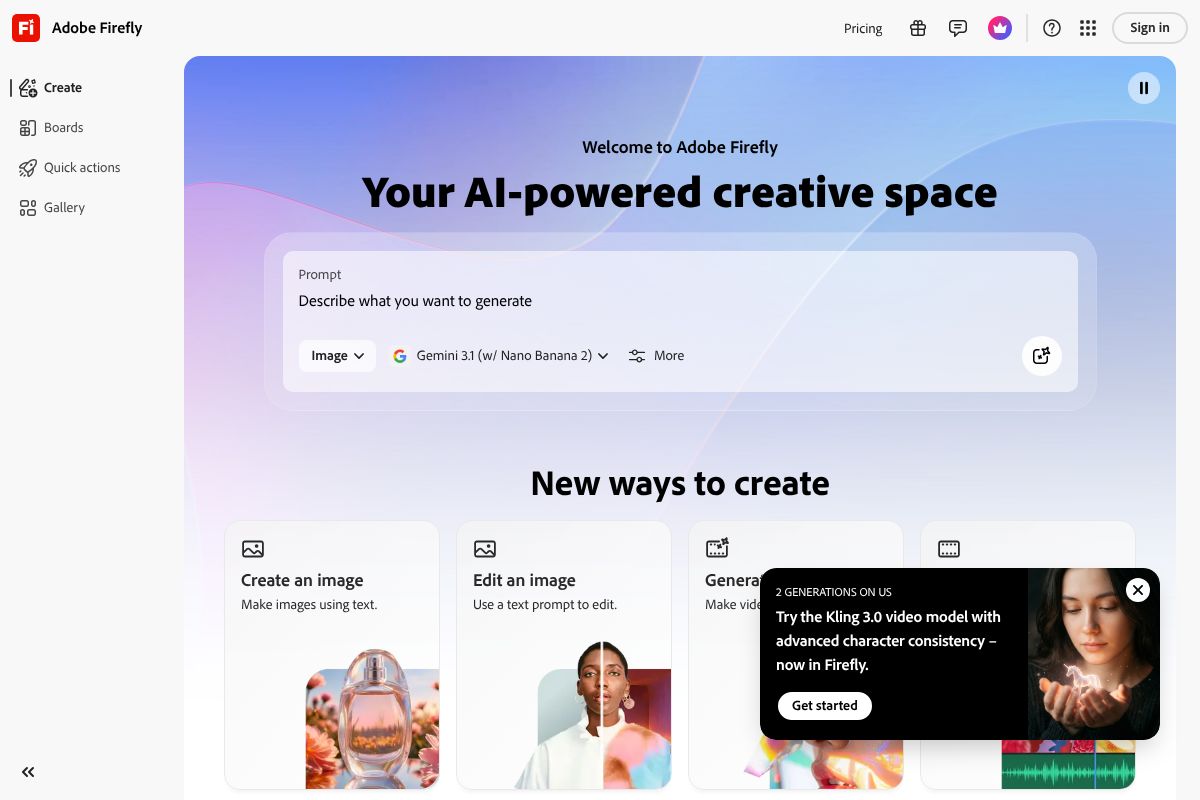
If you work with clients, agencies, or brands that have legal teams, Adobe Firefly deserves a serious look. It’s purpose-built for professional creative work, and its commercial licensing story is one of the clearest in the industry. Every image generated through Firefly’s paid plans is cleared for commercial use — no gray areas, no manual license checks per asset.
What sets Firefly apart isn’t just the licensing. It’s the fact that it lives inside the Adobe ecosystem, which means your AI-generated visuals slot directly into the tools you’re probably already using for design, photo editing, and production work.
How It Works for Commercial Projects
Adobe Firefly integrates directly with Photoshop, Illustrator, and Adobe Express — so your workflow doesn’t require exporting, re-importing, or switching between a standalone AI tool and your design software. You generate, refine, and deliver without leaving your existing setup.
The standout feature for client work is Generative Fill. Rather than generating images from scratch every time, you can open an existing photo or design asset and use AI to extend backgrounds, swap out objects, or clean up compositions. This is particularly useful when a client sends you source material that needs adjusting — you’re enhancing real assets rather than replacing them entirely.
Because Firefly’s training data is drawn from licensed Adobe Stock content and public domain material, you can point clients or legal teams to a clear content provenance policy if questions ever come up. That kind of paper trail is worth more than it sounds in professional settings.
Pricing & What You Get
Adobe Firefly is available as a standalone app starting at $4.99/month, which gives you access to the web-based generator and a monthly allocation of generative credits. This entry tier is reasonable if you primarily need AI image generation without the full Creative Cloud suite.
For designers who already use Photoshop or Illustrator, the relevant plans sit higher:
- Creative Cloud Single App — approximately $20.99/month, includes Firefly credits bundled with your chosen app
- Creative Cloud All Apps — $54.99/month, covers the full Adobe suite plus expanded Firefly usage
The All Apps plan is expensive, but if you’re already paying for Photoshop and Illustrator separately, consolidating makes financial sense. Adobe Firefly is worth exploring through Adobe’s official site if you want to test the standalone tier before committing to a full Creative Cloud subscription.
Pros and Cons
Adobe Firefly is genuinely strong for professional use, but it’s not the right fit for everyone. Here’s an honest breakdown:
- Commercial licensing included — all paid plans cover commercial use with clear content sourcing
- Creative Cloud integration — works natively inside Photoshop, Illustrator, and Adobe Express
- Generative Fill precision — targeted edits to existing assets, not just text-to-image generation
- Indemnification policy — Adobe provides legal coverage for eligible generated content
- Output quality — consistently high-resolution results suitable for print and digital production
On the downside:
- Cost — the full Creative Cloud plan at $54.99/month is a significant commitment for freelancers or small teams
- Learning curve — getting the most out of Firefly requires familiarity with Adobe’s broader ecosystem; casual users may find it overkill
- Credit limits — generative credits are capped per month on lower tiers, which can be restrictive during heavy production periods
If you’re already embedded in the Adobe ecosystem and produce work for paying clients, Firefly is arguably the most defensible commercial AI image tool available right now. If you’re a solo creator working primarily for personal projects or social content, the cost-to-value ratio may not justify the subscription.
Canva Pro: Best for Non-Designers Creating Commercial Content
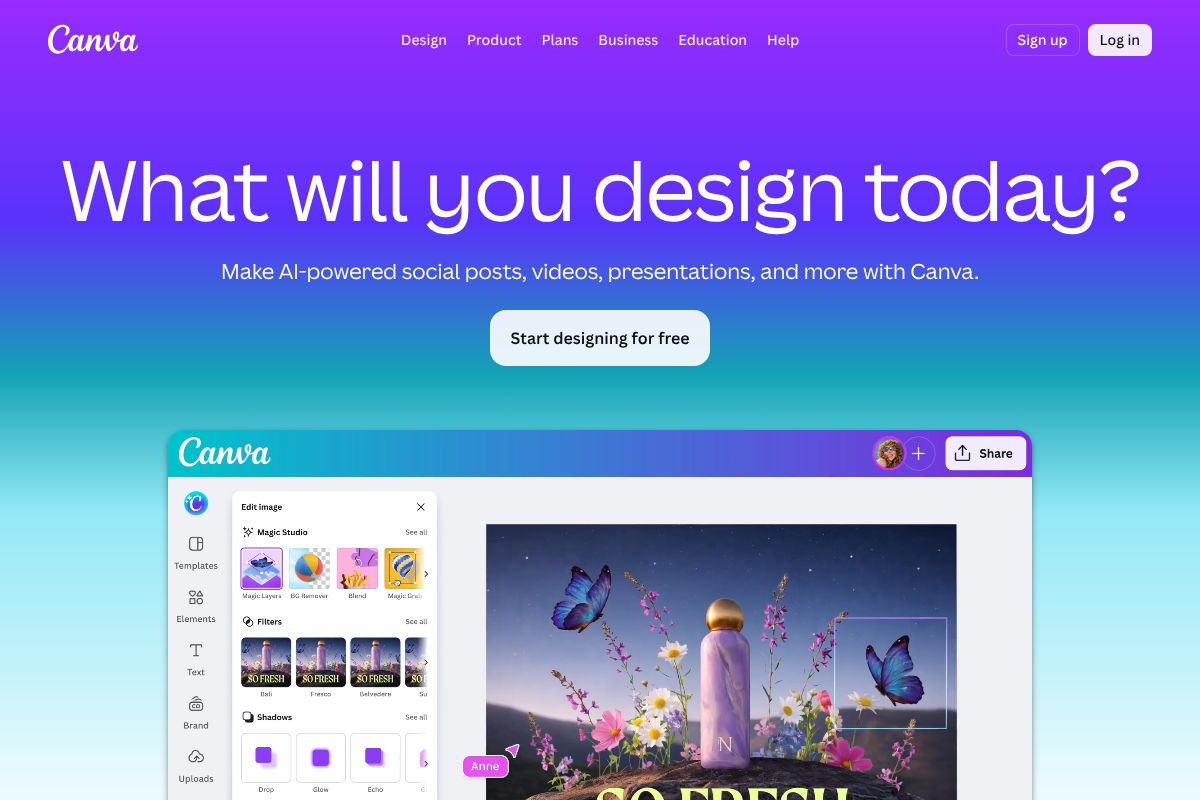
If Adobe Firefly is built for professionals already living inside Creative Cloud, Canva Pro is built for everyone else. It’s the go-to platform for marketers, small business owners, and content creators who need polished, publish-ready visuals without a design background — or hours to spare. With AI image generation now baked directly into the platform, Canva Pro has become a surprisingly capable commercial content tool at a fraction of the cost.
Commercial Use & Licensing
Any image you create or generate inside Canva Pro is covered for commercial use, including client work, paid advertising, product packaging, and social media campaigns. This applies to AI-generated images produced through Canva’s built-in text-to-image tools, as well as designs built from its template and element library. One important note: some free-tier elements carry restrictions, so if commercial use is a priority, sticking to Pro-only assets keeps you on solid legal ground. Canva’s licensing terms are clearly documented and straightforward to understand — no legal degree required.
Ease of Use for Busy Creators
Canva Pro’s biggest strength isn’t its AI — it’s how effortlessly the AI fits into your existing workflow. You start with a template, drop in your brand colors and fonts, and use the AI image generator to fill gaps or create custom visuals on the fly. There’s no separate tool to learn, no file exports to manage.
The text-to-image feature lives right inside the editor, so you can generate, resize, and publish without ever leaving the platform. For social media posts, email headers, presentations, and ad creatives, this speed-to-publish advantage is hard to overstate. That said, if you need highly specific, photorealistic outputs or granular control over composition, you’ll hit Canva’s ceiling faster than you would with Firefly or Midjourney.
Pricing & Affiliate Value
Canva Pro runs $15/month or $120/year — a meaningful discount if you commit annually. For that price, you get unlimited AI image generation credits, access to over 100 million premium assets, background remover, Brand Kit tools, and the ability to resize designs across formats instantly.
For small businesses and freelancers producing regular marketing content, the ROI is easy to justify. Replacing even a few stock photo purchases or a single hour of a designer’s time each month more than covers the subscription cost. If you’re recommending tools to your audience, Canva Pro also offers an affiliate program worth exploring — it’s one of the easier SaaS tools to recommend because the free plan gives users a genuine taste before committing.
The bottom line: Canva Pro won’t replace a professional design suite, but for fast, commercially safe content creation, it’s one of the best value tools available in 2026.
Pros and Cons: What to Expect in 2026
AI image generators have matured significantly, but they’re not a universal solution for every creative need. Before you commit to a tool or workflow, it’s worth understanding where these platforms genuinely deliver — and where they still fall short.
On the upside, the core advantages are hard to argue with:
- Speed: Generate dozens of image variations in minutes, not days.
- Cost savings: Reduce reliance on stock photo subscriptions and freelance budgets for routine content.
- Consistency: Maintain a repeatable visual style across large content volumes once you’ve dialed in your prompts.
- Commercial licensing: Reputable tools like Adobe Firefly and Canva Pro offer indemnified, commercially safe outputs — removing the copyright ambiguity that plagued earlier AI tools.
On the downside, the trade-offs are real and worth acknowledging:
- Learning curve: Prompt engineering takes practice. Early results can be frustrating until you understand how each tool interprets language.
- Quality variability: Even the best tools produce inconsistent results — great one generation, off-brand the next.
- Brand voice alignment: Getting AI outputs to feel distinctly yours requires significant iteration and, often, post-processing.
- Over-reliance risk: Leaning too heavily on AI can quietly erode your creative differentiation over time.
When AI Image Generators Shine
If you’re producing content at volume, AI image generators are genuinely transformative. Social media managers can test multiple visual concepts in an afternoon rather than a week. Marketers can build out mockups and ad creative variations for A/B testing without burning through a design budget. For client presentations, rapid prototyping lets you show direction and gather feedback before investing in polished assets.
Scaling content production is where these tools earn their keep most clearly. If you’re running multiple brand accounts, publishing daily across platforms, or building out an e-commerce catalog, AI generation compresses timelines in ways that are difficult to replicate otherwise. For routine, high-frequency content needs, the speed-to-quality ratio is simply unmatched.
When You Might Need a Human Designer
There are creative situations where AI still isn’t the right call — and being honest about that will save you time and client headaches. Brand identity work is the clearest example. Logo design, typography systems, and cohesive visual identities require strategic thinking and craft that AI tools can approximate but rarely nail without extensive human direction.
Complex custom illustrations, editorial artwork, and anything requiring a genuinely unique artistic vision tend to fall flat when AI-generated. For high-stakes client work — think a product launch campaign or a rebrand — the risk of AI inconsistency is harder to absorb. And when a client specifically wants something that feels handcrafted and distinctly human, no amount of prompt refinement will substitute for a skilled designer’s judgment. Use AI to support the process, not replace it entirely.
Pricing Comparison & ROI for Your Business
Before committing to any AI image tool, it’s worth running the numbers honestly. The monthly subscription cost is only part of the picture — what matters is what you’re actually getting for that spend compared to your current workflow.
| Feature | Adobe Firefly (Premium) | Canva Pro |
|---|---|---|
| Monthly Cost | ~$9.99–$29.99 (standalone or Creative Cloud) | ~$15/month |
| Commercial Licensing | Full commercial rights included | Full commercial rights included |
| Best Use Case | High-quality standalone images, brand campaigns | Social media, marketing collateral, templates |
| Learning Curve | Moderate — more controls to navigate | Low — beginner-friendly interface |
For a small business producing content consistently, either tool pays for itself quickly. If you’re replacing even two hours of a freelance designer’s time per month — typically billed at $50–$100/hour — you’re already ahead financially. The real ROI compounds when you factor in faster turnaround, fewer revision rounds, and the ability to produce content on demand rather than on someone else’s schedule.
Cost Per Image: What You’re Really Paying
Let’s break this down practically. If you’re on Canva Pro at $15/month and generating roughly 60 images per month for social posts, ads, and blog graphics, your cost per image works out to about $0.25. Adobe Firefly at $29.99/month with similar volume lands around $0.50 per image.
Compare that to your alternatives:
- Stock photo licensing: $1–$15 per image depending on the platform and usage rights
- Freelance designer: $25–$75 per custom image, with lead time
- In-house designer time: Even at a modest hourly rate, custom one-off assets add up fast
The cost-per-image advantage is significant, especially for high-volume content needs. Where AI tools lose ground is on complex, high-stakes creative work — in those cases, the investment in a skilled designer still delivers better returns than iterating endlessly on AI outputs.
Who Should Use an AI Image Generator for Commercial Work?
AI image generators aren’t a universal solution, but they’re a genuinely strong fit for a wide range of professionals. The key is matching the right tool to the right workflow — and being honest about where AI still falls short.
- Content creators (social media, blogs): If you’re publishing multiple times a week, AI image generators eliminate the constant scramble for fresh visuals. Canva Pro is particularly well-suited here — its templates and brand kit features let you maintain a consistent look without design experience.
- Marketers running campaigns and ads: Speed and volume matter. Adobe Firefly’s commercial-safe outputs and integration with Creative Cloud make it a strong choice for marketing teams that need assets cleared for paid media without legal headaches.
- Small business owners managing product pages and emails: You don’t need a design team. Canva Pro gives solopreneurs a fast, affordable way to produce professional-looking visuals for e-commerce listings, newsletters, and promotional materials.
- Freelancers delivering client work: AI tools can dramatically cut production time on lower-complexity deliverables. Firefly is better suited here when clients require commercially licensed assets with documented IP protection.
Red Flags: When to Skip AI Image Generators
AI image generators aren’t the right call in every situation. There are a few scenarios where you’re better off investing in human creative work:
- You need original, signature artwork: If your brand relies on a distinctive illustration style or custom visual identity, AI outputs tend to feel generic — and can actively dilute what makes your brand recognizable.
- Brand identity is on the line: For major rebrands, campaign launches, or high-visibility creative work, the consistency and intentionality a skilled designer brings is hard to replicate through prompt iteration.
- Clients expect human creativity: Some clients — especially in premium or luxury markets — place real value on knowing a person crafted their visuals. In those relationships, disclosing AI-generated work can undermine trust, even if the output looks polished.
Final Verdict: Which AI Image Generator Should You Choose?
Both tools earn their place in 2026’s creative toolkit — but they serve different people with different priorities. The right choice comes down to how you work, not which tool has the longer feature list.
Adobe Firefly is the stronger pick for designers, agencies, and marketing teams already embedded in the Adobe ecosystem. You get granular creative control, enterprise-grade commercial licensing with documented IP protection, and seamless integration with Photoshop and Illustrator. If your work demands consistency, accountability, and advanced output quality, Firefly justifies the investment.
Canva Pro is the smarter choice for non-technical creators, solopreneurs, and small business owners who need polished visuals fast. The learning curve is minimal, the workflow is intuitive, and the AI image tools sit right alongside your templates, brand kit, and publishing tools. You don’t need design experience to produce results that look professional.
If budget allows, there’s a real argument for using both — Canva Pro for everyday content production and Firefly for client-facing or high-stakes deliverables.
Next Steps: Getting Started Today
Here’s how to move forward without overthinking it:
- Identify your primary use case — social content, client deliverables, product visuals, or marketing campaigns.
- Review the commercial licensing terms for whichever tool you’re considering before publishing anything.
- Start with the free trial. Both Adobe Firefly and Canva Pro offer trial access — test them against a real project, not a hypothetical one.
- Measure what matters: Track time saved per asset and compare output quality against your previous workflow.
Don’t wait for the perfect moment. Start with the lowest tier, run a two-week test on live work, and let your results make the decision for you. Try Adobe Firefly or get started with Canva Pro today — both offer low-risk entry points that can pay for themselves within your first project.
Frequently Asked Questions
Can I use AI generated images for commercial purposes legally?
Yes, but only if your AI image generator explicitly grants commercial rights. Adobe Firefly, Canva Pro, and similar licensed tools include commercial licensing. Always verify terms before using generated images in client work or products.
Which AI image generator is best for commercial use in 2026?
Adobe Firefly leads for designers with professional integration, while Canva Pro suits non-designers needing quick commercial content. Choice depends on your workflow, budget, and whether you need API access or batch generation capabilities.
How much does an AI image generator for business cost?
Pricing ranges from $10-50 monthly for basic subscriptions to enterprise plans exceeding $500. Pay-per-image models cost $0.10-2 per image. ROI improves with higher design volume and reduced outsourcing expenses.
Do I own the copyright to AI generated images for my business?
Copyright ownership varies by platform. Most commercial generators grant you usage rights but retain underlying model rights. Adobe Firefly and Canva Pro explicitly allow commercial use and resale of generated images for subscribers.
Related Reads
- DALL-E Review 2026: AI Image Generator for Creators
Honest DALL-E review for 2026. See pricing, features, pros/cons, and how it compares to other AI image generators for yo…
- Best AI Image Generator for Creators in 2024
Find the best AI image generator for your needs. Compare top tools, pricing, and features for creators, marketers, and s…
- Midjourney vs Adobe Firefly: Which AI Image Generator Wins in 2026?
Compare Midjourney and Adobe Firefly in 2026. See pricing, features, and which AI image generator is best for your creat…