Managing projects in 2026 means juggling more moving parts than ever — tighter deadlines, remote teams spread across time zones, and stakeholders who want real-time updates yesterday. Sound familiar? If you’re spending more time chasing status updates and writing meeting summaries than actually driving your projects forward, you’re not alone.
The good news is that the best AI tools for project managers in 2026 have matured significantly. They’re no longer just novelty features bolted onto existing software — they’re genuinely saving teams hours every week on planning, communication, and reporting.
The best AI project management tools aren’t one-size-fits-all, which is why we’ve evaluated the top options by their actual strengths, limitations, and ideal use cases.
Key Takeaways
- AI project management tools automate scheduling, resource allocation, and risk tracking, enabling managers to focus on strategic decisions.
- Top AI tools for project managers offer real-time collaboration features, predictive analytics, and intelligent task prioritization across teams.
- Pricing varies significantly from free tiers to enterprise solutions; evaluate total cost of ownership against your team’s specific needs.
- Best AI tool selection depends on team size, project complexity, existing software integrations, and whether you need advanced automation.
- Modern AI project managers reduce planning time by 40%, improve deadline accuracy, and enhance team communication through intelligent insights.
In This Article
Why Project Managers Need AI Tools in 2026
Let’s be honest about what project management actually looks like day-to-day. You’re not just tracking tasks and updating Gantt charts — you’re context-switching between meetings, Slack threads, status reports, resource conflicts, and stakeholder requests, often all before lunch. The cognitive load is real, and it’s only grown as teams have become more distributed and project scopes more complex.
The core problem isn’t that project managers lack skill or organization. It’s that so much of the job is administrative overhead — the kind of repetitive, time-consuming work that doesn’t require your expertise but still demands your attention. Writing up meeting notes, turning decisions into action items, updating documentation, chasing down blockers — these tasks eat hours that should be spent on actual strategic thinking.
This is exactly where AI earns its place in your workflow. Modern AI tools tackle the time-drains that slow PMs down most:
- Transcription and meeting summaries: AI can join your calls, capture everything said, and deliver a clean summary with action items — no more frantic note-taking or forgetting what was decided.
- Task automation: Routine updates, reminders, and status reports can be triggered automatically, keeping your team aligned without manual follow-up.
- Knowledge management: AI tools can surface relevant documents, past decisions, and project context on demand — so nothing falls through the cracks when someone new joins or a question comes up weeks later.
The result isn’t just saved time. It’s fewer dropped balls, better team alignment, and more mental bandwidth for the decisions that actually move projects forward. That’s the real value proposition here.
What Makes an AI Tool Right for Project Managers?
Not every AI tool is built with project managers in mind. A general-purpose chatbot or writing assistant might be useful in certain situations, but PMs have a specific set of needs that require more targeted functionality. Before diving into individual recommendations, it’s worth understanding what actually separates a useful PM tool from one that just adds another tab to your browser.
The criteria that matter most come down to how well a tool fits into your actual day — not an idealized version of it. You’re juggling multiple stakeholders, switching between meetings and execution constantly, and working across tools your team has already adopted. Any AI you bring in needs to slot into that reality, not create more friction.
Here’s what to evaluate when comparing options:
- Meeting transcription accuracy: If the tool mishears names, misattributes quotes, or drops key decisions, it creates more cleanup work than it saves.
- Ease of use for non-technical users: You shouldn’t need an IT background to set up or operate your own productivity tools.
- Team collaboration features: The best tools aren’t just useful for you — they help your whole team stay aligned without extra meetings or messages.
- Integration with your existing stack: Compatibility with Slack, Google Workspace, Microsoft Teams, Notion, Jira, or whatever your team already uses is often the deciding factor.
- Task and workflow automation: The ability to turn meeting outcomes into trackable action items automatically is a genuine game-changer for busy PMs.
Core Features to Look For
Once you’ve filtered for tools that fit your workflow, these are the specific capabilities worth prioritizing:
- Meeting recording and transcription: Automatically captures everything said so you can stay present in the conversation instead of taking notes.
- Action item extraction: AI identifies commitments and next steps from conversations and surfaces them clearly — no more digging back through transcripts.
- AI-powered summaries: Get a concise recap of long meetings or documents without reading every word yourself.
- Searchable conversation history: Find what was decided three weeks ago in seconds, not minutes.
- Team workspace: Shared access to notes, summaries, and project context keeps everyone on the same page.
- Integrations: Connects to the tools your team already uses so adoption doesn’t require a behavior overhaul.
These features aren’t nice-to-haves — for project managers specifically, they directly address the administrative drag that eats into your most productive hours.
Top AI Tools for Project Managers Compared
Before diving into each tool individually, here’s a side-by-side look at how the three main contenders stack up. This should help you quickly identify which one fits your role, team size, and workflow.
| Tool | Primary Use Case | Best For | Key Strength | Pricing | Learning Curve |
|---|---|---|---|---|---|
| Notion | Docs, tasks, wikis, AI writing | Teams of all sizes wanting one hub | Unified workspace | From $10/user/mo (AI in Business plan) | Moderate to steep |
| Otter.ai.ai | Meeting transcription & search | PMs in high-meeting environments | Accurate, searchable transcripts | Free; Pro $10/mo (annual) | Low |
| Fireflies.ai.ai | Conversation intelligence | Sales-focused PMs, recruiting teams | Team-wide conversation insights | Free; Pro $10/mo (annual) | Low to moderate |
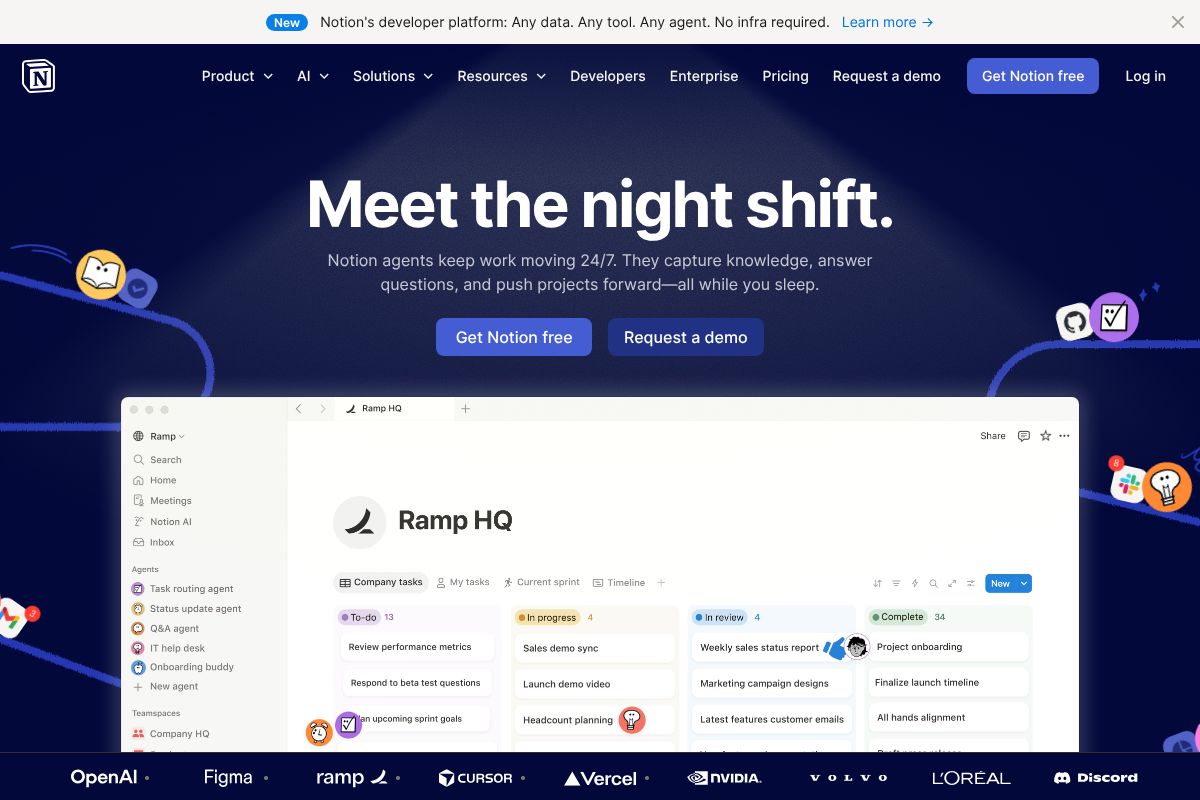
Notion: All-in-One Workspace with AI
Notion has evolved well beyond a simple note-taking app. In 2026, it functions as a full project management hub — combining documents, wikis, task boards, and AI assistance in a single platform. AI features are available on the Business plan, which starts at $10 per user per month, making it accessible for small teams without enterprise budgets.
The biggest draw is consolidation. Instead of bouncing between a docs tool, a task manager, and a knowledge base, your team works out of one shared environment. AI can help you draft project briefs, summarize pages, or generate action items from notes.
The honest trade-off? Notion takes time to set up properly. If you’re coming from a simpler tool, the flexibility that makes it powerful can also feel overwhelming at first. It rewards teams willing to invest in building their workspace — but it’s not the fastest tool to get running out of the box.
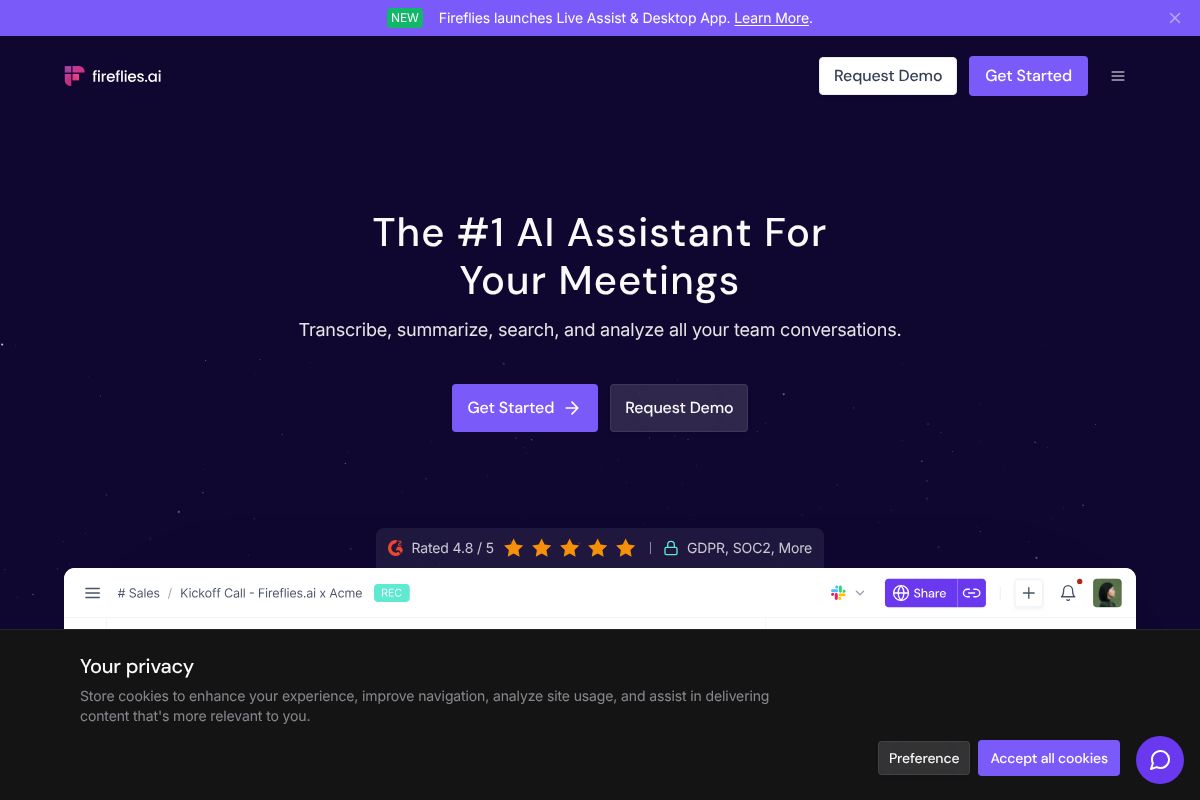
Otter.ai: Meeting Transcription & Search
If your calendar is packed with standups, stakeholder calls, and cross-functional syncs, Otter.ai is built for exactly that reality. It automatically records and transcribes meetings in real time, then makes every conversation searchable — so you can find what was decided last month in seconds rather than scrubbing through recordings.
Otter.ai offers a solid free tier, with the Pro plan coming in at $10 per month on an annual billing cycle. That’s a reasonable investment if even one missed action item per week is costing you time and credibility.
The key strength is accuracy and usability — transcripts are clean, summaries are concise, and the search function actually works. The trade-off is scope: Otter.ai is purpose-built for meetings. It won’t manage your tasks, track project timelines, or replace your project management platform. Think of it as a powerful complement to your existing stack, not a replacement for it.
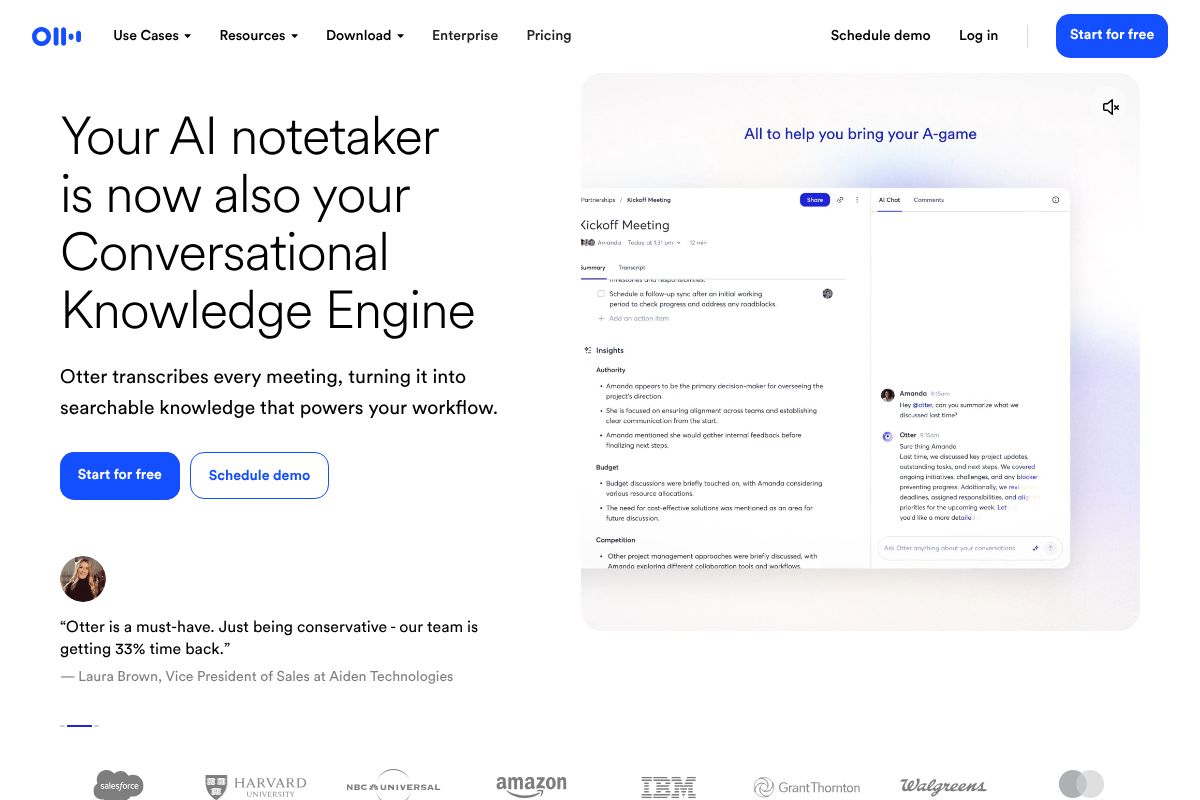
Fireflies.ai: Conversation Intelligence for Sales & Recruiting
Fireflies.ai covers similar ground to Otter.ai but leans harder into team-wide conversation analytics. It’s particularly well-suited to sales-focused project managers or teams involved in recruiting, where tracking patterns across many conversations adds real value. Like Otter.ai, it offers a free plan with the Pro tier at $10 per month billed annually.
Where Fireflies.ai stands out is in its team insights — managers can spot trends, review talk time, and surface key moments across multiple calls. The trade-off is that for general project management, those features may feel like overkill. If your work centers on client delivery or internal operations rather than sales pipelines, Otter.ai may be a more natural fit.
Key Features That Save Project Managers Time
The best AI tools for project managers aren’t just impressive in demos — they eliminate the repetitive, low-value work that eats into your actual thinking time. From capturing meeting decisions to automatically spinning up tasks, here’s where AI consistently delivers real time savings.
Meeting Intelligence & Transcription
Think about the last time you left a meeting and spent 20 minutes writing up notes, chasing down action items, or wondering what was actually decided. That’s exactly the problem Otter.ai and Fireflies.ai are built to solve.
Instead of manually writing meeting notes, AI does it for you — in real time. Both tools join your calls, transcribe the conversation, and generate a structured summary before you’ve even closed your laptop. Key benefits include:
- Automatic summaries: A concise recap of decisions and discussion points lands in your inbox right after the call ends.
- Action item extraction: Both tools identify and pull out tasks and commitments so nothing slips through the cracks.
- Searchable transcripts: Instead of scrubbing through a 45-minute recording, you can search for a specific name, topic, or decision in seconds.
- Accountability by default: When everything is on record and attributed to a speaker, follow-through improves — naturally.
For project managers juggling multiple stakeholders, this kind of passive documentation is a genuine game-changer. You stay present in the conversation instead of furiously typing notes, and your team has a reliable, searchable record to refer back to.
Where Notion complements these tools is in centralizing everything afterward. You can pipe meeting summaries directly into a shared Notion workspace, keeping your project documentation, task lists, and meeting records all in one place. Rather than hunting across email threads and separate apps, your team has a single source of truth — and AI helps keep it updated without manual effort.
Together, these capabilities tackle one of the most consistent time drains in project management: the gap between what was said and what actually gets done.
Pricing & Value: What You’ll Actually Pay
All three tools offer free tiers, which is great news if you want to test before committing. But understanding where the free plans hit their limits — and what you actually get when you upgrade — helps you spend wisely.
Here’s how the 2026 pricing breaks down:
| Tool | Free Plan | Paid Plan |
|---|---|---|
| Notion | Basic pages, limited AI credits | $10/user/month (Business, includes full AI) |
| Otter.ai | 300 minutes/month transcription | $10/month (Pro, billed annually) |
| Fireflies.ai | Limited transcripts, 800 mins storage | $10/month (Pro, billed annually) |
The ROI case for the paid tiers is straightforward. If you’re running four or five meetings a week, the time saved on note-taking and follow-up documentation alone can easily exceed an hour per day. At $10/month, you’re paying less than the cost of a single billable hour to reclaim dozens of them.
Notion’s Business plan makes the most sense for teams rather than solo users — the per-seat cost adds up, but the shared workspace and AI features deliver real value when multiple people are actively collaborating.
Free vs. Paid: When to Upgrade
The free tiers are genuinely useful, not just bait. Here’s a practical way to think about it:
- Solo PMs or light users: Free plans across all three tools will likely cover your needs — start here and upgrade only if you hit limits.
- Small teams (2–5 people): Paid plans unlock collaboration features, higher transcription limits, and more robust AI summaries that make the upgrade worthwhile.
- High meeting volume (5+ per week): Free tiers will cap out quickly. The Pro plans for Otter.ai and Fireflies.ai remove those limits and unlock advanced action-item tracking.
- Growing teams using Notion: The Business plan’s AI integration becomes essential once you’re managing shared documentation across multiple projects.
The honest advice: start free, use the tools for two to three weeks, and upgrade only when you feel the friction of hitting a limit. That friction is usually the clearest signal the paid plan will pay for itself.
Who Should Use Each Tool
Not every tool fits every workflow. The best choice depends on how you work, how big your team is, and where your biggest time drains actually live. Here’s a quick breakdown to help you match the right tool to your situation.
Solo PMs & Freelancers
If you’re managing projects on your own — juggling client calls, status updates, and deliverables without a dedicated team — your biggest need is probably meeting documentation. Otter.ai’s free tier is an excellent starting point here. It transcribes calls automatically, surfaces key moments, and saves you from frantic note-taking during client conversations. Fireflies.ai’s free tier is a solid alternative if you want slightly more structured meeting summaries. Either way, you’re solving a real daily problem without spending anything upfront.
Small Teams (5–20 People)
When you’re coordinating across a small but growing team, scattered information becomes the enemy. Notion shines here as a centralized workspace where project docs, task lists, wikis, and meeting notes all live in one place — with AI features that help you query and summarize that content quickly. Layer in Otter.ai or Fireflies.ai for meeting intelligence, and your team has a full system: structured knowledge management plus automatic call documentation. At this team size, the per-seat cost on paid plans is easy to justify once you see how much time gets recovered.
Sales & Recruiting Teams
If your team runs a high volume of external calls — whether that’s sales discovery calls, candidate interviews, or client check-ins — Fireflies.ai is the strongest fit. Its conversation intelligence features go beyond basic transcription, giving you talk-time analytics, sentiment tracking, and searchable call libraries across your whole team. For recruiting teams, that means faster candidate comparisons. For sales teams, it means coaching opportunities and consistent follow-up. This is where Fireflies.ai’s team-oriented features really separate it from the competition.
The Verdict: Which AI Tool Should You Choose?
There’s no single “best” AI tool for project managers — and anyone who tells you otherwise is probably trying to sell you something. The right choice depends entirely on where your biggest friction points are right now.
Here’s a quick way to think about it:
- Choose Notion if your core problem is scattered information, inconsistent documentation, or a team that can’t find anything. It’s the closest thing to an all-in-one AI-powered workspace available today.
- Choose Otter.ai if meetings are your bottleneck — you’re losing track of action items, spending too long writing recaps, or simply can’t attend every call you need to.
- Choose Fireflies.ai if you’re running high-volume external calls in a sales or recruiting context and need conversation intelligence on top of basic transcription.
It’s also worth noting that many project managers don’t pick just one. Using two or three tools together — say, Notion as your workspace backbone with Otter.ai or Fireflies.ai handling meeting capture — is genuinely common and often the most effective setup. These tools complement each other rather than compete.
Whatever you decide, start with the free tier. Most of these tools offer enough functionality at no cost to tell you within two weeks whether they’re solving a real problem for you.
Getting Started: Next Steps
The lowest-risk move right now is to pick one tool and test it against your actual workflow. If meetings are eating your week, you can start with Otter.ai’s free plan here and run it through your next five calls. If Fireflies.ai’s sales and recruiting features caught your attention, its free tier gives you meaningful access without a credit card.
If workspace organization is the bigger issue, start Notion’s free plan and spend a week migrating one active project into it. You’ll know quickly whether the AI features are earning their keep.
Don’t commit budget until you’ve felt the difference in your daily routine. These tools are only worth paying for if they’re saving you real time — and the free tiers are generous enough to find out. Test first, then decide.
Frequently Asked Questions
What is the best AI tool for managing projects in 2026?
The best AI tool depends on your needs, but leading options include Monday.com, Asana, and ClickUp for their advanced automation, predictive analytics, and seamless team collaboration features that save significant planning time.
Can AI project management tools really save time?
Yes. AI tools automate scheduling, resource allocation, and risk detection, reducing manual planning by 40%. They prioritize tasks intelligently and flag bottlenecks before they impact deadlines, freeing managers for strategic work.
Which AI project manager tool is cheapest?
Free options like Trello and Asana’s basic tier work for small teams. For advanced AI features, expect $10-30 per user monthly. Enterprise solutions with full automation cost more but offer better ROI for large organizations.
Do I need AI tools if I use Excel for project management?
AI tools offer significant advantages over Excel: real-time collaboration, automated scheduling, predictive risk analysis, and intelligent resource optimization. They scale better and reduce errors, making them essential for teams managing multiple complex projects.
Related Reads
- Best AI Productivity Tool for Creators & Teams in 2026
Find the best AI productivity tool for your workflow. Compare top options for creators, marketers, and small teams with …
- chatgpt/” style=”font-weight:600;text-decoration:none;color:#2563eb;”>Notion AI vs ChatGPT: Which Tool Wins for Your Workflow
Compare Notion AI and ChatGPT for productivity. See pricing, features, and which tool fits your workflow best in 2026.…
- Is Grok 3 Really the Best AI? Honest 2026 Review
Is Grok 3 the best AI for your workflow? We break down features, pricing, and real trade-offs vs. alternatives in 2026.…