If you’ve ever stared at your website analytics wondering why your competitors keep showing up on page one while you’re buried somewhere on page four, you’re not alone. SEO can feel overwhelming — especially when you’re running a small business and wearing a dozen hats at once. The good news? The best SEO tools for small businesses in 2026 have come a long way, and you don’t need a dedicated marketing team or a massive budget to compete anymore.
Most SEO guides bury you in features; this one cuts straight to the tools that actually improve your rankings, traffic, and bottom line — whether you’re bootstrapping or scaling.
Key Takeaways
- Semrush dominates as the all-in-one SEO platform, offering comprehensive keyword research, competitor analysis, and content optimization tools for serious small business growth.
- Budget-conscious teams should consider NeuralText, which combines AI-powered content creation with SEO fundamentals at a fraction of premium tool costs.
- Surfer SEO SEO excels for content writers seeking quick ranking wins through data-driven optimization without overwhelming technical features or steep learning curves.
- Small businesses must align tool selection with their primary role: content creation, technical SEO, or competitive intelligence determines the best fit.
- ROI depends heavily on implementation discipline; the best SEO tool for small businesses is the one your team will actually use consistently.
In This Article

- Why Small Businesses Need an SEO Tool (And What to Look For)
- Semrush: The All-in-One Platform for Serious SEO
- Surfer SEO: Built for Content Writers Who Want Quick Wins
- NeuralText: The Budget-Friendly Option for Content Teams
- Quick Comparison: Which Tool Wins for Your Needs?
- Pricing & ROI: What You’ll Actually Spend
- Common Mistakes Small Businesses Make With SEO Tools
- The Verdict: Choose Based on Your Role & Budget
Why Small Businesses Need an SEO Tool (And What to Look For)
Here’s the reality: you’re not just competing with the local shop down the street anymore. You’re up against well-funded companies with full-time SEO teams, content strategists, and agency retainers. Trying to outrank them by guessing which keywords to use or manually checking your site for errors isn’t a strategy — it’s a gamble.
DIY SEO without the right tools is a bit like trying to navigate a new city without GPS. You might eventually get there, but you’ll waste a lot of time on wrong turns. A good SEO tool gives you the map — showing you exactly where your opportunities are, what’s holding your site back, and what your competitors are doing that you aren’t.
The challenge for small businesses is that most enterprise-grade SEO platforms are built (and priced) for large teams. So what should you actually look for when choosing a tool that fits your situation?
- Ease of use: You shouldn’t need an SEO certification to understand the dashboard. Look for clear recommendations and plain-language explanations.
- Affordability: The best tools for small businesses offer meaningful functionality at a price point that doesn’t require a second mortgage.
- Actionable insights: Data is only useful if it tells you what to do next. Prioritize tools that translate numbers into clear next steps.
- Proven ROI: Whether it’s more organic traffic, better rankings, or time saved, the tool should pay for itself.
With those criteria in mind, let’s look at the tools that consistently deliver for small business owners in 2026 — no fluff, no filler.
Semrush: The All-in-One Platform for Serious SEO
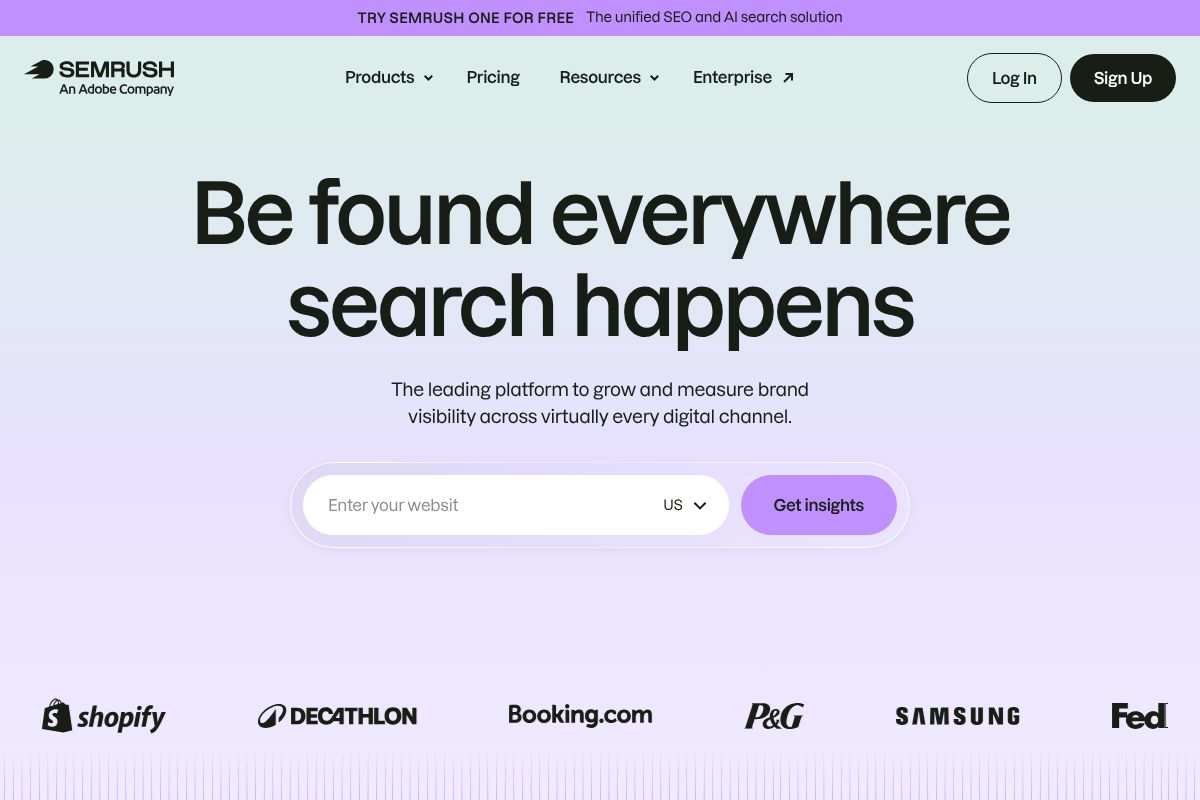
If you’ve spent any time researching SEO tools, you’ve almost certainly come across Semrush. It’s one of the most comprehensive platforms on the market, and for good reason — it covers nearly every aspect of search engine optimization under one roof. For small businesses that are ready to get serious about organic growth, it’s hard to argue with what it brings to the table.
The entry point for most small businesses is the Pro plan at $117/month (billed annually). That’s not pocket change, but when you consider how many individual tools it replaces — rank trackers, keyword research platforms, backlink analyzers — the math starts to make sense. It’s worth noting that Semrush also offers a $200 first-sale commission through its affiliate program, which makes it a popular recommendation across the SEO community (including here).
Core Features That Matter for Small Businesses
Semrush packs a lot in, but here’s what you’ll actually use day-to-day as a small business owner or marketer:
- Rank tracking: Monitor where your pages land in search results over time, across locations and devices.
- Competitor analysis: See exactly which keywords your competitors rank for, where their traffic comes from, and what’s driving their growth.
- Keyword research with difficulty scores: Find keywords you can realistically rank for — not just the ones with massive search volume that are dominated by big brands.
- Content templates: Get SEO-driven briefs based on what’s already ranking for your target keyword, so your content has a structural advantage before you write a single word.
- Backlink analysis: Understand your link profile and identify opportunities to build authority in your niche.
In 2026, Semrush has deepened its AI-assisted features, including smarter content suggestions and more granular local SEO tracking — both genuinely useful upgrades for small businesses competing in specific markets.
The Trade-Off: Power vs. Simplicity
Here’s the honest truth: Semrush has a steep learning curve. The platform is enormous, and when you first log in, the sheer number of reports and tools can feel overwhelming. If you’re looking for something you can set up in an afternoon and hand off to a non-marketing team member, this probably isn’t it.
Semrush rewards the users who invest time in learning it. It’s best suited for marketers, growth-focused founders, and small business owners who want deep competitive intelligence and are willing to put in the hours to understand what the data is telling them. If that sounds like you, the payoff is substantial.
Surfer SEO: Built for Content Writers Who Want Quick Wins
If Semrush is the Swiss Army knife of SEO, Surfer SEO is the precision scalpel — designed specifically for one job: helping you write content that ranks. Where other tools can feel like you need a marketing degree to navigate them, Surfer is refreshingly straightforward. You open a document, start writing, and the tool guides you in real time. That’s genuinely it.
The Essential plan runs $79/month on annual billing, which puts it in a reasonable range for freelancers and small content teams who want actionable SEO guidance without the enterprise price tag.
How Surfer Helps You Write Better Content Faster
Here’s how the workflow actually plays out: you enter your target keyword, and Surfer immediately analyzes the top-ranking pages for that term. Within seconds, it surfaces specific, data-backed recommendations — ideal word count, which keywords to include and how often, how many headings to use, and even image suggestions.
Instead of spending an hour manually reading competitor articles and guessing at structure, Surfer compresses that research into a live content score that updates as you write. You can paste in an existing draft or build from scratch inside Surfer’s editor. Either way, you always know exactly where you stand.
- Real-time content scoring: Your document gets a live score that improves as you follow Surfer’s recommendations.
- SERP analysis: Understand what’s actually winning on page one for your keyword.
- AI-powered suggestions: Get phrasing and keyword placement ideas without switching between tabs.
- Outline builder: Generate a structurally sound article framework before you write a single paragraph.
This saves a meaningful amount of time — especially if you’re producing multiple pieces of content per week and can’t afford to do deep manual research for every post.
Best For: Content Creators & Freelancers
If you’re a freelance writer, blogger, or part of a small content team, Surfer is one of the most intuitive SEO tools available. You don’t need to understand technical SEO or interpret complex data reports — the tool tells you what to do, and you do it. For creators who want their content to perform better without becoming SEO experts overnight, Surfer is a practical, low-friction solution worth serious consideration.
NeuralText: The Budget-Friendly Option for Content Teams
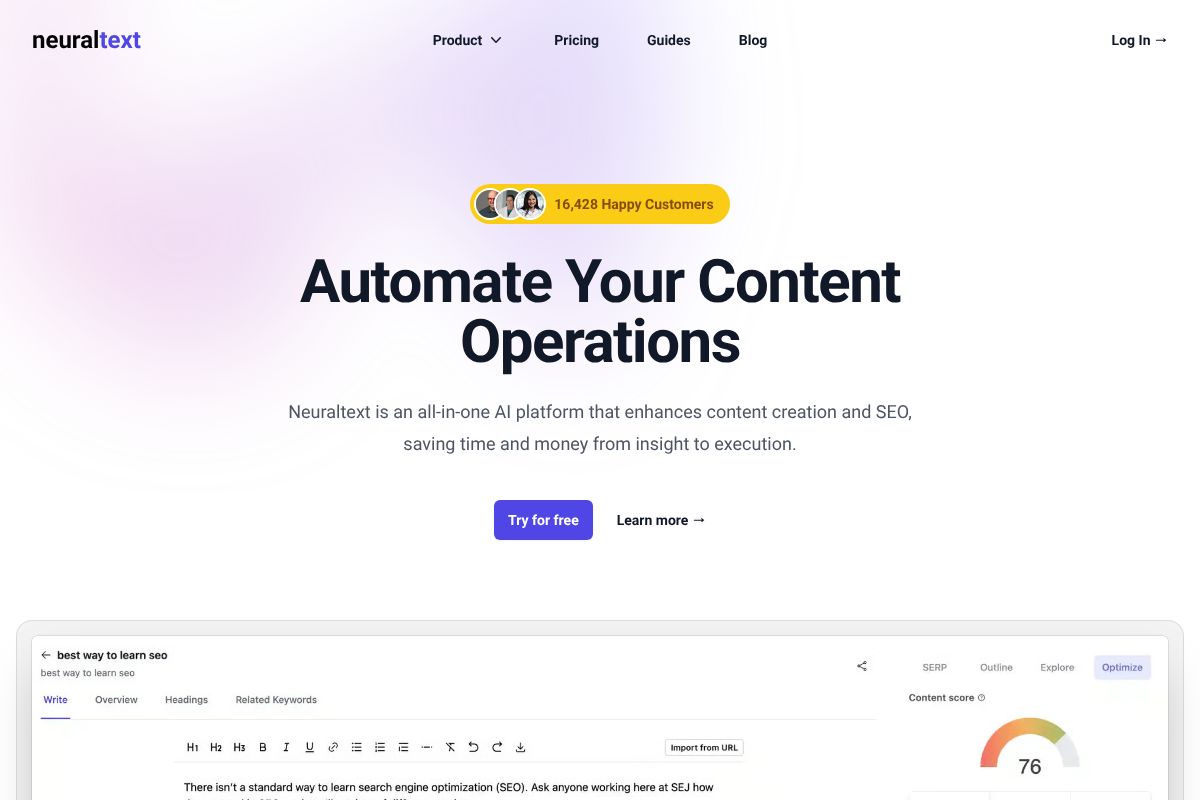
If budget is your primary constraint but you still need serious SEO firepower, NeuralText deserves a close look. Starting at just $19 per month, it’s the most affordable entry point among the top SEO tools in 2026 — and it doesn’t skimp on the features that matter most for content-driven growth. For bootstrapped businesses and lean content teams, that combination is hard to ignore.
NeuralText is built specifically around the content production workflow. Rather than overwhelming you with technical audits and backlink graphs, it focuses on helping you create the right content, structured the right way, targeting the right keywords — all without requiring an SEO background to get value from it.
AI-Powered Content Briefs & Topical Authority
One of NeuralText’s strongest features is its ability to generate detailed content briefs automatically. You enter a target keyword, and NeuralText pulls together competitor insights, suggested headings, key questions to answer, and related terms to include — essentially handing you a research-backed blueprint before you write a single word.
Beyond individual briefs, NeuralText helps you build topical clusters — groups of interlinked content that signal deep expertise to search engines. In 2026, topical authority is a cornerstone of E-E-A-T, and Google rewards sites that cover subjects comprehensively rather than in isolation. For a small team trying to compete against larger publishers, this clustering approach gives you a genuine strategic edge without needing a dedicated SEO strategist on staff.
- AI content briefs: Auto-generated outlines based on real SERP data
- Keyword research: Discover opportunities your competitors are already ranking for
- Topical authority clustering: Map out content pillars and supporting articles
- Bulk content optimization: Optimize multiple pages at once — ideal for scaling teams
Pricing That Scales With Your Business
NeuralText’s entry-level plan starts at $19 per month, which covers core keyword research and basic content brief generation — more than enough to get started if you’re a freelancer or solo founder testing the waters. As your content operation grows, higher tiers unlock bulk optimization, additional users, and expanded brief credits.
There are no long-term contracts required, so you’re never locked in. That flexibility makes NeuralText a low-risk first step into structured SEO tooling — and if you recommend it to clients or peers, the platform offers a 30% recurring commission through its affiliate program, which adds up quickly at scale.
Quick Comparison: Which Tool Wins for Your Needs?
Every tool covered in this guide has a genuine use case — but none of them is the right fit for everyone. Your budget, technical comfort level, and primary goal (ranking locally, scaling content, auditing an existing site) should drive your decision. Use the table below to quickly match your situation to the right starting point.
Comparison Table
| Tool Name | Best For | Starting Price | Learning Curve | Key Strength |
|---|---|---|---|---|
| NeuralText | Content creators & freelancers | $19/month | Low | AI-powered content briefs & topical clustering |
How to Pick the Right Tool for You
If you’re just getting started and want structured content guidance without a steep learning curve, a tool like NeuralText gives you a solid foundation at a price that won’t strain a small business budget. If you’re managing an existing site with technical issues, you’ll want something with deeper audit capabilities.
- Tight budget, content-focused: Start with an AI brief and keyword tool
- Local business owner: Prioritize local SEO and citation management features
- Scaling a content team: Look for bulk optimization and multi-user support
- Site health concerns: Choose a tool with full technical audit functionality
The honest truth? Most small businesses only need one or two tools — not a full stack. Start narrow, get results, then expand.
Pricing & ROI: What You’ll Actually Spend
SEO tools are only worth the money if they move the needle for your business. The good news is that most small business-focused options are priced to be accessible — and even a modest ranking improvement can justify the monthly cost many times over.
Think about it this way: if a tool helps you rank for a single high-intent keyword that drives 10 new customers a month, and each customer is worth $50 to your business, that’s $500 in monthly revenue from one keyword. A $30–$50/month tool just paid for itself several times over.
There are no hidden fees to worry about with the tools covered in this guide — no per-report charges, no surprise overages, no feature paywalls buried in the fine print. What you see on the pricing page is what you pay.
Annual vs. Monthly: The Savings Add Up
Most SEO tools offer a meaningful discount when you pay annually instead of month-to-month — typically somewhere between 15% and 30% off. On a tool priced at $49/month, that could mean saving $88–$176 over the course of a year. For a small business watching every dollar, that’s real money.
The question is when to commit. Here’s a simple way to think about it:
- Test monthly first if you’re trying a new tool and aren’t sure it fits your workflow
- Switch to annual once you’ve used it consistently for 60–90 days and seen results
- Go annual immediately if the tool has a free trial — you’ve already validated it works for you
Don’t lock in annually out of the gate just to save a few dollars. A tool you don’t use is never a bargain, no matter how steep the discount.
Common Mistakes Small Businesses Make With SEO Tools
Having the right SEO tool is only half the battle. The other half is actually using it — and using it correctly. Here are the most common mistakes small businesses make, so you can avoid them from the start.
Paying for a Tool and Never Opening It
This is more common than you’d think. A business owner signs up, gets busy, and the subscription quietly renews for six months while the dashboard collects digital dust. An SEO tool only works if it’s part of your regular routine — even just 30 minutes a week makes a meaningful difference over time.
Targeting the Wrong Keywords
Many small businesses chase high-volume keywords they have no realistic chance of ranking for. If you’re a local bakery, competing for “best chocolate cake” against national food blogs is a losing battle. The smarter move is targeting specific, lower-competition terms where you can actually win. Every tool in this guide gives you the data to make that call — but you have to look at it.
Ignoring Competitor Data
Your competitors are essentially running free SEO experiments on your behalf. If a rival is ranking for a keyword you’re not, that’s a signal worth investigating. Most small businesses skip this step entirely and miss easy opportunities sitting right in front of them.
Not Tracking Results Over Time
SEO is a long game. If you’re not tracking your rankings, traffic, and conversions consistently, you have no way of knowing what’s working. Set a simple monthly check-in to review your key metrics — without that habit, even the best tool can’t help you.
The bottom line: a tool is only as good as the strategy behind it. The right platform removes friction and surfaces the right data — but the thinking, the consistency, and the follow-through still come from you.
The Verdict: Choose Based on Your Role & Budget
After everything you’ve read, the best SEO tool isn’t the one with the most features — it’s the one you’ll actually use consistently. Each of the tools in this guide serves a different kind of user, and matching the right platform to your specific role makes all the difference.
Here’s a straightforward decision framework to help you cut through the noise:
- If you’re a content writer or blogger who lives inside Google Docs and wants real-time guidance while you write, Surfer SEO is built for you. Its Content Editor removes the guesswork and keeps your optimization on track without breaking your flow.
- If you’re a marketer or agency owner who needs to track rankings, audit sites, monitor backlinks, and report results to clients or stakeholders, Semrush is the most comprehensive option. Yes, it costs more — but the depth of data justifies the investment if you’re using it regularly.
- If you’re bootstrapped and building content at scale on a tight budget, NeuralText gives you solid keyword research and content briefing tools without the premium price tag. It’s not as polished as the others, but it gets the job done when every dollar counts.
There’s no universally “best” pick here. Your budget, your workflow, and your primary goal should drive the decision — not feature lists or flashy marketing.
Your Next Step: Start With a Free Trial
The fastest way to know which tool fits is to test it yourself. Surfer SEO and Semrush both offer free trials, so you can explore the interface before committing a single dollar. NeuralText has an accessible entry-level plan that lets you get started without a major financial risk. Pick the tool that matches your role above, sign up today, and spend just 30 minutes exploring it. That one session could change how you approach content for the rest of the year.
Our Verdict
Editorial rating: 4.6/5
Pick Your Tool by Role, Not Hype
Semrush wins for comprehensive SEO teams, Surfer SEO for content-focused businesses, and NeuralText for budget-constrained startups. The trade-off: more features mean higher costs and steeper learning curves. Success depends on consistent implementation, not tool sophistication.
Frequently Asked Questions
What is the cheapest SEO tool for small businesses?
NeuralText offers the most affordable entry point with AI content assistance and basic SEO metrics starting under $50/month. Semrush and Surfer SEO cost more but provide deeper feature sets. Free alternatives like Google Search Console exist but lack competitive analysis capabilities.
Can small businesses use Semrush effectively?
Yes, Semrush works well for small businesses despite its enterprise reputation. The Professional plan ($120/month) provides sufficient keyword research, backlink analysis, and content optimization. Start with core features rather than attempting advanced competitor tracking immediately.
Is Surfer SEO good for beginners?
Surfer SEO is excellent for beginners and content teams. Its content editor provides real-time optimization suggestions based on top-ranking pages, making it intuitive for writers without technical SEO knowledge. The learning curve is significantly lower than Semrush.
How much should a small business spend on SEO tools?
Most small businesses should budget $50-150/month for one primary SEO tool. This range covers quality platforms like NeuralText, Surfer SEO, or Semrush’s basic tier. Additional spending on specialized tools depends on specific needs like local SEO or technical audits.
Related Reads
- Best AI Tool for SEO in 2026: Top Picks Compared
Find the best AI tool for SEO in 2026. Compare top options for content creators, marketers & small business owners. Hone…
- Best AI SEO Tool for 2026: Top Picks for Creators & Marketers
Find the best AI SEO tool for your needs in 2026. Compare top options for content creators, marketers, and small busines…
- Best SEO Tool for Small Business in 2026
Find the best SEO tool for your small business in 2026. Compare top options, pricing, and features to boost your ranking…