If you’ve ever stared at a blank screen trying to write the perfect ad copy — only to spend two hours on something that barely converts — you already know the problem. Advertising is one of the most time-sensitive, high-stakes tasks any marketer or business owner faces, and getting the words, visuals, and targeting right is exhausting. That’s exactly why so many creators and brands are turning to AI to do the heavy lifting.
But which AI is best for advertising in 2026? The options have exploded, and not every tool is built for the same job. Some excel at writing compelling ad copy, others at generating scroll-stopping visuals, and a few try to do it all. This article breaks down the top AI advertising tools available right now so you can find the right fit for your workflow and budget.
Key Takeaways
- AI advertising tools automate visual creation, saving time and resources while maintaining brand consistency across multiple campaign channels.
- Image generators like DALL-E and Midjourney excel at producing unique ad creatives, but require prompt expertise and quality control oversight.
- Best AI for advertising depends on your budget, team size, and whether you prioritize speed over complete creative control.
- ROI from AI advertising tools typically appears within 2-3 months through reduced design costs and faster campaign iteration cycles.
- Hybrid approach combining AI generation with human refinement produces highest-quality ads, balancing efficiency gains against creative authenticity concerns.
In This Article
- What Does ‘Best AI for Advertising’ Actually Mean?
- Why AI Image Generators Matter for Your Ad Strategy
- Top AI Tools for Creating Advertising Visuals
- Key Features That Matter for Ad Creation
- Pros and Cons: What You Need to Know
- Pricing Breakdown and ROI
- Who Should Use Which Tool?
- The Verdict: Which AI is Best for Your Advertising?
What Does ‘Best AI for Advertising’ Actually Mean?
It sounds like a simple question, but “best AI for advertising” means something different depending on what you actually need. Advertising is a broad discipline, and AI tools have carved out very specific niches within it. Before you invest time or money into any platform, it helps to understand what category of problem you’re trying to solve.
At a high level, AI advertising tools fall into a few distinct buckets:
- Ad copy generation — Writing headlines, body text, CTAs, and full ad scripts
- Visual creation — Generating images, product photos, and creative assets from text prompts
- Audience targeting — Using AI to identify and reach the right people on paid platforms
- Campaign optimization — Automatically adjusting bids, budgets, and placements based on performance data
Each of these is a legitimate use case, and the “best” tool for a copywriter is probably not the best tool for a media buyer managing Meta campaigns. There’s no single AI that dominates every category — yet.
This article focuses primarily on AI image and visual generation tools, since that’s where the most exciting innovation is happening for everyday creators and small business owners right now. If you’re a freelancer building ad creatives, a marketer who needs product visuals without a photographer, or a small business owner who can’t afford a design agency, these tools can be genuinely transformative.
That said, we’ll also touch on broader advertising AI where it’s relevant. You don’t need a technical background to use any of the tools covered here — if you can describe what you want, you can create it.
Why AI Image Generators Matter for Your Ad Strategy
If you’ve ever tried to source visuals for an ad campaign, you know the drill: stock photos that look generic, designer quotes that stretch your budget, and turnaround times that kill your momentum. AI image generators solve all three of those problems at once — and in 2026, they’ve matured enough to be genuinely reliable for commercial use.
The benefits go beyond just saving money. Here’s what AI image generation actually gives you in a real advertising workflow:
- Speed — Generate a polished creative asset in seconds, not days
- Cost savings — No designer retainer, no stock photo subscription required
- Creative consistency — Maintain a cohesive visual style across multiple ad formats
- Easy variation testing — Spin up five versions of the same concept to A/B test without starting from scratch
- Custom visuals — Create images that match your exact brief instead of settling for “close enough”
One area that used to hold marketers back was licensing uncertainty — could you actually use AI-generated images in paid ads without legal risk? That’s largely been resolved. Most major platforms now offer explicit commercial licensing with their paid tiers, so you can run ads with confidence.
The Cost and Time Problem AI Solves
Let’s talk numbers. Hiring a freelance graphic designer for a single ad creative can run anywhere from $50 to $300 per asset, depending on complexity. A full campaign with multiple formats and variations? You’re easily looking at $500 to $2,000 before you’ve spent a dollar on media.
AI image tools typically cost between $10 and $50 per month for unlimited or near-unlimited generation. That’s a dramatic difference in overhead — especially for small business owners and freelancers working with tight margins.
The speed advantage is just as significant. When you’re running paid ads, the ability to test a new creative angle today rather than next week can meaningfully impact your results. AI lets you move at the pace your campaigns actually demand, without waiting on anyone else’s schedule.
Top AI Tools for Creating Advertising Visuals
The AI design space has matured significantly, and a handful of tools have pulled ahead for advertising work specifically. Whether you’re a solo creator running your own campaigns or a marketer producing assets for clients, the right tool depends on your workflow, your team size, and how much design experience you’re bringing to the table. Here’s a quick look at the leading options in 2026.
Adobe Firefly/” rel=”sponsored noopener” target=”_blank”>Adobe Firefly: Commercial-Grade AI Images
If legal protection matters to you — and it should, especially for client work — Adobe Firefly is the tool that addresses that concern most directly. Adobe trained Firefly exclusively on licensed and public domain content, which means every image you generate comes with clear commercial usage rights. That’s not a small thing when you’re running paid ads on behalf of a brand.
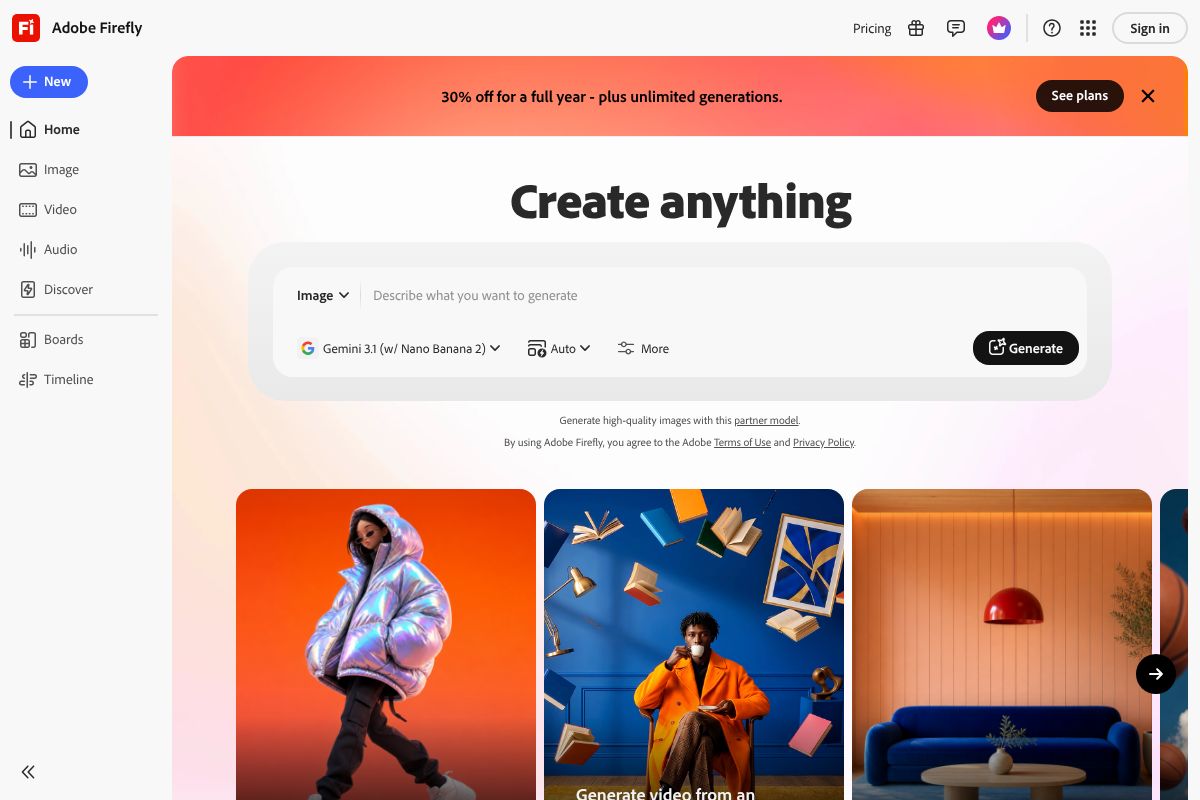
For designers and agencies already living inside Adobe Creative Cloud, Firefly integrates seamlessly with Photoshop, Illustrator, and Express, so it slots into your existing process rather than adding a separate tool to manage. Pricing in 2026 runs from $4.99 to $54.99 per month depending on the plan, making it accessible at the entry level while scaling up for heavier professional use.
- Trained on licensed content — safe for commercial advertising
- Deep integration with Creative Cloud apps
- Strong consistency for brand-aligned visual work
- Best fit for designers, agencies, and anyone with compliance concerns
Canva Pro Pro: All-in-One Design + AI
Canva Pro is the go-to option if you don’t have a design background but still need to produce polished, professional-looking ads. The platform combines AI image generation with thousands of ad templates, a brand kit for storing your colors and fonts, and one-click resizing across formats — all in a single, browser-based tool.
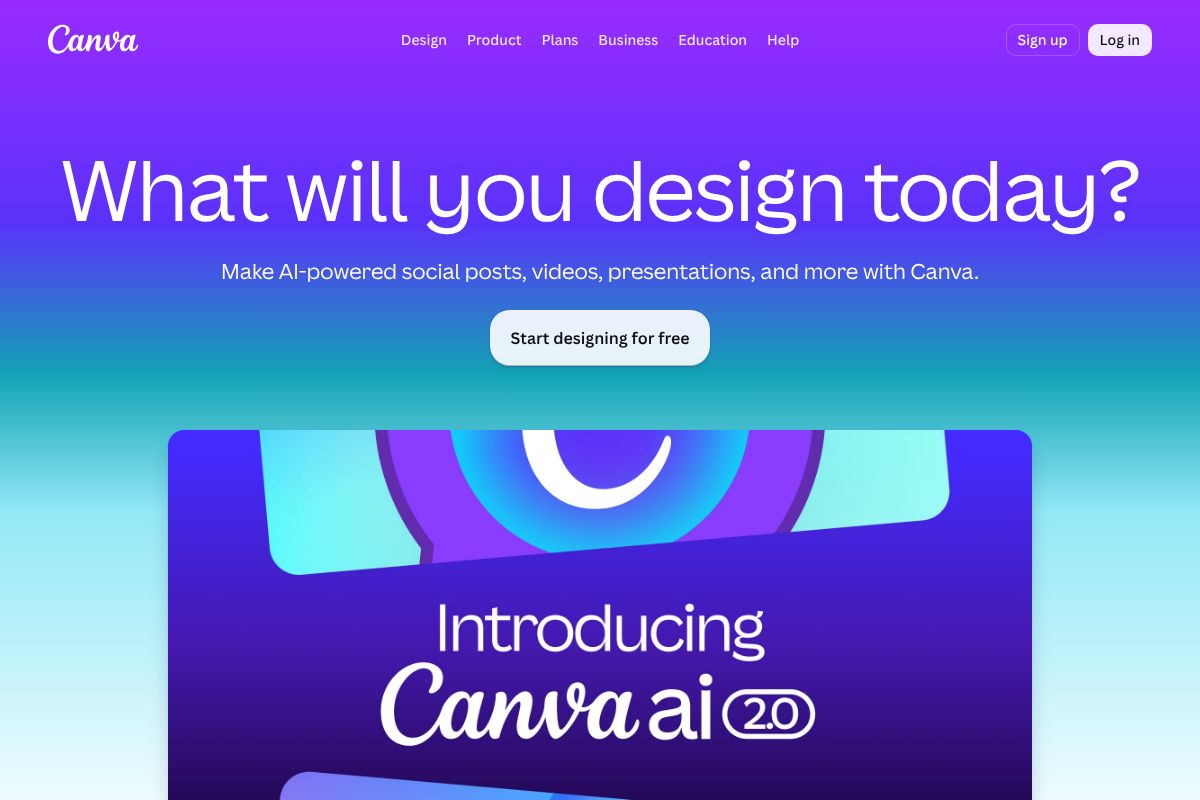
What makes Canva Pro particularly strong for small business owners and solo creators is how little friction there is between having an idea and publishing a finished ad. You don’t need to know anything about design principles to get a usable result fast. At $15 per month or $120 per year, it’s one of the most cost-effective full-package options available.
- AI image generation built into a complete design environment
- Brand kit keeps your visuals consistent across campaigns
- Templates built specifically for social and display ads
- Best fit for non-designers, freelancers, and small business owners
Key Features That Matter for Ad Creation
Not all AI image tools are built with advertising in mind. Some are great for personal projects or editorial use but fall short the moment you need to run a paid campaign at scale. Here’s what separates a genuinely useful advertising AI from one that just looks impressive in demos.
Image quality is the obvious starting point — but it’s not just about resolution. For ads, you need images that look intentional, not randomly generated. That means clean compositions, realistic lighting, and subjects that don’t have the uncanny, slightly-off quality that still plagues some AI tools.
Prompt control determines how precisely you can direct the output. Vague tools give you vague results. The best platforms let you specify style, mood, color palette, and composition — which matters enormously when you’re trying to stay on-brand.
Batch generation saves time when you’re producing multiple ad variations for A/B testing. If a tool makes you generate images one at a time with no way to iterate quickly, it becomes a bottleneck rather than a benefit.
Brand consistency tools — like Canva Pro’s brand kit — let you lock in your fonts, colors, and logo so every asset you produce feels like it belongs to the same campaign. Without this, you end up manually adjusting every single output.
Export options and format flexibility matter more than people expect. Ads need to run across Instagram, Google Display, LinkedIn, and more — each with different dimension requirements. Tools that support one-click resizing or multi-format export cut your production time significantly.
Speed is the final factor. When you’re working to a campaign deadline, waiting several minutes per image isn’t acceptable. Both Adobe Firefly and Canva Pro generate results quickly enough for real production workflows.
Commercial Licensing: The Hidden Deal-Breaker
This is the one area where many advertisers get caught out — and it can be a costly mistake. Using an AI-generated image in a paid ad means you’re using it commercially. That requires clear, enforceable rights to the output. Not every tool provides this.
Some AI image generators are trained on scraped web content, which creates legal gray areas around ownership and usage rights. If a tool’s terms of service don’t explicitly grant you commercial use rights, you’re taking a risk every time you run that image in a paid campaign.
Adobe Firefly has a meaningful advantage here: it’s trained exclusively on licensed and public domain content, and Adobe explicitly grants commercial usage rights to generated images. For agencies, brands running paid media, or anyone with compliance requirements, this clarity is genuinely valuable — not just a marketing point.
Before committing to any AI tool for advertising work, always check the licensing terms directly. Look for explicit language around commercial use, paid advertising, and indemnification. If those terms are vague or buried, treat that as a red flag. The last thing you want is a legal dispute over an image that’s already been served to a million users.
Pros and Cons: What You Need to Know
No tool is perfect for every situation. Before you commit to a subscription or build a workflow around a particular platform, it’s worth being clear-eyed about what each one does well — and where it falls short. Here’s an honest breakdown of the two strongest contenders for advertising work in 2026.
Adobe Firefly
- Pros:
- Trained on licensed content, so commercial use is legally clear and documented
- Output quality is consistently high, especially for product-focused and brand imagery
- Deep integration with Photoshop, Illustrator, and the broader Creative Cloud ecosystem
- Generative Fill and Generative Expand make it genuinely useful for production editing, not just image creation
- Cons:
- Accessing the full feature set requires a Creative Cloud subscription, which isn’t cheap
- The interface assumes some familiarity with Adobe products — there’s a learning curve for newcomers
- Standalone access is limited; you get the most value when you’re already in the Adobe ecosystem
Canva Pro
- Pros:
- Extremely easy to use — most people are productive within an hour
- All-in-one platform covering design, copy, scheduling, and brand kit management
- Affordable pricing makes it accessible for solo creators and small teams
- Great for producing high volumes of ad creative quickly without a design background
- Cons:
- Less granular control over AI outputs — you get good results, but not always precise results
- Advanced creative customization is limited compared to professional design tools
- AI image generation, while improving, still lags behind Firefly in photorealistic quality
When AI Image Generators Fall Short
Even the best AI tools have real limitations you should plan around. In 2026, text rendering inside images remains unreliable — if your ad creative requires readable words embedded in the image itself, expect to do manual corrections. It’s gotten better, but it’s not solved.
Complex compositions are another weak spot. If you need multiple specific elements interacting in a precise way — a person holding your actual product, for example — AI still struggles to deliver consistent, accurate results without significant prompting and iteration.
Brand consistency across a full campaign is perhaps the biggest practical challenge. AI generators don’t have memory between sessions, which means maintaining a coherent visual identity across dozens of ad variations requires careful human oversight. You’ll likely need to standardize outputs in post-production.
For high-stakes campaigns — think national launches, regulated industries, or anything where brand integrity is non-negotiable — a human designer should still be in the loop. AI is a powerful accelerator, but it works best when someone with creative judgment is guiding and reviewing the output. Think of it as a very fast assistant, not a replacement for strategic creative thinking.
Pricing Breakdown and ROI
Understanding what you’re actually paying — and what you’re getting back — makes the difference between a smart tool investment and an unused subscription. Let’s look at how Adobe Firefly and Canva Pro stack up on price, and what that means for your real-world advertising budget.
Adobe Firefly runs from $4.99/month for the basic generative credits tier up to $54.99/month for the premium plan with higher output volume and commercial licensing included. Canva Pro sits at a flat $15/month (or $120/year if you pay annually — saving you $60).
Here’s a quick way to think about ROI. If you’re producing 20 ad creatives per month and a freelance designer charges $50–$150 per asset, you’re looking at $1,000–$3,000 in design costs. Even the top-tier Firefly plan pays for itself after a single project. Stock photo licensing alone — often $15–$50 per image — adds up fast enough to justify Canva Pro within the first few assets you create.
| User Type | Recommended Tool | Monthly Cost | Best For |
|---|---|---|---|
| Freelancer / Solo Creator | Canva Pro | $15/month | Social ads, quick turnarounds |
| Small Business Owner | Canva Pro or Firefly Basic | $15–$4.99/month | Mixed-use campaigns |
| Agency / Power User | Adobe Firefly Premium | Up to $54.99/month | High-volume, photorealistic output |
Free vs. Paid: Is Free Enough?
Both Adobe Firefly and Canva offer free tiers, and they’re genuinely useful for experimenting. But for advertising specifically, free plans come with real limitations you need to know about upfront.
Canva’s free tier restricts access to premium templates, brand kit features, and background removal — all tools you’ll reach for constantly when building ad creatives. Firefly’s free tier limits your monthly generative credits and, critically, may restrict commercial usage rights depending on how outputs are generated.
For personal projects or learning the tools, free is fine. But if you’re running paid campaigns, posting on behalf of clients, or building a brand, you need the commercial licensing clarity that comes with a paid plan. Think of it less as a subscription expense and more as creative infrastructure — the same way you’d budget for a camera or editing software. The paid tiers also unlock the features that actually save you time at scale, which is where the real ROI lives.
Who Should Use Which Tool?
There’s no single “best” AI advertising tool — the right choice depends entirely on how you work, what you’re making, and who you’re making it for. Here’s a practical breakdown by audience type so you can stop second-guessing and start creating.
- Content creators: If you’re producing social ads, Reels covers, or sponsored content at volume, Canva Pro is built for your workflow. The drag-and-drop interface, Magic Studio features, and ready-made ad templates mean you can go from idea to published asset in under 20 minutes — no design degree required.
- Designers and visual professionals: Adobe Firefly gives you the kind of granular control — composition adjustments, style matching, generative fill — that serious designers expect. You’re not locked into templates, and the outputs integrate directly into your existing Adobe Creative Cloud workflow.
- Small business owners: Canva Pro is the strongest all-in-one pick here. You get brand kits, social scheduling, presentation tools, and AI image generation under one subscription. You don’t need five separate tools to run a cohesive ad campaign.
- Freelancers: Your answer depends on your client mix. More on that below.
The Freelancer’s Dilemma: Client Work vs. Personal Projects
If you’re selling ad creatives to clients, licensing isn’t just a technicality — it’s a liability issue. Adobe Firefly was built with commercial use in mind from day one. Its outputs are trained on licensed and public domain content, which means you can hand off deliverables to clients with confidence and a paper trail that protects you both.
Canva Pro’s commercial rights are more nuanced. You can use outputs in client work, but certain elements — particularly stock assets and some AI-generated content — carry restrictions that vary by plan and element type. If a client ever asks for full IP transfer or usage documentation, Canva’s terms can get complicated fast.
The practical takeaway: if most of your work is high-stakes client advertising — think paid media, product launches, or brand campaigns — Adobe Firefly Premium is worth the higher price for the licensing clarity alone. If you’re doing lighter social content or working with clients who aren’t asking hard IP questions, Canva Pro keeps your costs down without major risk.
The Verdict: Which AI is Best for Your Advertising?
There’s no single “best” AI for advertising — and anyone who tells you otherwise is probably trying to sell you something. The right tool depends on a handful of factors that are specific to your situation.
- Budget: Canva Pro is the more affordable option, especially if you’re already paying for design tools.
- Technical skill: Canva’s drag-and-drop interface is friendlier for non-designers; Adobe Firefly rewards users who know their way around Creative Cloud.
- Licensing needs: If commercial IP clarity matters — and for paid advertising, it often does — Adobe Firefly has the stronger foundation.
- Team size: Canva Pro scales well for small teams with its collaboration features; Adobe Firefly fits better into established agency workflows.
For most creators, marketers, and small business owners, Canva Pro is the practical starting point. It’s affordable, fast, and covers the full creative workflow without a steep learning curve. For designers and agencies producing high-stakes commercial work, Adobe Firefly offers the control, quality, and licensing confidence that professional client work demands.
Ready to Get Started?
Both tools offer free trials, so you don’t have to commit before you’ve tested them in your actual workflow. Start with Canva Pro if you want an all-in-one solution that gets you from idea to published ad in minutes. Try Adobe Firefly if you need precise creative control and bulletproof commercial licensing for client campaigns.
The best move is to pick one, run a real project through it, and see where it fits. You don’t need to overthink it — you just need to create better ads, faster.
Our Verdict
Editorial rating: 4.6/5
AI Advertising Tools Deliver Speed, Not Perfection
AI excels at generating ad concepts and visuals quickly, reducing production costs by 40-60% for most teams. However, the best results still require human oversight to ensure brand alignment and emotional impact—pure automation often produces generic ads that underperform.
Frequently Asked Questions
What is the best AI tool for creating Facebook and Instagram ads?
Midjourney and DALL-E 3 lead for visual quality, while specialized platforms like Adcreative.ai focus specifically on social ad optimization. Choice depends on whether you need general image generation or platform-specific performance features.
Can AI advertising tools replace human designers?
AI excels at rapid iteration and baseline creative generation, but human designers add strategic thinking, brand nuance, and emotional resonance. Most effective strategies use AI for initial concepts, then refine with human expertise.
How much does AI advertising software cost per month?
Pricing ranges from free tiers ($0) to enterprise plans ($500+/month). Mid-range tools typically cost $20-100 monthly, with ROI appearing through reduced freelancer costs and faster campaign deployment.
Which AI is best for generating product photography for ads?
Midjourney, DALL-E 3, and Stable Diffusion handle product visuals well, though specialized tools like Booth.ai focus on e-commerce. Results require detailed prompts and post-processing for photorealistic quality.
Related Reads
- Best AI Tool for Social Media Graphics in 2026
Find the best AI tool for social media graphics. Compare top options, pricing, and features to create professional conte…
- Best AI Image Generator for Marketing in 2026
Find the best AI image generator for marketing. Compare top tools for creators, marketers & small businesses with honest…
- Best AI Image Tool for Marketers in 2026
Find the best AI image tool for marketers. Compare top generators, pricing, and features to boost your content creation …