If you’re spending more time managing your workload than actually doing your best work, you’re not alone. The promise of AI-powered productivity has never been louder — but with dozens of tools competing for your attention (and your subscription budget), figuring out which ones actually deliver is genuinely overwhelming. That’s where this guide comes in.
Finding the best AI for productivity in 2026 isn’t just about picking the most hyped tool. It’s about matching the right technology to the way you actually work — whether you’re a freelancer juggling multiple clients, a marketer racing deadlines, or a small business owner wearing too many hats at once.
AI productivity tools are proliferating faster than anyone can reasonably test, and the hype doesn’t always match real-world performance. We’ve compared the top options on features, pricing, and how they actually work in practice, so you can make a choice based on evidence instead of marketing.
Key Takeaways
- Best AI productivity tools combine task automation, intelligent writing assistance, and seamless workflow integration for maximum efficiency gains.
- ChatGPT, Claude, and Notion dominate 2026 market, each excelling in different productivity categories from content creation to project management.
- Pricing varies dramatically from free tiers to enterprise plans; mid-range tools at $20-50/month offer optimal value for most professionals.
- AI productivity success depends on your specific workflow, team size, and primary pain points rather than choosing the objectively best tool.
- Implementation matters more than features; tools requiring minimal setup and training deliver faster ROI than complex platforms with steep learning curves.
In This Article
What Counts as ‘Best’ AI for Productivity?
Before diving into specific tools, it’s worth stepping back and defining what “productivity AI” actually means — because it goes well beyond writing assistants and chatbots. In 2026, the category spans everything from automated scheduling and meeting summarization to project management, customer communication, and data analysis. The right tool for a solo content creator looks very different from the right tool for a five-person marketing agency.
There’s no single answer here, and that’s intentional. The “best” AI for productivity depends heavily on three things:
- Your workflow — What tasks eat up most of your time, and where do bottlenecks actually occur?
- Your team size — Solo users need simplicity; teams need collaboration features and permissions.
- Your specific pain points — Saving two hours a week on email is very different from cutting your content production time in half.
The market has also matured significantly. The hype cycle of the early 2020s has given way to something more grounded — tools are now being judged on reliability, integrations, and consistency, not just flashy demos. That shift is good news for you as a buyer.
Why AI Productivity Tools Matter Now
For creators, marketers, and small business owners, time is the scarcest resource. AI tools have quietly moved from “nice to have” experiments into genuine workflow staples — not because they’re perfect, but because the time savings are real and measurable.
The practical benefits come down to two things: getting repetitive tasks off your plate faster and protecting your focus for higher-value work. Whether it’s drafting a first pass of a client proposal, summarizing a long meeting recording, or organizing your content calendar, the right AI tool creates breathing room in your day. That’s not hype — it’s what consistent users are reporting across the board.
Key Features to Look For
Not all AI productivity tools are built the same, and the wrong choice can create more friction than it solves. Before you commit to a subscription, it’s worth knowing which features actually move the needle for non-technical users — and which ones are just marketing noise.
Ease of Use
If a tool requires a tutorial series before you can do anything useful, that’s a problem. The best AI tools for busy professionals get you to a meaningful result within the first session. Look for clean interfaces, sensible defaults, and prompts or templates that guide you without requiring technical knowledge.
Accuracy and Reliability
An AI tool that produces inconsistent or unreliable output will cost you more time than it saves — you’ll spend your energy fact-checking and correcting instead of moving forward. Reliability matters more than raw capability. A tool that does fewer things consistently well beats one that promises everything and delivers unpredictably.
Learning Curve
Some tools have a short ramp-up time; others reveal their value only after weeks of use. Be honest with yourself about how much time you can realistically invest in learning something new. For most freelancers and small business owners, quick wins early on are a strong signal that a tool will actually stick in your workflow.
Customer Support and Documentation
When something breaks or doesn’t behave as expected, responsive support makes a real difference. Look for tools that offer live chat, detailed help documentation, or active user communities. This matters especially if you’re running a business where downtime has a direct cost.
Pricing Transparency
Hidden usage caps, vague “credits” systems, and surprise overages are frustratingly common in this space. Favor tools with straightforward pricing tiers where you know exactly what you’re getting — and what happens when you exceed a limit.
Integration & Workflow Fit
This is arguably the most underrated factor when choosing an AI productivity tool. A powerful tool that sits outside your existing workflow will get ignored. The best tools meet you where you already work — inside your inbox, your project management platform, or your document editor — rather than forcing you to build a new habit from scratch.
Think about the tools you use every single day: Google Workspace, Slack, Notion, Trello, or your CRM. When an AI assistant plugs directly into those environments, the friction of adoption drops dramatically. You don’t have to copy and paste between apps or remember to open a separate platform. The value shows up in context, right when you need it.
For busy professionals and small teams, seamless integration isn’t a luxury — it’s what separates a tool you actually use from one that collects dust after the free trial. When evaluating any AI tool, ask yourself: does this fit into how I already work, or does it ask me to change how I work to fit it? The answer will tell you a lot about whether it’s the right fit.
Top AI Productivity Tools for 2026
With dozens of AI tools competing for your attention, it helps to cut through the noise and focus on what actually delivers results day-to-day. The tools below cover three distinct productivity needs — workspace organization, meeting capture, and conversation intelligence — so you can identify which ones map to your biggest time drains.
Notion: Your All-in-One Workspace with AI
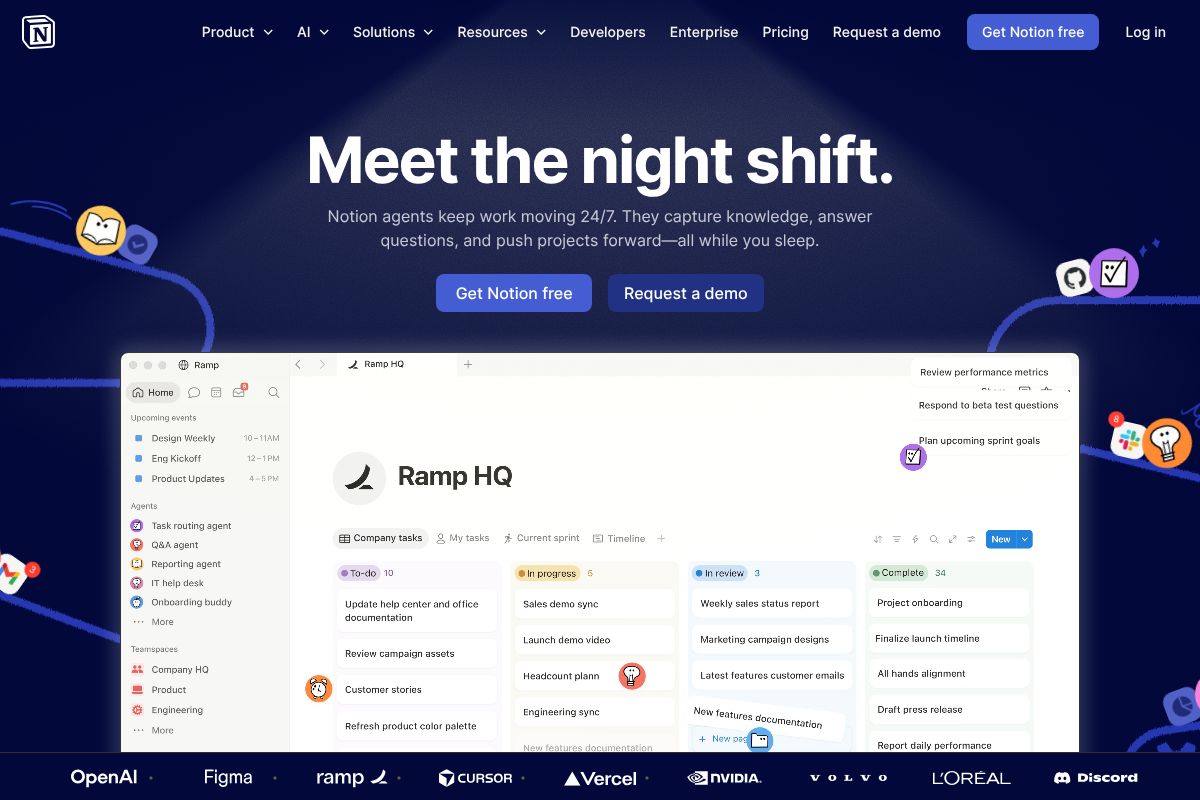
Notion has evolved well beyond its roots as a note-taking app. Today, it’s a fully integrated workspace where you can manage projects, build databases, write documents, and run team wikis — all in one place. The AI features built into the Business plan at $20 per user per month make it even more compelling for teams who want to centralize how they work.
The AI writing assistant can draft, summarize, and rewrite content directly inside your pages, while database automation handles repetitive tasks like status updates and task assignments without manual input. The template library alone can save you hours when setting up new projects or workflows.
Best for: Teams and freelancers who want a single hub for docs, tasks, and knowledge management.
- AI writing assistant built directly into the editor
- Database automation for recurring workflows
- Extensive template library for quick setup
- Flexible enough to replace multiple standalone tools
Honest trade-off: Notion has a steeper learning curve than single-purpose tools. If you just need a to-do list, it can feel overwhelming at first. But if you’re willing to invest a few hours upfront, the payoff in long-term organization is significant.
Otter.ai.ai: Meeting Transcription & Search
If you spend a meaningful chunk of your week in meetings, Otter.ai is one of the most practical AI tools you can add to your stack. It transcribes conversations in real time with solid accuracy, and the Pro plan runs just $10 per month on an annual billing cycle — a low barrier for what it delivers.
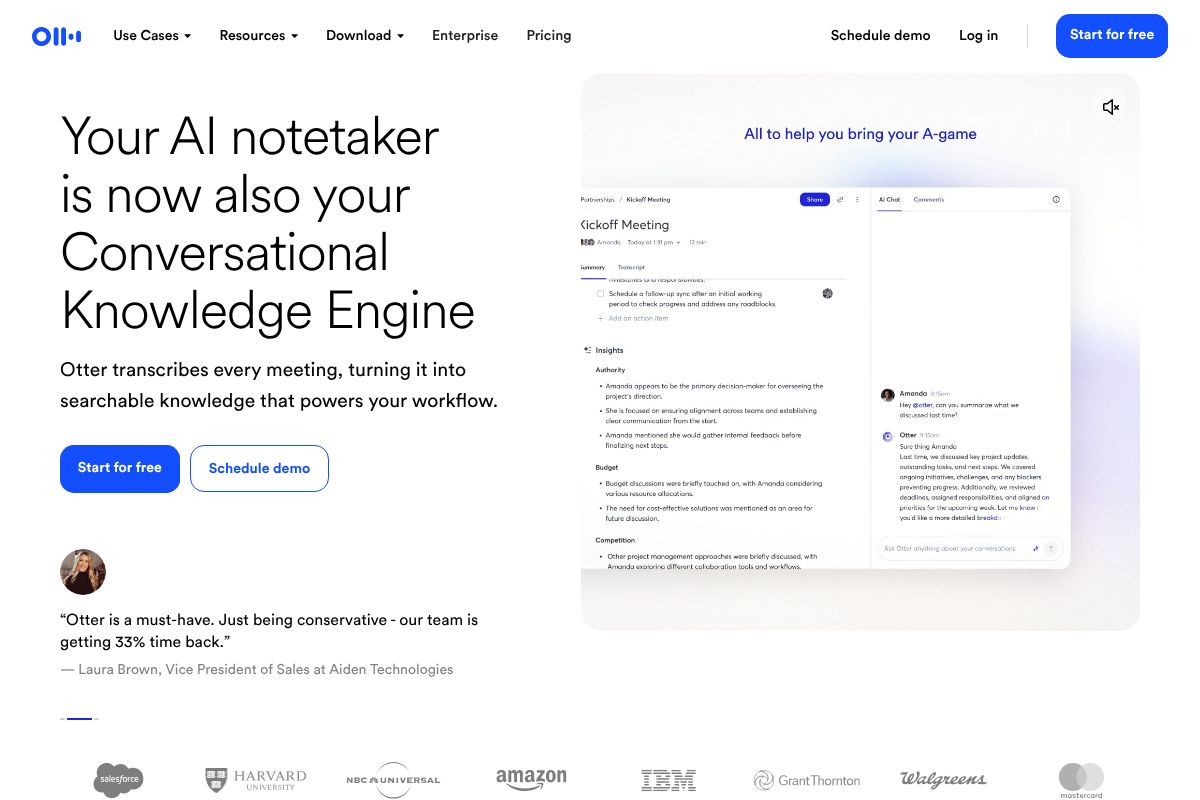
Best for: Professionals who attend frequent meetings and need reliable, searchable records without manually taking notes.
- Real-time transcription with speaker identification
- Fully searchable transcript archive
- Native integration with Zoom and Microsoft Teams
- Automated meeting summaries sent after each call
Honest trade-off: Otter.ai is purpose-built for meetings. It won’t help you draft emails, manage tasks, or organize your broader workflow. Think of it as a specialist, not a generalist — and pair it with a broader workspace tool if you need more coverage.
Fireflies.ai: Conversation Intelligence
Fireflies.ai goes a step further than basic transcription by turning your recorded conversations into searchable, actionable intelligence. At $10 per month on an annual plan, the Pro tier gives you automatic call recording, AI-generated summaries, and keyword tracking across your entire conversation history.
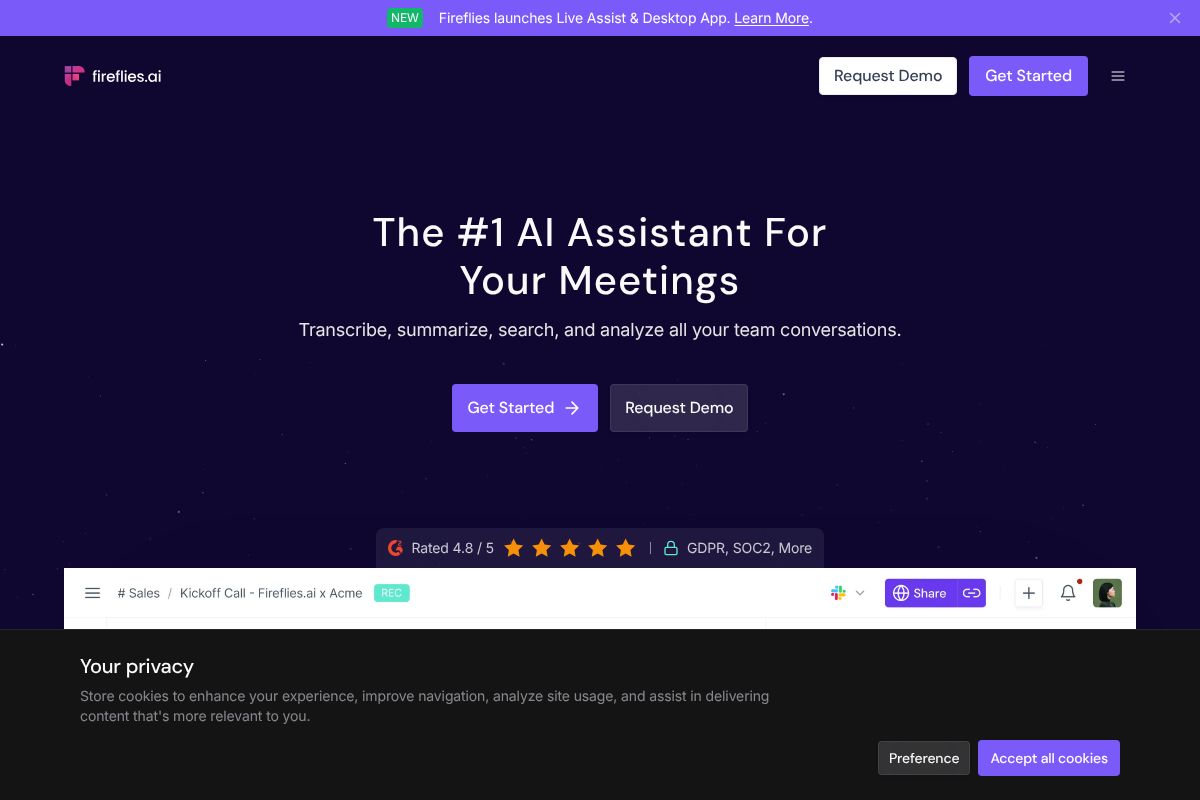
Best for: Sales teams and recruiters who need to track themes, commitments, and key moments across high volumes of calls.
- Automatic recording and AI-generated meeting summaries
- Keyword and topic tracking across all conversations
- CRM integration to log call notes without manual entry
- Searchable conversation history across your entire team
Honest trade-off: Fireflies.ai is genuinely excellent within its lane, but that lane is fairly narrow. If your work doesn’t revolve around sales calls, recruiting interviews, or client conversations, you may find you’re not using most of what you’re paying for. It’s a high-value tool for the right workflow — just make sure that’s yours before committing.
Pros & Cons: What You Need to Know
AI productivity tools have genuinely changed how creators, marketers, and freelancers work — but they’re not a magic fix for every challenge. Before you commit to a stack of subscriptions, it’s worth understanding exactly where these tools earn their keep and where they still fall short.
When AI Productivity Tools Shine
The clearest wins come from tasks that are repetitive, time-consuming, and don’t require deep creative or strategic judgment. If you’re doing the same type of work over and over, AI can compress hours into minutes — and that’s where the ROI becomes very real.
- Repetitive writing tasks: First drafts, email replies, social captions, and product descriptions are faster and more consistent when AI handles the initial output.
- Meeting notes and follow-ups: Transcription and summary tools eliminate the mental overhead of capturing everything in real time.
- Research synthesis: Pulling key points from long documents, reports, or transcripts takes seconds instead of hours.
- Scheduling and task management: AI assistants can prioritize your day, block focus time, and reduce decision fatigue.
For a freelancer billing by the hour, shaving 90 minutes off a content project every day adds up fast. For a marketer managing multiple campaigns, AI-generated consistency across channels reduces errors and keeps messaging on-brand. The productivity gains are real — as long as you’re applying the right tool to the right job.
Where They Fall Short
Honest answer: AI still struggles anywhere that nuance, trust, or original thinking is the actual product.
- Creative strategy: AI can generate ideas, but it can’t replace the original insight that makes a campaign genuinely stand out.
- Client relationships: No tool can replicate the judgment, empathy, and adaptability of a skilled human in a high-stakes conversation.
- Nuanced decision-making: When context is complex and consequences matter, AI outputs still need careful human review.
- Privacy-sensitive work: In 2026, data handling remains a real concern. Many AI tools process your inputs on external servers — a significant consideration if you work with confidential client data, legal documents, or sensitive business information.
There’s also the risk of over-reliance. If you stop questioning AI outputs, small errors compound quickly — and the cost of fixing them often erases the time you saved. Use these tools as a capable assistant, not an authority.
Pricing & Value Comparison
One of the most common questions about AI productivity tools is simple: are they actually worth paying for? The short answer is that it depends on how often you use them and what your time is worth. Here’s a straightforward breakdown to help you compare.
| Tool | Free Tier | Paid Tier | Cost/User/Month | Best For |
|---|---|---|---|---|
| Notion | Yes — personal use | Plus plan | $10 | Solo creators, small teams managing projects and docs |
| Otter.ai | Yes — limited minutes | Pro & Business plans | From $16.99 | Freelancers and teams with heavy meeting loads |
| Fireflies.ai | Yes — limited storage | Pro & Business plans | From $18 | Sales teams, agencies tracking client calls |
For context on ROI: a five-person team using Notion at $10 per user pays $50/month. If it saves each person just two hours of back-and-forth weekly, that’s easily $500+ in recovered time — depending on your hourly rate. Meeting transcription tools like Otter.ai and Fireflies.ai follow similar math. One recovered action item that prevents a missed deadline can pay for a month’s subscription.
Larger teams see compounding returns. When ten or more people share a single workspace, the collaboration savings — fewer duplicated efforts, faster onboarding, searchable meeting records — scale significantly beyond what the per-seat cost reflects.
Free vs. Paid: Where to Start
Every tool on this list offers a free tier worth testing before you commit. Start there — seriously. Free plans are genuinely useful for light individual use, and they give you a real feel for the interface and workflow before spending anything.
That said, paid plans tend to become worth it when one or more of these apply:
- You hit usage caps regularly — free tiers on transcription tools like Otter.ai cap monthly minutes quickly if you’re in meetings daily.
- You’re collaborating with a team — Notion’s free plan limits version history and guest access, which matters fast in a team environment.
- You need integrations — most advanced API connections, CRM syncs, and export features sit behind paid tiers.
- You’re billing clients for your time — if AI saves you two hours on a project you bill at $75/hour, a $20/month subscription pays for itself in a single afternoon.
There’s no pressure to upgrade immediately. Use the free versions for 30 days, track where you hit limitations, and let your actual workflow tell you whether the paid plan earns its keep.
Who Should Use Which Tool?
Not every AI productivity tool is built for every workflow. The best fit depends on how you work, who you work with, and where your biggest time drains actually live. Here’s a quick decision framework broken down by the way you likely spend your day.
For Content Creators & Marketers
Your biggest productivity gaps are usually around planning, research synthesis, and capturing ideas before they disappear. Notion AI is a natural fit here — use it to build editorial calendars, brainstorm content angles, and organize research in a single workspace that your whole team can access. The AI summarization feature alone is worth it for condensing long briefs or repurposing old content into new formats.
If you run interviews, podcasts, or client feedback sessions, Otter.ai earns its place immediately. It transcribes in real time, highlights key moments, and lets you search across every conversation you’ve ever recorded. That means no more scrubbing back through a 45-minute recording to find one quote.
- Blog planning: Use Notion AI to map out content pillars, draft outlines, and track publishing status in one place.
- Podcast notes: Otter.ai auto-generates summaries you can turn into show notes in minutes.
- Client feedback synthesis: Pull transcripts from Otter.ai and paste them into Notion to extract action items with AI assistance.
For Small Business Owners & Freelancers
Your time is split across client calls, project delivery, and admin — which means you need tools that reduce context-switching. Fireflies.ai is particularly strong here. It joins your client calls automatically, records and transcribes them, and generates action item summaries you can forward directly after the meeting ends.
Freelancers billing by the hour benefit most from pairing Fireflies.ai for client communication with Notion for project management. Together, they eliminate the two tasks that quietly eat the most unbillable time: meeting follow-ups and tracking where every project stands.
The Verdict: How to Choose the Right AI Productivity Tool
After comparing all of these tools, the honest answer is that there’s no single “best” AI for productivity in 2026. The right choice depends entirely on where your time is actually going and what kind of work you do most.
The good news is that most of these tools offer free tiers or trial periods, so you don’t need to commit to anything upfront. Start by identifying your biggest time drain — whether that’s writing, meetings, or project organization — and test one tool that directly addresses it. Trying to adopt three new tools at once is a fast track to abandoning all of them.
Here’s a simple way to think about it:
- Primarily a writer or content creator? Start with Jasper AI’s free trial and see how much it accelerates your drafting process.
- Drowning in meetings? Fireflies.ai or Otter.ai will show results within your first week.
- Need a central hub for everything? Notion AI is worth the time investment to set up properly.
It’s also worth noting that AI productivity tools in 2026 have matured significantly. These aren’t experimental side projects anymore — they’re stable, reliable platforms used in business-critical workflows every day. You can trust them with real work.
That said, no tool replaces good judgment. Use them to handle the repetitive, time-consuming parts of your work so you can focus your energy on the decisions and creative thinking that actually move the needle.
Ready to Boost Your Productivity?
The hardest part isn’t choosing the right tool — it’s actually getting started. Here’s a simple three-step approach that works for most people:
- Identify your biggest time-drain. Is it writing content, sitting through meetings, or trying to keep projects organized? Be honest about where your hours actually go.
- Match it to the right tool. Start with one tool that directly solves that specific problem — not the most popular option, the most relevant one.
- Use the free tier first. There’s no reason to pay before you’ve seen real results in your own workflow.
All three of the tools below offer free access so you can test them with zero financial risk:
- Notion AI — Try the free plan and build your first AI-powered workspace
- Otter.ai — Start transcribing meetings free, no credit card needed
- Fireflies.ai — Get automatic meeting notes from your very first call
If you have the bandwidth, running two or three tools simultaneously for a couple of weeks is actually the fastest way to find what sticks. Most people discover a clear favorite within the first few days of real use.
The bottom line: the right AI tools, used consistently, can realistically give you back five or more hours every single week — time you can spend on the work that actually matters.
Our Verdict
Editorial rating: 4.6/5
No Single Winner, But Clear Leaders Emerge
The best AI for productivity in 2026 depends entirely on your specific needs—there’s no universal champion. ChatGPT and Claude dominate for versatility, while specialized tools win in narrow categories. The trade-off: choosing the perfect tool takes research, but starting with a free tier and expanding strategically minimizes risk.
Frequently Asked Questions
What is the cheapest AI tool for productivity?
ChatGPT’s free tier and Copilot offer zero-cost entry points with solid writing and coding assistance. Notion AI starts at $10/month for existing Notion users, making it budget-friendly for document-heavy workflows.
Can AI productivity tools replace project management software?
AI tools enhance but don’t fully replace dedicated project managers. They excel at task automation and content generation but lack specialized features for team collaboration, timelines, and resource allocation that dedicated platforms provide.
Which AI is best for writing and content creation?
Claude and ChatGPT lead for writing quality and nuance, while specialized tools like Copy.ai focus specifically on marketing copy. Choice depends on content type: long-form essays favor Claude, while quick social media content suits faster, lighter tools.
Do I need multiple AI tools or just one?
Most professionals benefit from 1-2 core tools rather than five. Pairing a general-purpose AI like ChatGPT with one specialized tool matching your primary workflow typically delivers 80% of potential productivity gains at minimal cost and complexity.
Related Reads
- Notion AI vs ClickUp AI: Which Wins in 2026?
Compare Notion AI vs ClickUp AI in 2026. See pricing, features, and which tool fits your workflow best.…
- Best AI Productivity Tool for Creators & Teams in 2026
Find the best AI productivity tool for your workflow. Compare top options for creators, marketers, and small teams with …
- Best AI Tool for Note Taking in 2026: Top Picks
Find the best AI note-taking tool for your workflow. Compare top options, pricing, and features to boost productivity in…