If you’ve been using Surfer SEO for a while, you already know it’s a capable tool — but you might also know that the price tag has crept up considerably, and some of its features feel like overkill for what you actually need. Maybe you’re a freelancer managing a handful of clients, or a small business owner who just wants to write better content without a steep learning curve. Whatever the reason, searching for the best Surfer SEO alternatives in 2026 is more common than you’d think — and you’re not alone in wondering if there’s a better fit out there.
Surfer SEO owns a specific corner of the SEO market, but it’s not the only way to optimize content or manage keyword strategy. This comparison shows you the strongest alternatives and which workflow each one fits best.
In This Article
- Why You Might Be Looking for a Surfer SEO Alternative
- What Makes a Good Surfer SEO Alternative?
- Top Surfer SEO Alternatives for Content Creators
- Feature Comparison: Surfer SEO vs. Alternatives
- Pricing Breakdown: What You’ll Actually Spend
- Who Should Use Each Tool?
- Pros and Cons: The Honest Trade-Offs
- Which Alternative Should You Choose?
Why You Might Be Looking for a Surfer SEO Alternative
Surfer SEO has earned its reputation for a reason. Its content editor, SERP analyzer, and keyword research tools are genuinely solid, and for SEO agencies or larger teams with the budget to match, it can be a powerful part of the stack. So this isn’t about Surfer being a bad tool — it’s about whether it’s the right tool for you specifically.
For a lot of creators and small business owners, the friction starts with pricing. Surfer’s plans have climbed steadily, and if you’re only publishing a handful of articles per month, paying for a premium tier can feel hard to justify. You end up paying for capacity and features you’re simply not using.
Beyond cost, there are a few other common reasons people start shopping around:
- Workflow fit: Surfer’s interface is data-heavy by design. If you prefer a more streamlined writing experience, all those scores and metrics can feel more distracting than helpful.
- AI writing integration: Some tools now combine SEO optimization and AI content generation in a single editor, which Surfer doesn’t fully deliver on its own.
- Team and collaboration needs: Depending on your plan, sharing access with clients or teammates can get complicated — or expensive.
- Learning curve: New users sometimes find Surfer’s depth overwhelming, especially if they just want quick, actionable guidance without a training period.
None of these are dealbreakers for everyone — but if any of them sound familiar, it’s worth knowing what else is out there. The good news is the market has matured a lot, and there are genuinely strong alternatives worth considering.
What Makes a Good Surfer SEO Alternative?
Before jumping straight into tool comparisons, it’s worth taking a moment to define what you’re actually looking for. The best alternative isn’t necessarily the most feature-packed option — it’s the one that fits your workflow, budget, and skill level. A tool that overwhelms you with data isn’t helpful, and neither is one that’s too shallow to actually move the needle on your rankings.
Here are the key criteria worth weighing as you evaluate your options:
- Content optimization guidance: Does the tool tell you not just what to fix, but why it matters? Actionable recommendations beat raw data every time.
- SERP analysis: A good alternative should analyze what’s actually ranking for your target keyword, not just give you generic advice.
- Keyword research: Some tools bundle keyword discovery with content optimization, which saves you from juggling multiple platforms.
- Ease of use for non-technical users: If you’re a writer or marketer — not an SEO specialist — you need an interface that doesn’t require a manual to navigate.
- Pricing flexibility: Look for plans that scale with your output. Paying for 50 articles a month when you publish 10 is just waste.
- Integration with writing tools: Compatibility with Google Docs, WordPress, or built-in AI writing assistance can make a significant difference to your daily workflow.
Core Features to Compare
Once you’ve identified your priorities, you’ll want to evaluate each tool against a consistent set of features. Not every alternative will check every box — and that’s okay — but knowing what’s available helps you make a smarter trade-off.
- Real-time content scoring: Live feedback as you write, so you’re optimizing in the moment rather than after the fact.
- Competitor analysis: Insight into what top-ranking pages are doing differently, from word count to heading structure.
- Keyword difficulty scoring: Helps you prioritize which terms are actually winnable for your site’s current authority.
- Content briefs: Pre-built outlines and topic clusters that speed up the research and planning phase.
- AI writing assistance: Built-in generation or suggestions that help you hit optimization targets without starting from scratch.
- Export and integration options: Whether you can push content directly to your CMS or export briefs for a team member matters more than people expect.
Keep these features in mind as you read through the comparisons below — they’ll help you cut through the marketing language and focus on what actually matters for your use case.
Top Surfer SEO Alternatives for Content Creators
There’s no single tool that works best for every content creator. The right Surfer SEO alternative depends on what you’re trying to accomplish — whether that’s outranking competitors in a crowded niche, building topical authority from the ground up, or simply getting more mileage out of every piece you publish. Below are two standout options worth serious consideration.
Semrush: Best for Competitive Intelligence
If you’ve ever wondered exactly why a competitor keeps outranking you — and what it would take to change that — Semrush is built to answer that question. It’s one of the most comprehensive SEO platforms available, combining keyword research, backlink analysis, site auditing, and position tracking in a single dashboard.

Where Semrush really earns its place is in competitive positioning. You can pull up any domain and see which keywords it ranks for, where it’s gaining or losing ground, and what content is driving the most traffic. For marketers managing multiple clients or brands, that kind of intelligence is genuinely hard to replicate elsewhere.
- Keyword research depth: Access to billions of keywords with difficulty scores, search intent, and trend data
- Competitor tracking: Monitor rival domains and benchmark your own performance over time
- Content optimization tools: SEO Writing Assistant integrates with Google Docs and WordPress
- Site auditing: Identify technical issues that could be holding your rankings back
Semrush is more enterprise-focused than most tools in this roundup, and the pricing reflects that. But for marketers who need reliable ranking data and a full-picture view of their competitive landscape, it’s hard to argue with the value. It’s also worth noting that Semrush offers a $200 commission on first sales through its affiliate program — a sign of how seriously they invest in their partner ecosystem.
NeuralText: Best for Content Teams Building Authority
Not every creator needs an enterprise platform. If you’re a freelancer, a small content team, or a solopreneur trying to build topical authority without paying enterprise prices, NeuralText is worth a close look. It strips SEO content optimization down to the essentials and delivers them at a price point that actually makes sense for smaller operations.
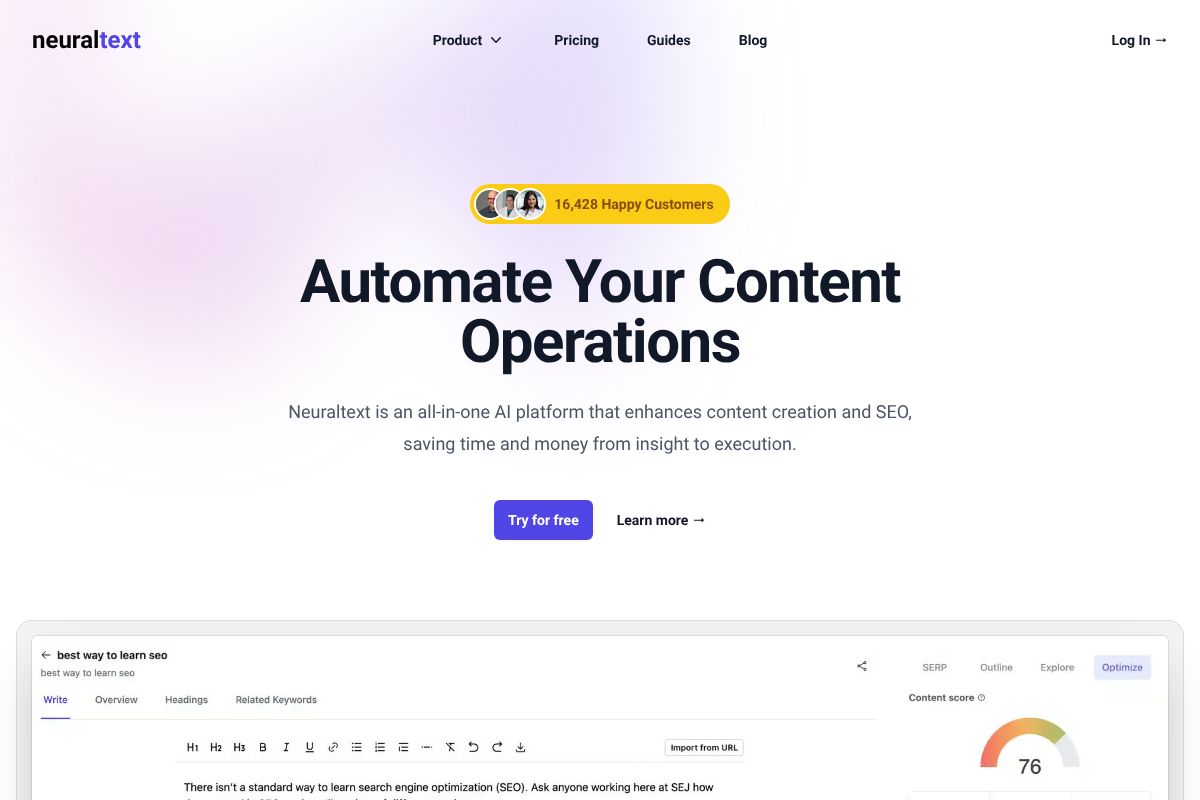
NeuralText’s strongest feature is its approach to topical clustering — helping you map out related subtopics so your content covers a subject comprehensively rather than in isolated pieces. That kind of structure is increasingly important for ranking in a search landscape that rewards depth and authority over volume.
- Topical authority clustering: Build interconnected content strategies around core subjects
- AI writing assistance: Generate drafts and suggestions directly inside the platform
- Content briefs: Research-backed outlines that speed up your writing process
- Affordable pricing: Designed with freelancers and small teams in mind, not enterprise budgets
NeuralText also runs a 30% recurring commission affiliate program, which reflects the kind of tool it is — built for long-term users who stick around because it consistently delivers. If Surfer SEO’s pricing has been a sticking point for you, NeuralText is one of the most compelling lightweight alternatives available right now.
Feature Comparison: Surfer SEO vs. Alternatives
Choosing the right SEO content tool often comes down to which features actually matter for your workflow — and what you’re willing to pay for them. The table below breaks down how Surfer SEO stacks up against Semrush and NeuralText across the criteria that matter most to content creators and small business owners.
| Feature | Surfer SEO | Semrush | NeuralText |
|---|---|---|---|
| Content Optimization | Excellent — real-time on-page scoring | Good — SEO Writing Assistant included | Solid — focused and streamlined |
| Keyword Research | Moderate — built around content use | Excellent — deep keyword data | Basic — covers core needs |
| Competitor Analysis | Good — SERP-based content gaps | Excellent — full competitive intelligence | Limited — not a core focus |
| AI Writing | Yes — integrated AI drafting | Limited — basic AI suggestions | Yes — built-in AI assistance |
| Ease of Use | Beginner-friendly | Moderate learning curve | Very easy — minimal setup |
| Pricing | Starts ~$89/month | Starts ~$139/month | Budget-friendly tiers |
| Best For | Content-focused SEO teams | Full-stack digital marketers | Freelancers & solopreneurs |
The honest takeaway here is that no single tool wins across every category. Surfer SEO is a strong all-rounder for content optimization, but it doesn’t replace a dedicated keyword research platform. Semrush gives you more data than most people will ever use — which is either a strength or an overwhelming distraction depending on your needs. NeuralText is lean by design, which makes it fast and approachable but limited in scope.
Think about what’s actually slowing you down. If it’s writing and optimizing content, Surfer SEO or NeuralText will serve you well. If you need competitive intelligence and broader SEO strategy in one place, Semrush is the more complete — and more expensive — option.
Pricing Breakdown: What You’ll Actually Spend
Let’s talk numbers, because pricing is often where the decision gets made. Surfer SEO runs between $79 and $219 per month depending on your plan, with higher tiers unlocking more content editors, team seats, and AI writing credits. Semrush sits at a significantly higher $117 to $499 per month, reflecting its broader feature set. NeuralText is the most accessible entry point at $19 to $119 per month — a meaningful difference if you’re watching your overhead.
Annual billing changes the math considerably. Semrush typically offers around 17% off on annual plans, which can save you several hundred dollars over the year. Surfer SEO and NeuralText also offer annual discounts, so if you’re committing to a tool long-term, paying upfront almost always makes sense.
Here’s a quick snapshot of what each tier actually gets you:
- Surfer SEO ($79/mo): Content editor access, basic keyword research, SERP analyzer — solid for solo creators
- Semrush ($117/mo): Keyword tracking, site audit, competitor research — but many advanced features are locked to higher tiers
- NeuralText ($19/mo): AI writing assistance, keyword clustering, content briefs — lean but functional for freelancers
Budget-Friendly Options
If you’re a freelancer or solopreneur just getting started with SEO content, NeuralText’s entry-level plan is hard to argue with. At $19 per month, you’re getting keyword clustering and AI-assisted writing that would have cost five times as much a few years ago.
Semrush’s annual plan is worth considering if you need competitive research alongside content optimization — the discount softens the sting of that higher price tag. That said, cheaper isn’t always smarter. If you’re regularly publishing optimized content for clients or a growing business, the ROI on Surfer SEO’s mid-tier plan often justifies the cost within a few months. A $19 tool that you outgrow in 60 days costs more in lost time than a $79 tool that actually scales with you.
Who Should Use Each Tool?
No single tool is the right fit for everyone. The best choice depends on how you work, what you’re publishing, and how much SEO complexity you actually need day-to-day. Here’s how to match yourself to the right option.
Solo Content Creators
If you’re running a personal blog, niche site, or creator business on your own, you probably don’t need enterprise-level features — you need something fast and focused. NeuralText fits this workflow well, especially if you’re producing keyword-targeted articles regularly and want AI assistance baked into the process without a steep learning curve.
Freelance Writers
Freelancers live and die by turnaround time. You need to produce well-optimized briefs and drafts quickly, often across multiple client niches. Surfer SEO is a strong pick here — its content editor gives you real-time optimization guidance that you can hand off directly to clients as proof of work. NeuralText is a leaner budget alternative if your client volume doesn’t yet justify the higher price.
Marketing Teams
If you’re part of an in-house team managing a content calendar, tracking rankings, and reporting on performance, you need a tool that does more than just content scoring. Semrush earns its place here — the combination of keyword tracking, competitor analysis, and site auditing covers most of what a marketing team needs in one dashboard.
Small Business Owners
You’re not an SEO expert — you just want your site to show up in search. NeuralText or Surfer SEO’s entry plan both work well here. They guide you through optimization without requiring deep technical knowledge.
Agencies
Agencies managing multiple client accounts need scalability, white-label reporting, and bulk workflow support. Semrush is the most agency-ready option at scale, though Surfer SEO’s higher-tier plans are worth evaluating if content production is your core deliverable.
Pros and Cons: The Honest Trade-Offs
No tool is perfect for everyone. Before you commit to a subscription, here’s a clear-eyed look at what each alternative does well — and where it falls short.
Semrush
- Pros:
- Unmatched depth of data — keyword research, backlink analysis, site audits, and rank tracking all in one platform
- Excellent for competitive intelligence and tracking how rivals are performing over time
- Scales well for agencies and marketing teams managing multiple clients or campaigns
- Constantly updated with new AI-assisted features and workflow tools
- Cons:
- The learning curve is real — new users can feel overwhelmed by the sheer number of features
- Pricing is on the higher end, which can be hard to justify for solo creators or small blogs
- Content optimization features, while solid, aren’t quite as focused or intuitive as Surfer SEO’s dedicated editor
NeuralText
- Pros:
- Budget-friendly pricing makes it accessible for freelancers and small business owners
- Combines keyword clustering, content briefs, and AI writing assistance in a single, straightforward interface
- Easier to get started with — less setup time, less noise
- Cons:
- Competitor tracking and backlink analysis are limited compared to Semrush or even Surfer SEO
- The AI writing output can feel generic without careful prompting and editing
- Smaller feature set means you may outgrow it as your content operation scales up
The bottom line: Semrush is the better fit if you need a full-stack SEO platform and can invest time in learning it. NeuralText wins on simplicity and affordability, but it works best as a content-focused tool rather than a complete SEO solution. Neither is a bad choice — it just depends on where you are in your growth journey.
Which Alternative Should You Choose?
With several strong options on the table, the right choice really comes down to your workflow, budget, and how deeply you want to go into SEO. Here’s a quick decision framework to help you cut through the noise.
- If you want the closest like-for-like Surfer SEO replacement — with a clean content editor, real-time optimization scoring, and a straightforward interface — look at tools built specifically around on-page content optimization. These will feel most familiar and require the least adjustment.
- If you need a full SEO suite that goes beyond content — covering keyword research, backlink analysis, rank tracking, and competitor intelligence — Semrush is the most complete option. It’s an investment, but it can replace multiple tools at once.
- If you’re a freelancer or solo creator on a tight budget who primarily needs help with content briefs and keyword clustering, NeuralText offers the most value without overwhelming you with features you won’t use.
- If you’re scaling a content team and need collaborative workflows alongside optimization, prioritize tools with strong brief-building and team features.
The honest truth is there’s no single perfect tool — only the right tool for you. Each of the alternatives covered in this article comes with affiliate links, so if you decide to try one, clicking through those links supports this site at no extra cost to you.
Start with a free trial where available, run one real content project through it, and let the results guide your decision. You know your workflow better than any review does — trust that instinct, and you’ll land in the right place.