Whether you’re designing social media graphics, building a brand identity, or just trying to visualize an idea without hiring a designer, finding the best AI image generator for 2026 can feel overwhelming. The market has exploded — there are dozens of tools promising stunning results, but they vary wildly in quality, speed, pricing, and ease of use.
The real challenge isn’t finding an AI image tool. It’s finding the right one for how you actually work. A freelance content creator has very different needs than a small business owner or a social media marketer running multiple campaigns at once.
In this guide, we’ve tested and compared the top AI image generators available right now — breaking down features, pricing, strengths, and honest trade-offs so you can make the best choice for your workflow.
Key Takeaways
- Top AI image generators in 2026 offer distinct strengths: some excel at photorealism, others at artistic styles and creative control.
- Pricing models vary significantly from free tier options to premium subscriptions, making budget-friendly alternatives accessible for most users.
- Key differentiators include speed, customization options, image resolution quality, and whether tools support commercial licensing for business use.
- Best tool selection depends on your specific needs: professional designers require different features than casual content creators or marketers.
- Most leading platforms now include advanced features like style transfer, batch processing, and API access for seamless workflow integration.
In This Article
What Is an AI Image Generator?
An AI image generator is a tool that creates visual content from a simple text description — called a “prompt.” You type something like “a cozy coffee shop at sunset, warm tones, photorealistic,” and within seconds the tool produces an image based on your words. No design software, no stock photo subscriptions, no waiting on a freelancer.
The technology behind these tools has come a long way. Early versions produced blurry, distorted results that were more novelty than useful. By 2026, the best AI image generators produce outputs that rival professional photography and illustration — with accurate details, consistent styles, and far fewer of the strange artifacts (like six-fingered hands) that plagued earlier models.
So why are creators and marketers embracing them? A few reasons stand out:
- Speed: Generate a polished visual in seconds instead of hours.
- Cost savings: Reduce or eliminate spending on stock photos, designers, or agencies for everyday content needs.
- Creative control: Experiment with styles, moods, and concepts without needing any design skills.
- Volume: Produce multiple variations quickly — ideal for A/B testing ads or social posts.
- Originality: Create custom visuals that aren’t recycled across thousands of other websites.
Whether you’re building a brand, producing content at scale, or just need a quick hero image for a blog post, AI image generators have become a practical — and increasingly essential — part of the modern creative workflow.
Key Features to Look For
Not all AI image generators are built the same way, and the differences matter more than you might expect. Before diving into specific tools, it helps to know what to evaluate — because the “best” option really depends on how you plan to use it. Here are the criteria that matter most for creators, marketers, and small business owners.
Commercial Licensing & Legal Safety
This is the feature most people overlook — until it becomes a problem. If you’re creating images for client work, paid ads, product listings, or anything tied to revenue, you need to know exactly what rights you have to the output. Some AI tools grant full commercial usage rights as part of every plan. Others restrict commercial use to paid tiers, and a handful operate in legal gray areas that could expose you or your clients to copyright claims.
Before committing to any tool, ask these questions:
- Does your plan include commercial usage rights?
- Is the training data licensed or sourced ethically?
- Does the platform indemnify you against third-party IP claims?
For anyone doing professional or client-facing work, licensing clarity isn’t optional — it’s essential.
Ease of Use for Non-Designers
A powerful tool that takes weeks to learn isn’t practical if you’re running a business or managing a content calendar. The best AI image generators for non-designers offer clean, intuitive interfaces with minimal setup. Look for guided prompt suggestions, style presets, and drag-and-drop editing that let you get usable results quickly — without a design background.
Key things to evaluate on the UX side:
- How fast can a first-time user generate a usable image?
- Are there templates or style options to guide creative decisions?
- Can you edit or refine outputs without leaving the platform?
A shorter learning curve means faster output — and that directly affects your productivity.
Image Quality & Customization
Raw output quality varies significantly between tools, especially when it comes to photorealism, text rendering, and stylistic consistency. Beyond quality, customization matters: can you adjust aspect ratios, apply brand colors, or generate variations of a single concept? For marketers running campaigns, the ability to produce on-brand visuals consistently is just as important as the quality of any single image.
Speed, Pricing Transparency & Integrations
Generation speed affects your workflow more than you’d think — especially if you’re iterating through multiple concepts. On pricing, watch for hidden limits: some tools advertise low monthly rates but cap you on generations, resolution, or commercial use unless you upgrade. Finally, consider how well the tool fits into your existing stack. Native integrations with platforms like Canva Pro, Adobe, or your CMS can save meaningful time every week.
Top AI Image Generators for 2026
The AI image generation market has matured considerably, and a handful of tools have pulled ahead of the pack — not just on output quality, but on workflow fit, licensing clarity, and platform integration. Whether you’re a solo creator or managing visuals for a growing brand, these are the tools worth your attention right now.
Here’s a quick introduction to the leading platforms. We’ll go deeper on each one later, but this overview will help you orient yourself before diving into the details.
Adobe Firefly/” rel=”sponsored noopener” target=”_blank”>Adobe Firefly
Adobe Firefly has become the go-to choice for designers and anyone doing client work. What sets it apart is its commercially safe licensing — all images are generated from licensed and public domain content, so you can use outputs in paid projects without legal grey areas. It integrates directly with Photoshop, Illustrator, and the broader Adobe Creative Suite, making it a natural fit if you’re already in that ecosystem.
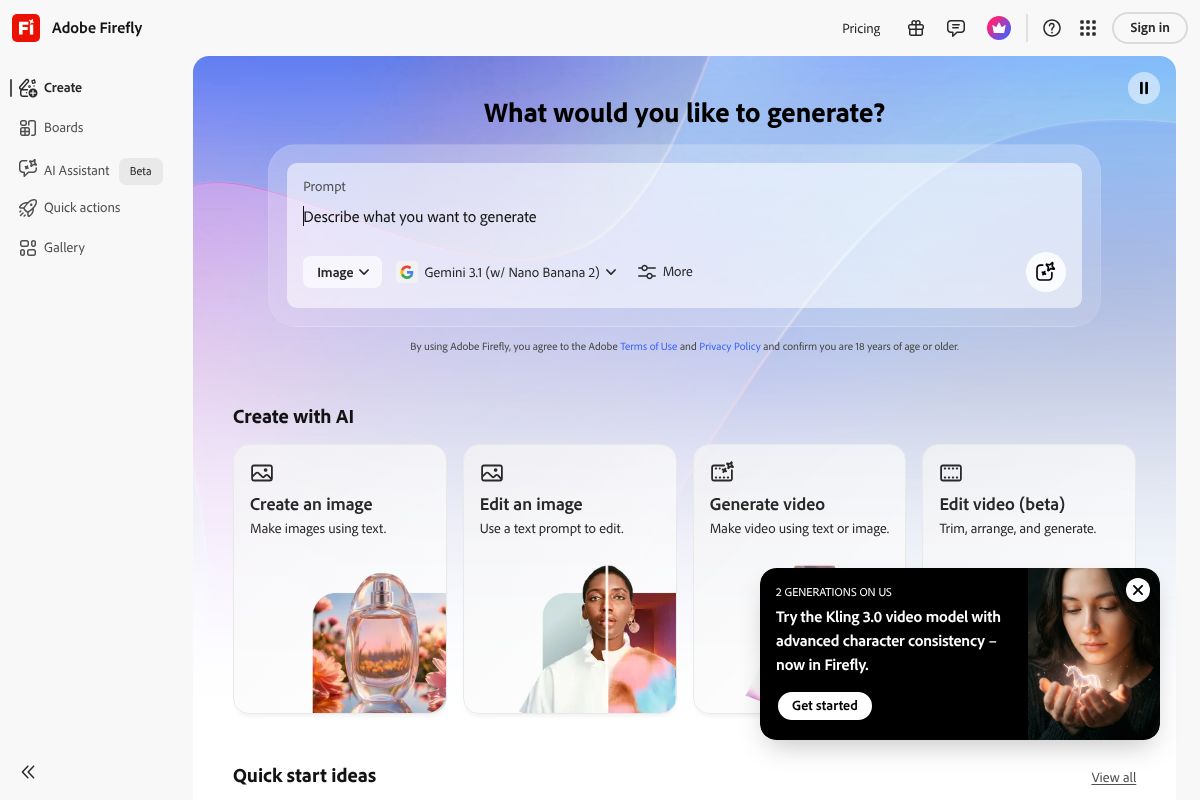
In 2026, Adobe has pushed meaningful improvements to generation speed and photorealistic output quality, narrowing the gap with more specialized tools. Pricing runs from $4.99 to $54.99 per month depending on your plan and whether you bundle it with other Creative Cloud apps. If you’re producing assets for clients or brands, the licensing clarity alone makes it worth the cost.
Canva Pro
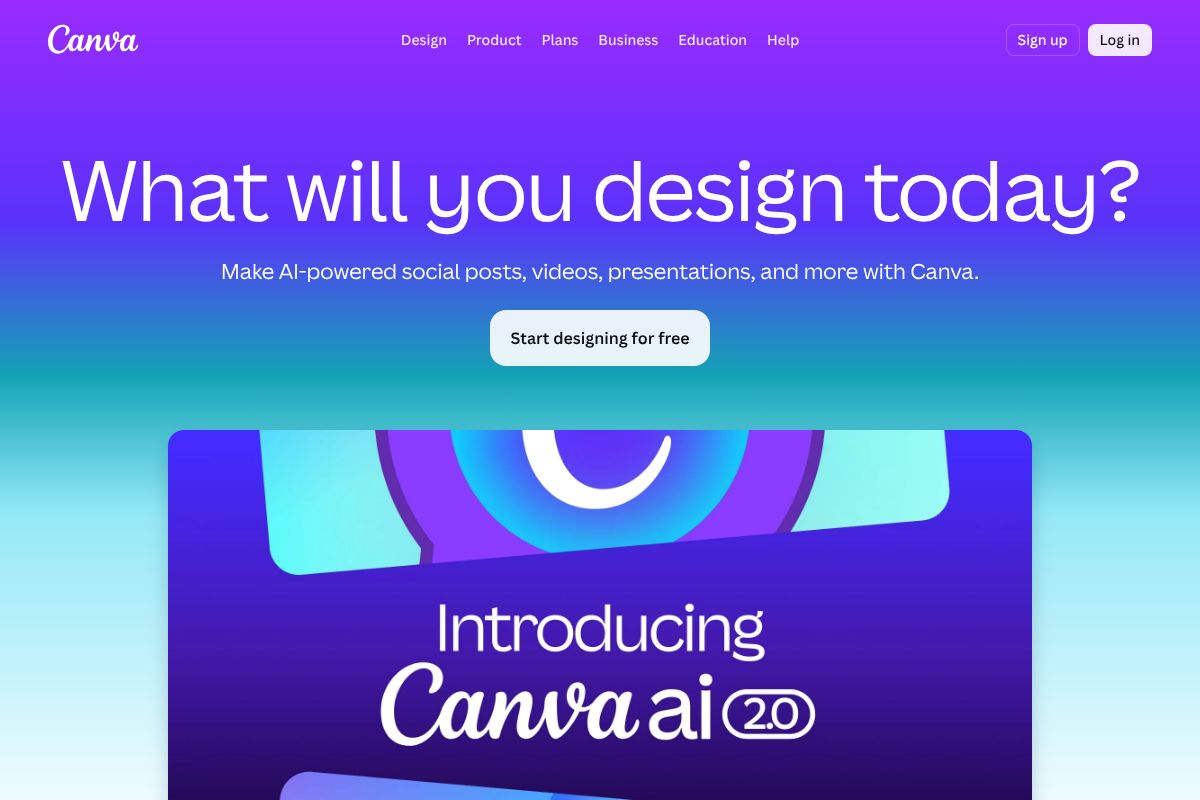
Canva Pro remains the most accessible option for non-designers, small business owners, and social media managers who need polished visuals fast. Its AI image generation is built directly into the Canva editor, so you’re never more than a few clicks away from dropping a generated image into a post, presentation, or ad template.
The platform’s strength is its template library and social media optimization — outputs are already sized for Instagram, LinkedIn, Facebook, and more. You don’t need any design background to get professional-looking results. At $15 per month or $120 per year, it’s one of the most affordable full-featured options available, especially if you’re already using Canva for other design work.
Pros and Cons: What You Need to Know
No AI image generator is perfect for every use case. The right choice depends on what you’re optimizing for — speed, quality, budget, or legal peace of mind. Here’s an honest look at the trade-offs you’ll encounter across today’s top tools.
Quality vs. Speed Trade-offs
Faster generation times often come at a cost. Tools built for quick social content — like Canva Pro’s built-in generator — prioritize convenience over fine-grained control. You get results in seconds, but you have fewer levers to pull if the output isn’t quite right.
Premium tools like Midjourney or Adobe Firefly give you more customization depth — style parameters, aspect ratios, reference images, and iterative refinement — but that process takes longer and has a steeper learning curve. If you need high-volume, fast output, lean toward simpler tools. If you need precise, brand-specific visuals, invest the time in a more capable platform. The good news is that in 2026, even mid-tier tools have significantly closed the quality gap.
Licensing and Legal Considerations
This is where many creators get tripped up. Not all AI image generators grant you the same rights to use what you produce — and the differences matter enormously if you’re creating assets for clients, selling products, or running paid ads.
- Adobe Firefly offers commercially safe outputs by default, trained on licensed content — no upgrade required for business use.
- Canva Pro includes commercial licensing for generated images within its paid tier.
- Some tools restrict commercial use on free plans or require a separate enterprise license for client work.
- Open-source models can carry their own licensing conditions depending on how they’re deployed.
Always read the terms before using generated images in paid or client-facing projects. When in doubt, tools with explicit commercial licensing documentation are the safer choice for business users.
Pricing Breakdown: What You’ll Actually Pay
Sticker price is only part of the story with AI image generators. Credits, usage caps, and paywalled features can push your real monthly cost well above what the plan page suggests. Here’s how the numbers actually break down.
Adobe Firefly runs from $4.99/month for the entry-level plan up to $54.99/month for the premium tier. Each plan comes with a set number of generative credits — once you burn through them, you either wait for the monthly reset or pay for more. Heavy users producing dozens of images daily will hit those limits faster than they expect.
Canva Pro is priced at $15/month (or $120/year if you pay annually, saving you $60). AI image generation is bundled into the subscription alongside templates, brand kits, and scheduling tools — making it easier to calculate ROI if you’re already using Canva for other work. For most creators and marketers, consolidating tools into one platform is a genuine cost saver.
Free vs. Paid: Is Free Enough?
Free tiers exist across most platforms, but they come with real constraints — watermarks, limited monthly generations, lower resolution outputs, and no commercial licensing. For personal projects or occasional experimentation, free plans work fine. But if you’re producing content for clients, running social media accounts at scale, or need brand-consistent visuals regularly, the free tier will become a bottleneck quickly. Upgrading pays for itself surprisingly fast when you factor in the time you save.
Best Value for Different Budgets
- Tight budget: Start with Canva Pro at $15/month. You get AI image generation plus a full design suite — more utility per dollar than a standalone generator.
- Moderate budget: Adobe Firefly’s mid-tier plan suits marketers who need commercially safe, high-quality images with more creative control and higher credit allowances.
- Enterprise or agency use: Evaluate volume needs carefully. Both Adobe Firefly and Canva offer team and business plans where per-seat costs drop significantly at scale.
Calculate your ROI simply: if AI-generated images replace even two hours of stock photo searching or designer time per month, most paid plans pay for themselves in week one.
Who Should Use Which Tool?
Not every AI image generator is built for every user. The best tool for you depends on how you work, what you’re creating, and who you’re creating it for. Here’s a quick breakdown by persona so you can stop second-guessing and start generating.
For Designers & Client Work
If you’re a freelance designer or work at an agency, Adobe Firefly should be your first stop. Its images are trained exclusively on licensed content, which means you can hand deliverables to clients without worrying about copyright exposure — a non-negotiable when commercial stakes are involved. Firefly plugs directly into Photoshop and Illustrator, so it fits your existing workflow rather than disrupting it. For professional standards and client safety, it’s the most defensible choice on the market right now.
- Commercially safe outputs with full licensing transparency
- Native integration with Adobe Creative Suite
- Ideal for brand work, ad campaigns, and client deliverables
- Consistent quality that holds up under professional scrutiny
For Content Creators & Marketers
If you’re a content creator, social media manager, or small business owner who needs visuals fast, Canva Pro is the smarter fit. You don’t need design experience — you just need something that looks good and gets published today. Canva’s AI image tools sit inside the same platform where you’re already building your Instagram graphics, blog headers, and email banners, which means less tab-switching and faster turnaround.
- Quick social media graphics without a learning curve
- AI generation built into your existing design workflow
- Great for blog headers, ad creatives, and branded templates
- One subscription covers design and image generation
Bottom line: choose the tool that matches how you already work, not the one with the longest feature list.
Comparison Table: Top AI Image Generators at a Glance
Not sure which tool fits your situation? This table cuts through the noise so you can make a quick, informed decision based on what actually matters to you.
| Tool | Best For | Starting Price | Commercial License | Ease of Use |
|---|---|---|---|---|
| Adobe Firefly | Professional & client work | Included with Creative Cloud (~$54.99/mo) | ✅ Full commercial rights | Moderate |
| Canva Pro | Content creators & marketers | $15/mo | ✅ Included | Very easy |
| Midjourney | Artistic & creative projects | $10/mo | ✅ On paid plans | Moderate |
| DALL·E 3 | Quick generation via ChatGPT | $20/mo (ChatGPT Plus) | ✅ Included | Very easy |
| Stable Diffusion | Advanced customization | Free (self-hosted) | ⚠️ Varies by model | Difficult |
Use this as your starting point — the sections below dig deeper into each tool’s real-world strengths and limitations.
The Verdict: Which AI Image Generator Should You Choose?
There’s no single “best” AI image generator — the right tool depends entirely on how you work, what you’re creating, and who you’re creating it for. What matters is matching the tool’s strengths to your actual workflow, not chasing the most feature-packed option.
Here’s a straightforward decision framework to help you land on the right choice:
- If you’re a marketer or content creator who needs fast, on-brand visuals without a steep learning curve — Canva Pro is your best starting point.
- If you do client work or need bulletproof commercial licensing — Adobe Firefly is the safest, most professional choice.
- If artistic quality and creative control are your top priorities — Midjourney consistently delivers stunning results.
- If you already use ChatGPT daily — DALL·E 3 is a seamless, low-friction addition to your existing setup.
- If you’re technically minded and want full customization at no ongoing cost — Stable Diffusion rewards the investment of time.
Most of these tools offer free tiers or trials, so you don’t have to commit before you’ve had a chance to experiment. The best way to find your fit is simply to start generating.
Ready to Get Started?
If you’re new to AI image generation, Canva Pro offers a free trial that lets you explore its AI features with zero technical setup — it’s the lowest-friction way to see real results quickly. If commercial licensing is a priority for your business or client projects, Adobe Firefly gives you enterprise-grade peace of mind from day one. Pick the tool that matches where you are right now, and upgrade your workflow as your needs grow.
Frequently Asked Questions
What is the fastest AI image generator in 2026?
Speed varies by platform, but most top generators produce high-quality images within 10-30 seconds. Midjourney and DALL-E 3 lead in balancing speed with output quality, while some specialized tools prioritize speed over artistic refinement.
Can I use AI-generated images commercially?
Commercial usage rights depend on your plan and platform. Premium subscriptions typically grant full commercial licenses, while free tiers often restrict commercial use. Always verify licensing terms before using generated images in business projects or products.
Which AI image generator is best for beginners?
DALL-E 3 and Canva’s AI tools are beginner-friendly with intuitive interfaces and straightforward prompting. They require minimal technical knowledge and offer free trials, making them ideal entry points for users new to AI image generation.
Do free AI image generators produce quality results?
Free tiers from major platforms like Stable Diffusion and some DALL-E credits deliver respectable quality for casual use. However, premium versions consistently produce higher resolution, more detailed, and more accurate results for professional applications.
Related Reads
- Best AI Image Generator for Creators in 2024
Find the best AI image generator for your needs. Compare top tools, pricing, and features for creators, marketers, and s…
- Midjourney vs Adobe Firefly: Which AI Image Generator Wins in 2026?
Compare Midjourney and Adobe Firefly in 2026. See pricing, features, and which AI image generator is best for your creat…
- Canva AI Features Review 2026: Worth It for Creators?
Honest Canva AI features review for 2026. See what’s new, pricing, pros/cons, and if it’s right for your creative workfl…