If you’ve spent hours staring at a blank screen, rewriting the same paragraph, or scrambling to hit a publishing deadline, you already know how exhausting content creation can be. The good news? The best AI for content writing in 2026 has gotten remarkably capable — and the right tool can genuinely transform how much you produce, and how fast.
But with dozens of AI writing tools competing for your attention (and your subscription budget), choosing the wrong one can mean wasted money, mediocre output, or a workflow that just doesn’t click. Not every tool is built for every use case.
We’ve tested and compared the top AI writing assistants by what they’re genuinely good at, their pricing structure, and the honest trade-offs between them so you can match one to your actual workflow.
Key Takeaways
- Best AI content writing tool depends on your budget, speed requirements, and whether you need SEO optimization or creative storytelling capabilities.
- Top 2026 AI writers offer real-time collaboration, fact-checking, and brand voice customization, eliminating generic output that plagued earlier generations.
- Pricing ranges from free tier options to enterprise plans; mid-tier tools at $20-50/month deliver optimal value for most content teams.
- No single AI excels at everything—choose based on your primary need: speed, quality, SEO, or specialized content types like technical writing.
- Human editing remains essential; AI content writing tools work best as drafting assistants, not replacements for strategic oversight and fact verification.
In This Article
What Does ‘Best’ Mean for AI Content Writing?
Here’s the honest truth: there’s no single “best” AI writing tool. The right choice depends entirely on what you’re trying to accomplish, how much you’re willing to spend, and the kind of content you create most often. Before diving into specific tools, it’s worth agreeing on what we’re actually evaluating.
When we assessed each tool in this guide, we looked at five core criteria:
- Output quality: Does the writing sound natural, coherent, and on-brand — or does it feel robotic and generic? Quality matters more than speed if you’re publishing content under your name.
- SEO optimization: Can the tool help you target keywords, structure content for search intent, and produce copy that actually ranks? For bloggers and marketers, this is often non-negotiable.
- Ease of use: You shouldn’t need a technical background to get results. The best tools meet you where you are — whether that’s a simple prompt box or a guided workflow.
- Speed: How quickly can you go from idea to publishable draft? Time is money, especially if you’re managing a content calendar solo or with a small team.
- Cost vs. value: A tool that costs $49/month is only worth it if it saves you more than $49/month in time, effort, or freelance fees.
Different creators will naturally weight these factors differently. A freelance copywriter might prioritize tone flexibility and output quality above everything else. A small business owner might care most about simplicity and price. A content marketer running a blog could make SEO features the deciding factor.
Keep your own priorities in mind as you read through the comparisons ahead — because the tool that’s perfect for someone else might be completely wrong for your workflow.
The Core Features You Actually Need
Not every AI writing tool is built the same way. Some are laser-focused on long-form content, others on short-form copy or social media. Before diving into specific tool comparisons, it helps to understand which features genuinely move the needle — and which ones are just marketing fluff.
Here’s what to look for when evaluating any AI content writing tool:
- AI writing generation: The foundation of any writing tool. Look for outputs that sound natural and can adapt to different tones, formats, and audiences — not just generic filler text.
- Content templates: Pre-built frameworks for blog posts, product descriptions, email campaigns, and more save you time and give you a reliable starting point, especially when you’re staring at a blank page.
- Editing and refinement tools: The ability to rephrase, expand, shorten, or improve existing text inside the same platform keeps your workflow tight and reduces tab-switching.
- Plagiarism checking: Publishing duplicate or unintentionally copied content can hurt your credibility and your search rankings. Built-in checking removes that risk before you hit publish.
- Multi-language support: If you’re creating content for international audiences or working with global clients, language flexibility isn’t a bonus — it’s a requirement.
- Keyword research integration: Some tools let you input target keywords and build content around them from the start, rather than retrofitting SEO after the fact.
SEO Integration: The Game-Changer
Here’s the thing about SEO: most writers treat it as a separate step — write first, optimize later. That approach works, but it’s inefficient and often means going back to rewrite entire sections.
AI tools with built-in SEO awareness flip that process. They guide you to hit the right keyword density, cover related topics, and match search intent while you’re writing — not after. Platforms like Surfer SEO SEO take this further by combining a content editor with real-time SEO scoring, so you can see exactly how your draft stacks up against top-ranking pages as you type.

For bloggers and content marketers especially, this single feature can be the difference between content that ranks and content that disappears.
Top AI Content Writing Tools for 2026
The market for AI writing tools has matured significantly, and the best options now do a lot more than generate text. They help you research, optimize, structure, and publish — often within a single workflow. Here’s a look at the tools worth your attention this year, starting with the two strongest contenders for most content creators.
Surfer SEO: Writing + Optimization in One
If you create content with the goal of ranking on Google, Surfer SEO is the closest thing to an all-in-one solution available right now. Its content editor lets you draft and optimize simultaneously, with a real-time SEO score that updates as you write. You can see exactly which keywords to include, how long your content should be, and how your draft compares to the pages already ranking for your target term.
The AI writing features aren’t just filler — they’re built around SEO intent from the start, which means less rewriting later. That’s a genuine time-saver for bloggers, in-house marketers, and freelancers managing multiple clients.
- Best for: Writers and marketers who want to optimize while they draft
- Key strength: Real-time SEO scoring inside the content editor
- Pricing: $89–$219/month depending on plan
It’s not the cheapest option, but for anyone serious about organic traffic, Surfer SEO pays for itself quickly.
NeuralText: Budget-Friendly for Content Teams
NeuralText is a strong pick for content teams that need to build out topical authority without blowing the budget. It combines AI writing with keyword clustering tools, which means you can plan and produce entire content clusters — not just individual articles — from one platform. This makes it particularly useful for teams executing a hub-and-spoke content strategy.
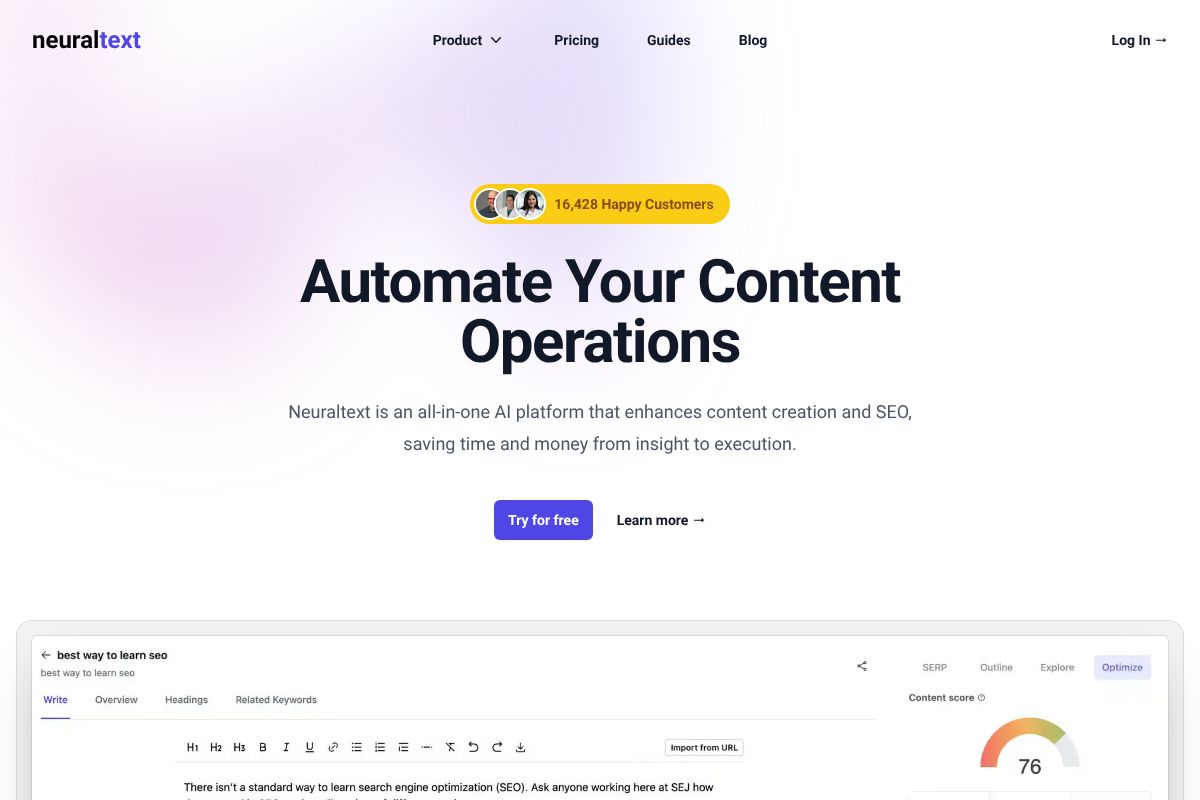
The AI writing quality is solid for the price point, and the keyword research features help you identify content gaps your competitors are already filling.
- Best for: Small teams and agencies building content at scale on a budget
- Key strength: Topical authority and keyword clustering built into the workflow
- Pricing: $19–$119/month — one of the more accessible price ranges in this category
NeuralText won’t replace a dedicated SEO platform, but it covers a lot of ground for what it costs, making it a smart starting point for growing teams.
Pricing & Value: What You’ll Actually Spend
Sticker price only tells half the story. A $19/month tool that saves you two hours a week is worth far more than a $99/month tool you barely use. Here’s how these three platforms stack up when you look at real value — not just the number on the checkout page.
| Tool | Entry Price | Best Plan for Creators | What’s Included | Affiliate Commission |
|---|---|---|---|---|
| Surfer SEO | $89/month | Essential ($89/month) | Content editor, real-time SEO scoring, SERP analyzer, keyword research | Up to 25% recurring commission |
| NeuralText | $19/month | Starter ($19/month) | AI writing, keyword clustering, content briefs, SERP analysis | 30% recurring commission |
| Semrush | $139.95/month | Guru ($249.95/month) | Full SEO suite, content marketing toolkit, keyword research, competitor analysis, site audit | $200 per sale + $10 per trial |
For solo creators and freelancers, NeuralText offers the most accessible entry point without sacrificing core functionality. Surfer SEO sits in the middle — a serious investment, but one that delivers measurable ROI if organic traffic is a priority for your business.
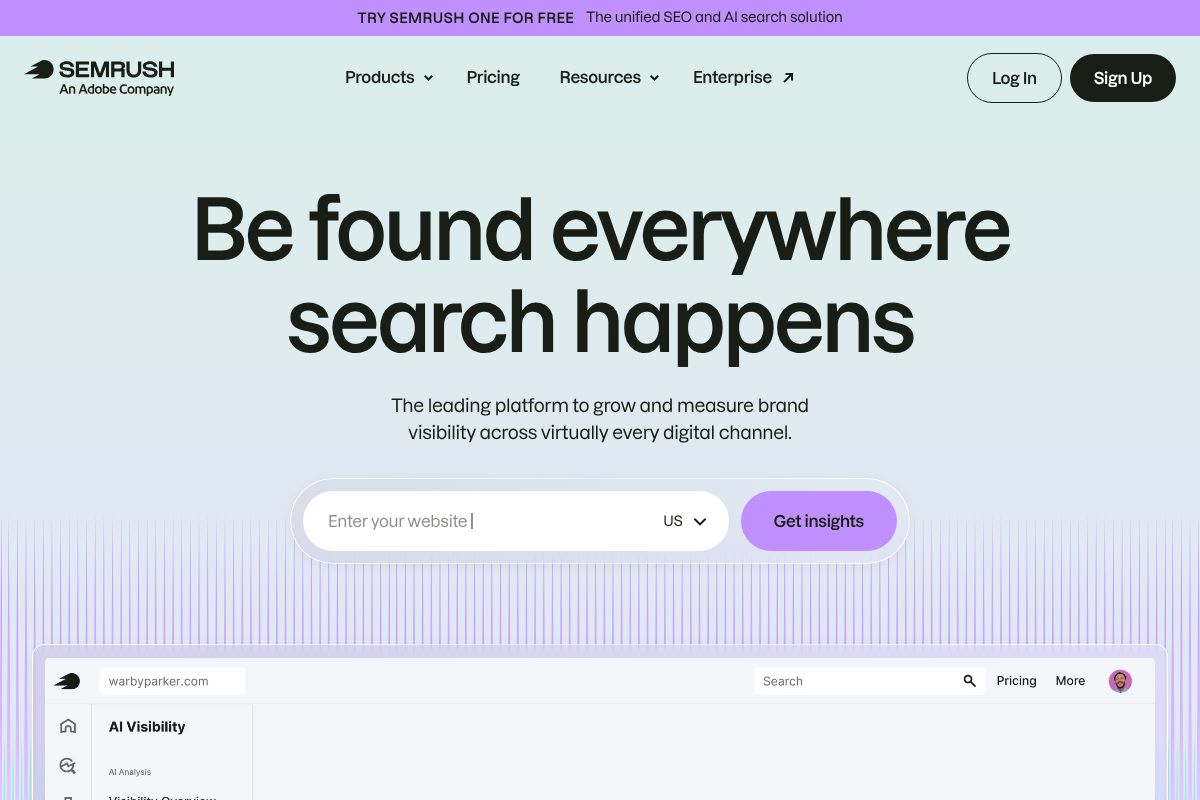
Semrush is the premium option here, and it’s priced accordingly. It’s best suited for agencies, in-house marketing teams, or professionals who need an all-in-one platform rather than a standalone writing tool. If you’re managing multiple clients or running competitive analysis alongside content production, the higher price tag is genuinely justified.
Free Trials & Money-Back Guarantees
Before committing to any annual plan, it’s worth testing the tool in your actual workflow. Surfer SEO offers a 7-day money-back guarantee, giving you a low-risk window to evaluate it. Semrush provides a 7-day free trial on Pro and Guru plans. NeuralText offers a limited free tier you can use without a credit card.
Be honest with yourself here: free tiers are intentionally restricted. You won’t get the full picture from a free plan alone, but they’re still worth exploring to test the interface and core features before spending anything. A short paid trial almost always tells you more than a free tier ever will.
Pros, Cons & Honest Trade-Offs
No AI writing tool is going to be perfect for every use case — and the marketing copy won’t always tell you that. Here’s a straight look at where each tool genuinely shines and where it falls short, so you can make the right call for your specific situation.
Surfer SEO
- Pro: Best-in-class content optimization scoring — if ranking on Google is your goal, Surfer’s real-time guidance is hard to beat.
- Pro: Seamlessly integrates with Google Docs and WordPress, fitting into workflows you already use.
- Con: Pricing puts it out of reach for casual bloggers or those just starting out — you’re paying for power you may not need yet.
- Con: The AI writing features, while solid, are secondary to the SEO toolset. It’s not a pure content generator.
NeuralText
- Pro: Most affordable entry point of the three — genuinely useful for solo creators and freelancers on a budget.
- Pro: Covers keyword clustering and SERP analysis alongside content generation, giving you more bang per dollar.
- Con: Less robust for enterprise teams or agencies managing high-volume content pipelines — it can feel limiting at scale.
- Con: The interface and output quality aren’t as polished as pricier competitors. Expect to do more manual editing.
Semrush
- Pro: Unmatched breadth — SEO research, competitor analysis, content writing, and reporting all under one roof.
- Pro: Ideal for agencies or teams that need to justify content ROI with hard data.
- Con: The steepest price point of the three, and you’re paying for a lot of features you may rarely use if content writing is your only goal.
- Con: The learning curve is real. New users can feel overwhelmed before they find their footing.
Speed vs. Quality: The Real Tension
AI tools can produce a 1,500-word draft in under two minutes. That’s genuinely impressive — but it creates a trap. Fast output can lull you into publishing content that sounds plausible but lacks depth, accuracy, or your actual voice.
The honest truth is that the best AI writing tool isn’t necessarily the most powerful one — it’s the one you’ll consistently use and refine. Every tool on this list requires human editing to reach publishable quality. Think of AI as a capable first-draft engine, not a finished-product machine.
Set realistic expectations going in. Plan for a review pass on every piece. The time you save in drafting should be reinvested in editing, fact-checking, and adding the genuine insight that only you can provide. That’s how AI actually improves your content output — not by replacing your judgment, but by giving you more time to apply it.
Who Should Use Which Tool?
Not every tool is the right fit for every workflow. The best choice comes down to three things: your budget, how much SEO strategy is baked into your content process, and whether you’re working solo or as part of a team. Here’s a quick breakdown based on the most common use cases.
For Solo Creators & Freelancers
If you’re a freelance writer or independent creator, your priorities are usually speed, affordability, and producing content that actually ranks. You don’t need an enterprise dashboard — you need something that helps you write smarter without eating into your margins.
- Tight budget, SEO focus: NeuralText is worth a serious look. It covers keyword clustering and content briefs at a price point that won’t sting on a slow month.
- Willing to invest for better results: Surfer gives you real-time content scoring and deeper optimization guidance, making it easier to consistently hit the mark for clients who care about rankings.
Either way, solo users are better served by tools that are focused and fast to learn — not platforms built for entire marketing departments.
For Marketing Teams & Small Businesses
When you’re managing content across multiple campaigns, clients, or team members, the stakes are higher. You need collaboration features, repeatable workflows, and ideally some visibility into what competitors are doing.
- Growing team with SEO as a core channel: Surfer scales well for small teams and integrates cleanly into existing content workflows.
- Agency or data-driven marketing team: Semrush justifies its higher price when you need competitor tracking, reporting, and content strategy all feeding into the same system.
Small business owners who wear multiple hats will likely find the most value in Surfer — enough power to compete, without the complexity overload that Semrush can bring early on.
The Verdict: Your Next Step
Here’s the honest truth: there’s no single best AI content writing tool in 2026. The right choice depends on where you are right now — your budget, how many people are on your team, and how seriously SEO factors into your content goals.
What matters most is that you stop researching and start testing. Most of these tools offer free trials or entry-level plans, and hands-on experience will tell you more in 30 minutes than any comparison article can.
Here’s a simple way to think about your next move:
- If you’re a freelancer or solo creator watching your spend, start with NeuralText’s free trial and see if the keyword clustering and brief features fit your workflow.
- If SEO performance is your primary goal and you’re ready to invest in a tool that actively guides your writing, give Surfer SEO a try — the real-time content scoring alone can change how you approach a draft.
- If you’re managing a team or running campaigns at scale, Semrush is worth the deeper look, but commit to the trial period so you can actually explore its full feature set.
No tool will do the thinking for you — but the right one will make your thinking sharper and your content more effective. Pick the option that fits your situation today, not the one that sounds most impressive on paper.
Your best next step is a simple one: sign up for a free trial of Surfer SEO or NeuralText and run one real piece of content through it. That single test will tell you everything you need to know.
Frequently Asked Questions
What is the fastest AI for writing content?
Claude 3.5 and GPT-4o generate high-quality drafts in seconds, but speed varies by content length and complexity. For bulk content, specialized platforms like Copy.ai and Jasper offer faster batch processing with pre-built templates.
Can AI content writing tools rank on Google?
Yes, if properly edited and fact-checked. Google prioritizes helpful, original content regardless of creation method. AI-generated articles rank well when they provide genuine value, include real data, and avoid keyword stuffing or thin content patterns.
Which AI writes most like a human?
Claude 3.5 and GPT-4o produce the most natural, conversational prose with fewer robotic patterns. WriterAccess and Jasper also excel at human-like tone through advanced fine-tuning, though results depend heavily on your prompt quality and brand guidelines.
Is paid AI content writing better than free tools?
Generally yes. Paid tools offer better accuracy, fewer hallucinations, advanced customization, and priority support. Free options like ChatGPT work for basic drafts but lack SEO features, fact-checking, and brand consistency tools that paid platforms provide.
Related Reads
- Surfer SEO vs NeuralText: Which AI Tool Wins in 2026?
Compare Surfer SEO and NeuralText in 2026. See pricing, features, and which AI SEO tool fits your content strategy best.…
- Best Keyword Research Tool for 2026: Top Picks
Find the best keyword research tool for your needs in 2026. Compare top SEO tools with honest reviews, pricing, and reco…
- Best SEO Tool for Small Business in 2026
Find the best SEO tool for your small business. Compare top options, pricing, and features to boost rankings without bre…