Your meeting just ended, and now you’re staring at a wall of notes trying to figure out what actually got decided — sound familiar? Fireflies AI has been a popular fix for this problem, automatically transcribing and summarizing calls so you can focus on the conversation instead of scribbling notes. But it’s not the right fit for everyone. Maybe the pricing doesn’t work for your team size, you need deeper integrations, or you simply want more from your AI meeting tool than transcription alone.
If you’re searching for the best Fireflies AI alternatives in 2026, you’re in the right place. This article breaks down the top options across different use cases — whether you’re a solo freelancer, a growing team, or a small business owner who needs a smarter, more connected workflow.
Key Takeaways
- Fireflies AI alternatives offer specialized meeting transcription, with options ranging from budget-friendly to enterprise-grade solutions for different team sizes.
- Notion provides all-in-one workspace functionality, combining transcription with document management and collaboration features in a single platform.
- Cost-effectiveness varies significantly between alternatives, with some offering free tiers while others charge per user or meeting, requiring careful budget analysis.
- Switching tools depends on your specific needs: transcription accuracy, integration capabilities, pricing structure, and whether you need additional workspace features.
- Top alternatives like Otter.ai.ai, Fireflies, and Notion AI each excel in different areas, making the best choice dependent on your workflow priorities.
In This Article
- Why You Might Be Looking for a Fireflies Alternative
- What Fireflies.ai Does (And What It’s Built For)
- Top Fireflies Alternatives for Meeting Transcription
- All-in-One Workspace Alternatives: Notion AI
- Feature Comparison: Fireflies vs. Top Alternatives
- Pricing Breakdown: Is an Alternative More Cost-Effective?
- Who Should Switch? (And Who Shouldn’t)
- How to Choose Your Next Meeting AI Tool
Why You Might Be Looking for a Fireflies Alternative
Fireflies AI is a solid tool, and this isn’t about tearing it down. But even good tools have limits — and depending on how your work has evolved, those limits might be exactly what’s pushing you to explore other options.
Here are some of the most common reasons people start shopping around:
- Pricing that doesn’t scale well. Fireflies’ per-seat pricing can add up quickly once your team grows beyond a handful of people. What feels reasonable for a two-person operation can become a significant line item for a team of ten or twenty.
- You need more than transcription. Transcribing meetings is useful, but if you want AI that can also help you draft follow-up emails, summarize action items into a project doc, or connect your meeting notes to your broader workflow, Fireflies starts to feel limited.
- Integration gaps. If your stack relies on tools like Notion, Slack, or specific CRMs, you may have found that Fireflies’ integrations don’t go deep enough — or require workarounds that slow you down.
- Team collaboration features. Some users find that sharing, organizing, and acting on meeting notes across a team isn’t as smooth as they’d like. If collaboration is central to how you work, this can become a real friction point.
- You want AI woven into your whole workspace. There’s a growing category of tools that don’t just record meetings — they connect those insights to everything else you’re doing, from task management to content creation.
Whatever your reason, the good news is that the market has matured significantly. You have more genuinely strong alternatives to choose from than ever before — and several of them may fit your workflow far better than Fireflies ever did.
What Fireflies.ai Does (And What It’s Built For)
Fireflies.ai is a meeting intelligence platform built around one core promise: automatically record, transcribe, and organize your conversations. You connect it to your calendar, it joins your Zoom, Google Meet, or Teams calls as a bot, and within minutes of the meeting ending you have a searchable transcript waiting in your dashboard.
That searchable history is genuinely one of Fireflies’ strongest features. You can search across hundreds of past meetings by keyword, speaker, or topic — which makes it particularly valuable for sales teams tracking prospect conversations, recruiters reviewing candidate interviews, or managers who need to revisit what was actually said in a meeting three weeks ago.
The platform also offers AI-generated summaries, action item detection, and conversation analytics like talk-time ratios and sentiment tracking. These features are clearly designed with revenue teams and hiring pipelines in mind, and for those use cases, Fireflies performs well.
On pricing, Fireflies currently sits at $18/month per seat on its standard monthly plan, or around $10/month per seat billed annually. There is a free tier, but it comes with limited transcription minutes and storage — not enough for most professionals relying on it daily.
So why look elsewhere? The short answer is that Fireflies is a specialist tool in a world where many professionals now want generalist AI. If your needs go beyond meeting transcription — or if the per-seat cost is climbing — the alternatives below are worth a serious look.
Top Fireflies Alternatives for Meeting Transcription
If your main reason for using Fireflies is capturing what gets said in meetings, you have several strong options — some of which are simpler to use, more accurate, or better priced for solo professionals and small teams. Here are the tools worth considering in 2026.
Otter.ai: Best for Accuracy and Simplicity
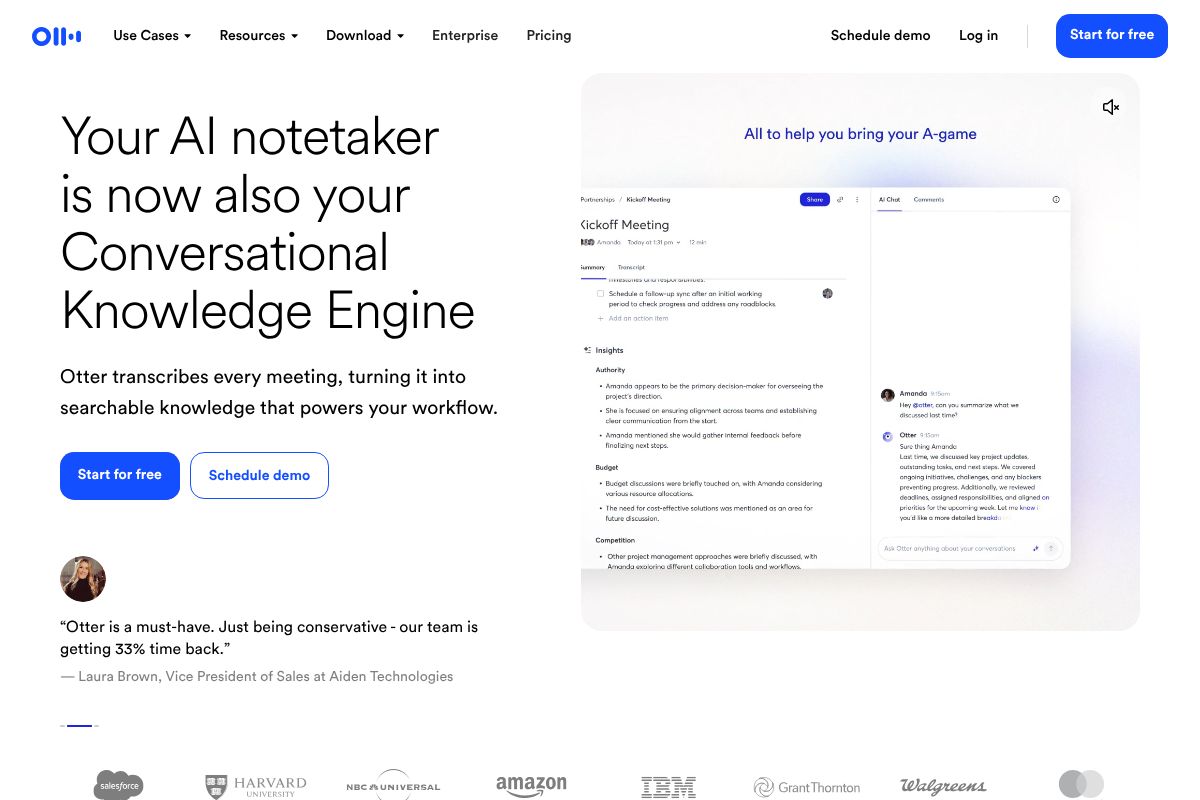
For most non-technical users, Otter.ai is the easiest on-ramp to meeting transcription. It works directly with Zoom, Microsoft Teams, and Google Meet, and it starts transcribing in real time the moment your call begins — no fiddling with settings or waiting for a bot to join late.
What makes Otter.ai stand out is how usable the output actually is. Transcripts are searchable, speaker-labeled, and timestamped, so you can jump straight to the moment a specific person said something specific. For content creators pulling quotes, marketers reviewing client briefs, or freelancers documenting project scope calls, that combination of speed and clarity is genuinely useful.
Key features include:
- Real-time transcription with live captions during the call
- Automatic speaker identification across participants
- Searchable transcript archive across all past meetings
- Native integrations with Zoom, Teams, and Google Meet
- AI-generated summaries and action item highlights
On pricing, Otter.ai’s Pro plan runs $16.99/month, with a 20% recurring discount on annual billing. That undercuts Fireflies’ monthly rate and removes the per-seat complexity that makes Fireflies expensive for growing teams. Setup takes minutes, and there’s no calendar bot configuration required — a meaningful difference if you just want something that works.
Other Strong Contenders
Beyond Otter.ai, a few other tools have carved out solid reputations in the meeting transcription space.
Fathom remains a popular free option, particularly for Zoom users. Its free tier is genuinely generous, and the interface is clean. The trade-off is that it’s more limited outside the Zoom ecosystem and lacks the deep search functionality that power users tend to want.
Grain is a good fit if you’re in a sales or customer success role and want to clip and share meeting highlights as short video snippets alongside your transcript. It’s more of a collaboration and coaching tool than a pure transcription play, but the transcription quality is solid.
Avoma targets revenue teams specifically, offering conversation intelligence features layered on top of transcription. It’s more powerful than Fireflies in some respects, but also more expensive — better suited to teams than individual users.
For most creators and small business owners, these tools are worth a quick trial before committing. That said, if simplicity and accuracy are your top priorities, Otter.ai is the most consistently recommended starting point.
All-in-One Workspace Alternatives: Notion AI
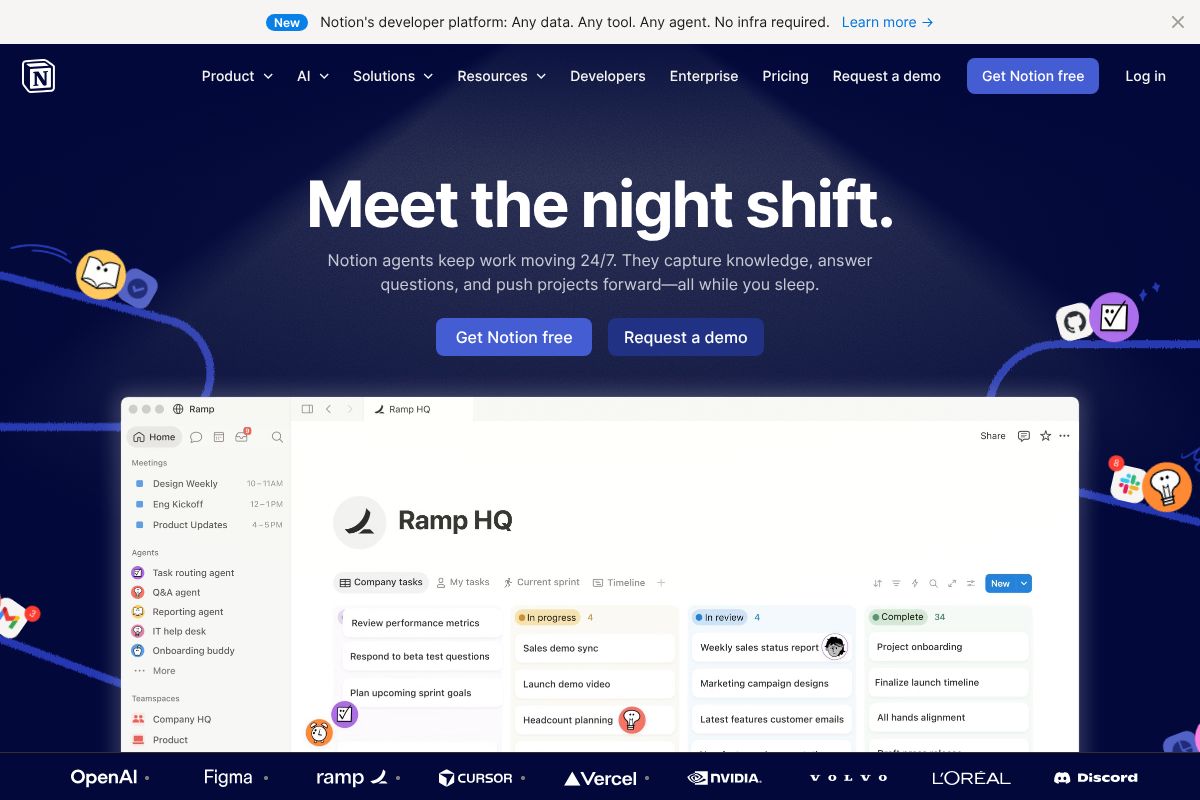
Not every Fireflies alternative has to be a dedicated transcription tool. If you’re already spending your day inside a project management or documentation platform, pulling meeting notes into a separate app just creates another tab to ignore. That’s where Notion makes a compelling case — especially for teams and content creators who want their meeting workflow to live alongside their actual work.
Why Notion Works as a Fireflies Alternative
Notion isn’t a transcription tool in the traditional sense — it won’t join your Zoom call and auto-record. But for many users, that’s not actually the gap they need to fill. What they need is a place to capture, summarize, and act on meeting notes without switching between five different tools.
With the Business plan at $20/user/month, you get full access to Notion AI — powered by GPT-4.1 and Claude — built directly into your workspace. No separate add-on, no extra subscription. You can paste in a transcript, ask Notion AI to summarize key decisions, extract action items, and turn the whole thing into a structured project brief in seconds.
Key reasons teams are using Notion as part of their meeting workflow:
- AI-generated summaries and action item extraction from pasted transcripts
- Meeting notes connect directly to related projects, tasks, and team wikis
- Notion AI Agents can automate follow-up workflows after meetings
- Collaboration features keep everyone aligned without extra tools
- Annual billing brings the Plus plan down to $10/user/month for lighter use cases
The honest trade-off: if you need automatic call recording and speaker identification, you’ll still want a dedicated transcription tool upstream. But if you’re already using Notion and just need smarter meeting documentation, adding AI to your existing workspace is often the most practical move — and significantly cheaper than layering on yet another SaaS subscription.
Feature Comparison: Fireflies vs. Top Alternatives
No single tool wins across every category. The right choice depends on how you work, what you need from your meeting notes, and how much you’re willing to pay. Use this table as a starting point — not a verdict.
| Tool | Transcription Accuracy | Pricing | Best For | Integrations | AI Features |
|---|---|---|---|---|---|
| Fireflies AI | Good — strong with clear audio | Free tier; paid from ~$18/user/mo | Sales teams, recurring meetings | Salesforce, HubSpot, Slack, Zapier | Auto-summaries, action items, topic tracking |
| Otter.ai | Good — slightly better in noisy environments | Free tier; Pro from ~$16.99/mo | Journalists, solo users, small teams | Zoom, Google Meet, Microsoft Teams | Live captions, AI chat on transcripts |
| Notion | N/A — no native transcription | Free–$20/user/mo (AI included in Business plan) | Teams wanting all-in-one documentation | Slack, GitHub, Zapier, Jira, Google Drive | GPT-4.1 + Claude, AI Agents, workflow automation |
| Fathom | Very good — optimized for video calls | Free tier; paid plans from ~$19/mo | Individual professionals, coaches | Zoom, HubSpot, Salesforce | Highlight reels, AI summaries, CRM sync |
| tl;dv | Good — multilingual support | Free tier; Pro from ~$29/mo | Global teams, async-first workflows | Notion, Slack, HubSpot, Linear | Timestamped highlights, AI meeting reports |
A few things worth noting before you draw conclusions. Notion stands out not for transcription — it doesn’t do that — but for what happens after the meeting. If your bottleneck is organizing and acting on notes rather than capturing them, it often makes more sense than a dedicated transcription tool.
Fireflies and Otter.ai are closest in function, but Fireflies leans toward team and CRM workflows while Otter.ai tends to suit individual users and live captioning scenarios. Fathom is a strong pick if you’re primarily on Zoom and want a polished free option. tl;dv earns its place if your team spans multiple languages or time zones.
The honest takeaway: most users don’t need the most feature-rich tool — they need the one that fits where they already work.
Pricing Breakdown: Is an Alternative More Cost-Effective?
Let’s run the numbers, because the “best” tool often comes down to what you’re actually paying per month. Here’s how the main options stack up in 2026:
- Fireflies AI: $18/month on a monthly plan, or $10/month billed annually
- Otter.ai: $16.99/month on a monthly plan, or $10/month billed annually
- Notion (Business plan): $20/user/month (annual billing), with AI fully included — no separate add-on
On the surface, Fireflies and Otter.ai are priced almost identically when you commit to annual billing. The difference comes down to what you get for that $10. Fireflies gives you more meeting-focused features like CRM sync and team collaboration tools. Otter.ai keeps things simpler, which is actually an advantage if you’re a solo creator or freelancer who just needs clean transcripts without the overhead.
For individual users, Otter.ai’s annual plan is likely the more cost-effective choice — especially if you don’t need CRM integrations or team-wide features you’ll never use.
For teams, the math shifts. If you’re already paying for a project management or documentation tool, adding a separate $10–$18/month transcription subscription on top of it adds up fast. Notion‘s Business plan at $20/user/month bundles AI writing, workflow automation, and knowledge management all in one. You’re not getting a transcription tool, but you may be eliminating two or three other subscriptions in the process.
The honest math: solo users should compare Otter.ai and Fireflies on annual plans and pick based on features. Teams should ask whether a dedicated transcription tool is worth the extra line item — or whether an all-in-one platform like Notion makes more financial sense overall.
Who Should Switch? (And Who Shouldn’t)
Not every Fireflies user needs to look elsewhere. Before you make any moves, it helps to honestly assess what your workflow actually demands — and whether a different tool would genuinely serve you better.
Stick with Fireflies if you’re in sales
Fireflies remains one of the strongest options for sales teams. Its CRM integrations with tools like Salesforce and HubSpot, combined with AI-generated call summaries and deal tracking features, are genuinely hard to replicate elsewhere at the same price point. If your day revolves around sales calls and pipeline management, switching would likely cost you functionality, not save you money.
Consider Otter.ai if you’re a freelancer or solo creator
Otter.ai is a natural fit if you work independently and just need reliable, clean transcripts without a complicated dashboard. It’s straightforward to set up, integrates well with Zoom and Google Meet, and doesn’t bury you in enterprise features you’ll never touch. Freelance writers, journalists, and solo consultants tend to get the most out of it.
Consider Notion if you’re a marketer or small team
If your meetings are less about sales pipelines and more about content planning, campaign reviews, or internal alignment, Notion may be the smarter long-term move. The Business plan at $20/user/month gives you AI-assisted writing, workflow automation, and a shared knowledge base — tools marketers actually use daily. You’re trading specialized transcription features for a much broader toolkit.
The honest summary
- Sales teams: Stay with Fireflies — it’s built for you
- Freelancers: Otter.ai offers simplicity and fair pricing
- Marketers: Otter.ai for transcription, or Notion if you want to consolidate tools
- Small teams: Notion’s all-in-one approach often makes more financial sense
The best tool is the one that fits how you actually work — not the one with the longest feature list.
How to Choose Your Next Meeting AI Tool
With so many options available, it’s easy to get stuck in comparison mode. Run through these four questions to cut through the noise and land on the right tool faster.
- What’s your primary use case? Are you transcribing client interviews, capturing internal team meetings, or building a searchable knowledge base? Transcription-first needs point toward Otter.ai. Broader workspace needs point toward Notion.
- Who’s on your team? Solo users and freelancers can afford to optimize for simplicity. Teams of five or more should think about collaboration features, shared workspaces, and admin controls — which changes the calculus significantly.
- What tools do you already use? If your team lives in Notion for docs and project management, adding Notion AI is a natural extension. If you’re already deep in a CRM or video conferencing stack, check which tools integrate cleanly before committing.
- What’s your budget? Otter.ai’s free plan is genuinely usable. Notion’s Business plan at $20/user/month is a bigger investment, but it replaces multiple tools — so run the numbers before assuming it’s expensive.
The most practical advice? Don’t overthink it. Both Otter.ai and Notion offer free plans or trials, so you can test them with real meetings in real workflows. Spend two weeks with each, see which one you actually open every day, and then decide. That hands-on experience will tell you more than any comparison article — including this one.
Frequently Asked Questions
What is the cheapest alternative to Fireflies AI?
Several alternatives offer free tiers or lower pricing, including Otter.ai’s free plan and budget-friendly options like Notta. Pricing varies by features and monthly transcription minutes, so comparing your usage needs against each tool’s tier structure is essential.
Is Notion AI better than Fireflies for meeting transcription?
Notion AI excels as an all-in-one workspace but may not match Fireflies’ specialized transcription accuracy. Choose Notion if you need integrated document management; choose Fireflies if transcription quality is your primary concern.
Which Fireflies alternative integrates best with Zoom and Teams?
Otter.ai and Fireflies both offer seamless Zoom and Microsoft Teams integration. Most modern alternatives support these platforms natively, but integration depth varies—check each tool’s specific connector features before switching.
Can I switch from Fireflies to another tool without losing data?
Most alternatives allow transcript exports in standard formats like PDF or text. Plan your migration by exporting existing transcripts first, then importing into your new tool if it supports bulk imports.
Related Reads
- Is Grok 3 Really the Best AI? Honest 2026 Review
Is Grok 3 the best AI for your workflow? We break down features, pricing, and real trade-offs vs. alternatives in 2026.…
- Best AI for Teams in 2026: Top Tools Compared
Find the best AI for Teams in 2026. Compare top tools for productivity, meetings, and collaboration. Honest reviews for …
- Notion AI Review 2026: Is It Worth It for Your Team?
Honest Notion AI review for 2026. See features, pricing, pros/cons, and how it compares to alternatives for creators and…