You don’t need a $500-a-month enterprise platform to start ranking on Google. In fact, if you’re just getting started with SEO, those bloated tools can do more harm than good — overwhelming you with data you don’t know how to use yet. The best small SEO tools for beginners in 2026 are affordable, focused, and actually make sense without a technical background.
Ranking higher in search results doesn’t require expensive enterprise software or years of SEO experience.
Key Takeaways
- Beginner SEO tools prioritize simplicity over features, offering intuitive dashboards that require no technical expertise or steep learning curves.
- Affordable pricing under $50/month makes small SEO tools accessible for solopreneurs and startups testing their SEO strategy before scaling.
- Keyword research, rank tracking, and backlink analysis form the essential trio most beginners need to launch effective SEO campaigns.
- Free trials and freemium versions let newcomers evaluate tools risk-free, ensuring the interface matches their skill level before committing financially.
- Choosing the right beginner tool depends on your primary goal: keyword research, competitor analysis, or technical SEO audits.
In This Article
- Why Beginners Need a Simple SEO Tool (Not a Complex One)
- What Makes an SEO Tool ‘Beginner-Friendly’?
- Top Small SEO Tools for Beginners: Feature Breakdown
- Pricing & Value Comparison
- Pros and Cons: Honest Trade-Offs
- Who Should Use Each Tool?
- How to Get Started: Next Steps
- Final Verdict: Which Tool Should You Choose?
Why Beginners Need a Simple SEO Tool (Not a Complex One)
If you’ve ever opened a tool like Semrush or Ahrefs for the first time, you know the feeling. Dozens of dashboards, hundreds of metrics, and a learning curve that feels more like a learning cliff. For someone just starting out, that kind of complexity doesn’t just slow you down — it can make you give up entirely.
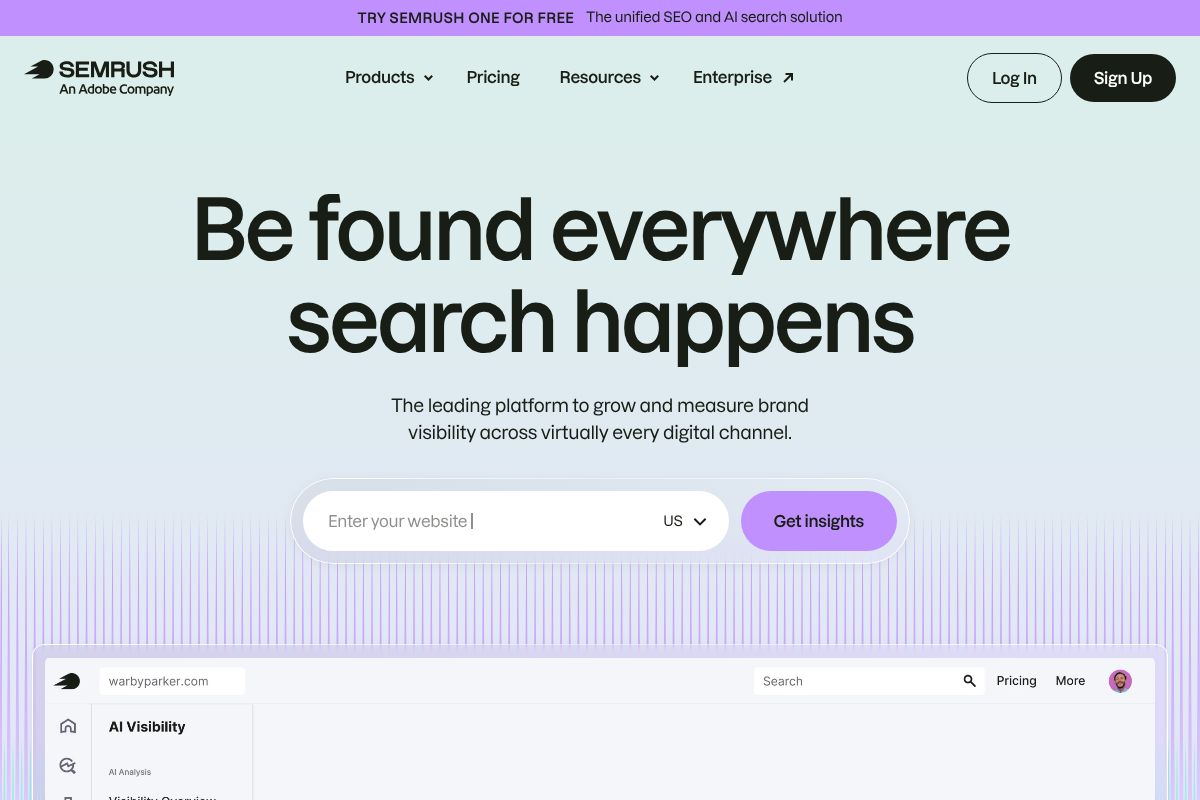
The hard truth is that most enterprise SEO platforms are built for agency teams and in-house specialists who live and breathe this stuff. They’re packed with features you won’t need for months — or ever. And the price tags reflect that. Paying $100 to $400 a month for a tool you’re using at 10% capacity isn’t a strategy; it’s a drain.
What beginners actually need is different. You need to answer a few core questions:
- What keywords should I be targeting?
- How is my content currently performing?
- What’s stopping my pages from ranking higher?
- What are my competitors doing that I’m not?
A focused, lightweight SEO tool cuts straight to those answers without burying them under noise. Instead of 40 reports you don’t understand, you get clear, actionable insights you can actually do something with today.
There’s also the budget reality. Freelancers and small business owners rarely have hundreds of dollars to throw at software every month. Smaller tools tend to be far more affordable — often $10 to $50 a month — while still covering the essentials that drive real results early on.
The goal at this stage isn’t to master every corner of SEO. It’s to build momentum. The right small tool helps you do exactly that.
What Makes an SEO Tool ‘Beginner-Friendly’?
Not every SEO tool marketed as “easy to use” actually delivers on that promise. A clean dashboard doesn’t automatically mean a low learning curve, and a low price doesn’t always mean you’re getting what you need. Before you commit to any tool, it helps to know exactly what criteria separate a genuinely beginner-friendly option from one that just looks simple on the surface.
Here’s what to keep in mind as you evaluate your options:
- Pricing that fits a starter budget — ideally under $50–$100 per month
- An intuitive interface that doesn’t require a tutorial just to find the main features
- Guidance built into the tool — not just data, but context around what it means
- A focus on content SEO rather than deep technical audits you’re not ready for yet
- Responsive support, whether that’s live chat, a knowledge base, or an active community
These aren’t arbitrary checkboxes. They’re the difference between a tool that helps you grow and one that collects dust after the free trial ends.
Affordability Without Sacrificing Features
You don’t need enterprise-level features to get real SEO results as a beginner. Most of what you’ll actually use — keyword research, basic rank tracking, on-page suggestions, and competitor snapshots — is well within reach at the sub-$100 per month mark. In fact, many solid tools land closer to $10–$50 per month.
The key is recognizing that enterprise features like API access, white-label reporting, and multi-site management aren’t necessary at this stage. Paying for them now is like renting a warehouse when you’re running a market stall. Start lean, and scale your toolset as your traffic — and your understanding — grows.
Actionable Insights Over Raw Data
One of the biggest frustrations beginners face with SEO tools is opening a report and having no idea what to do next. A keyword difficulty score of 47 means nothing if the tool doesn’t tell you whether that’s a green light or a warning sign for your site.
The best beginner-friendly tools don’t just surface data — they interpret it for you. Think recommendations like “this page is missing a meta description” or “target this keyword variation — it has lower competition and similar search volume.” That kind of built-in guidance is what separates a tool that accelerates your learning from one that just adds to the confusion. When you’re starting out, clarity is the feature that matters most.
Top Small SEO Tools for Beginners: Feature Breakdown
With so many SEO tools competing for your attention, it helps to know which ones are actually built with beginners in mind. The three tools below cover different use cases — from writing optimized content to building topical authority to getting a competitive edge. None of them require a technical background to use effectively, and each one offers something distinct depending on how you work.
Surfer SEO SEO: Best for Content Writers
If you’re a blogger, copywriter, or content marketer who wants to optimize as you write — not after the fact — Surfer SEO is worth a close look. Its Content Editor gives you a real-time score as you draft, flagging keyword usage, headings, word count, and structure based on what’s already ranking in the SERPs.

Pricing runs from $89 to $219 per month on a monthly basis, or as low as $79 per month on an annual Essential plan. That’s a reasonable entry point for a tool that genuinely reduces the guesswork in content creation.
Key beginner-friendly features include:
- Real-time content scoring inside the editor
- Keyword research integrated directly into your writing workflow
- SERP analysis that shows you what top-ranking pages have in common
- Clean, visual interface — no technical knowledge required
It won’t help much with technical SEO audits or backlink analysis, but for content-focused creators, it covers the essentials well.
NeuralText: Best for Building Content Authority
NeuralText is a strong pick if you’re managing multiple pieces of content at once — whether you’re a freelancer juggling client work or a small team trying to build topical authority in a niche. Pricing starts at just $19 per month, going up to $119 per month for higher-volume plans.
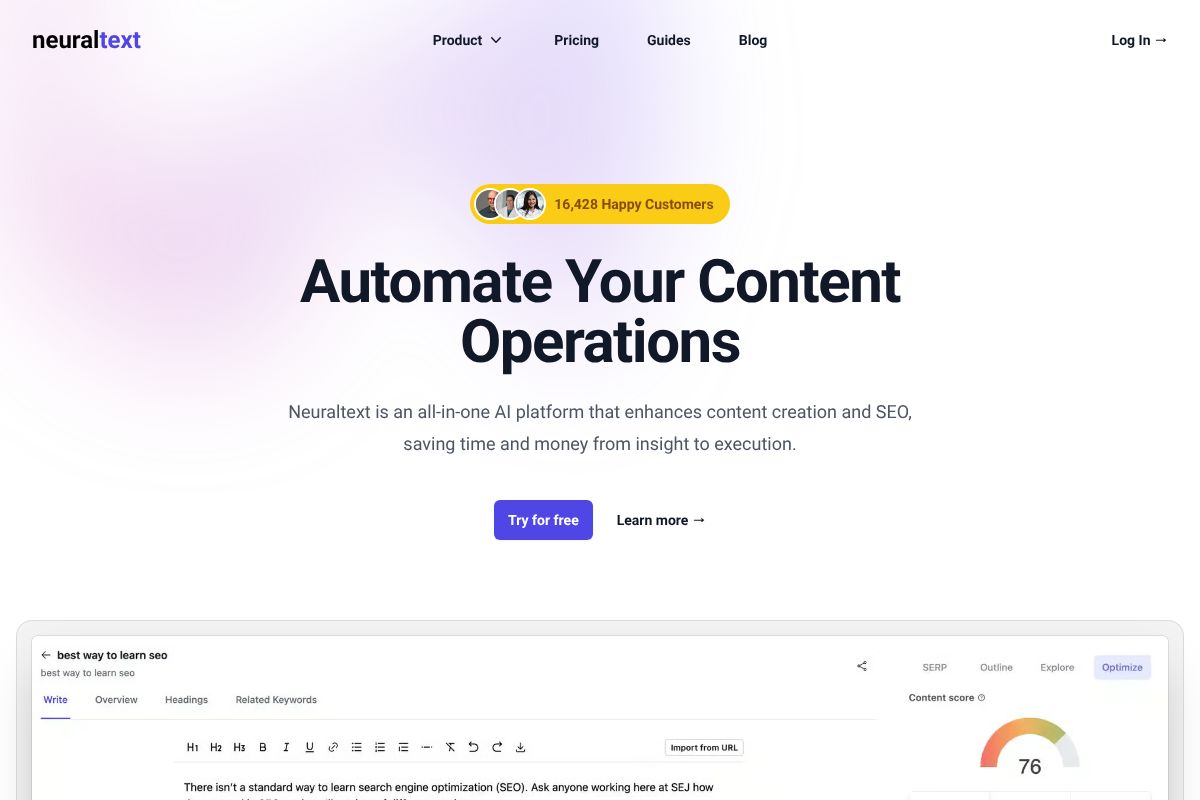
Where NeuralText stands out is in its approach to content clustering. Rather than treating each article as a standalone piece, it helps you map out related topics that reinforce each other in search — a strategy that’s become increasingly important for building long-term organic visibility.
Standout features for beginners include:
- Topical authority clustering to plan content strategically
- AI-assisted content briefs that save research time
- Keyword grouping to identify content gaps
- Affordable entry tier suitable for solopreneurs and small teams
It’s not as polished as some pricier tools, but the value-to-cost ratio is hard to argue with at the lower tiers.
Semrush Pro: Best for Competitive Insight
Semrush Pro is the most powerful option in this lineup — and the most expensive. The annual Pro plan comes in at $117 per month, while standard monthly pricing ranges from $139.95 to $499.95 per month depending on the tier. That’s a bigger commitment, so it’s worth being honest: Semrush has more features than most beginners will use right away.
That said, if you’re in a competitive niche and want to understand what your rivals are doing — which keywords they rank for, where their traffic comes from, how their content is structured — Semrush Pro gives you that depth without needing a specialist to interpret it.
Features most relevant to beginners include:
- Keyword research with difficulty scores and intent filters
- Rank tracking to monitor your progress over time
- Competitor analysis to reverse-engineer what’s working in your space
- On-page SEO checker with prioritized recommendations
Think of Semrush Pro as a tool you can grow into. Start with the features that matter now, and you’ll have room to expand as your strategy matures.
Pricing & Value Comparison
One of the most common mistakes beginners make is overpaying for features they won’t use for months. To help you make a smarter decision, here’s a side-by-side look at how these three tools stack up on price and value.
| Tool | Starting Price | Best For | Key Differentiator |
|---|---|---|---|
| NeuralText | ~$19/month | Solo creators, bloggers | AI writing + keyword research in one affordable package |
| Surfer SEO | ~$89/month | Freelancers, small teams | Real-time content editor with data-driven optimization scoring |
| Semrush Pro | ~$117/month (annual) | Growth-focused businesses | Full competitive intelligence suite with deep research capabilities |
Which Tool Fits Your Budget?
If you’re spending under $50 per month, NeuralText is the clear starting point. It covers the core bases — keyword research and content briefs — without overwhelming you with data you’re not ready to act on yet.
In the $50–$100 range, Surfer SEO makes sense once you’re publishing content regularly and want to optimize each piece before it goes live. It’s a natural next step when you’re ready to get more intentional about rankings.
At $100 and above, Semrush Pro is worth considering if you’re in a competitive niche or managing content for clients. The depth of competitor analysis alone can justify the cost once you have a content strategy in motion.
A quick note on transparency: some links in this article are affiliate links. That means we may earn a small commission if you sign up — but it doesn’t affect which tools we recommend or how we rank them. Our goal is to point you toward what actually works for your situation.
Pros and Cons: Honest Trade-Offs
No tool is perfect for every situation, and the worst thing you can do is sign up for something based on a feature list rather than your actual day-to-day workflow. Here’s a straightforward look at where each tool shines — and where it falls short.
Surfer SEO is genuinely excellent at what it does: helping you write and optimize content that has a real shot at ranking. The real-time content editor is intuitive, and the scoring system gives beginners a clear target to aim for. That said, it’s not a full SEO suite. Rank tracking is limited, backlink analysis is minimal, and you’ll likely need a separate tool if you want competitive research beyond content scoring.
NeuralText is the most beginner-friendly option in terms of both price and simplicity. It handles keyword clustering and content briefs well, which is exactly what most new content creators need first. The trade-off is a smaller feature set overall — you’ll outgrow it faster than the other tools if your SEO needs expand quickly.
Semrush is the most powerful of the three, but that power comes with a learning curve. The dashboard can feel overwhelming when you’re just starting out, and it’s easy to get lost in data without a clear plan for how to use it. It’s best suited to you once you already understand the basics and need deeper competitive intelligence.
- Surfer SEO: Best for content optimization; weak on rank tracking and backlinks
- NeuralText: Affordable and focused; limited scalability for growing teams
- Semrush: Comprehensive and powerful; steeper learning curve, higher price point
Common Beginner Mistakes When Choosing
One of the most common mistakes new users make is buying two or three tools at once, thinking more coverage equals better results. In practice, it usually means paying for overlap and never fully learning any single platform.
Another trap is choosing a tool based on features you’re unlikely to use for months. If you’re publishing one blog post a week, you don’t need enterprise-level rank tracking yet. Match the tool to where you are now, not where you hope to be in two years.
Always use the free trial before committing. Most of these platforms offer trial periods or free tiers, and there’s no reason to skip them. A few hours of hands-on testing will tell you more than any review.
Finally, think about integration. If you write in Google Docs or publish directly through WordPress, check whether the tool connects to your existing setup. Friction in your workflow adds up quickly, and the best tool is ultimately the one you’ll actually use consistently.
Who Should Use Each Tool?
Choosing the right SEO tool isn’t just about features — it’s about matching the tool to how you actually work. The same platform that feels perfect for a solo blogger can feel clunky and limiting for a small agency managing five client websites. Here’s a straightforward breakdown by persona.
Freelance Writers & Solo Creators
If you’re a freelance writer or solo content creator publishing on your own blog or pitching SEO-optimized articles to clients, Surfer SEO is the most practical starting point. Its real-time Content Editor gives you actionable guidance as you write — no need to toggle between a dozen tabs or interpret complex data. You get a clear content score, keyword suggestions, and structural recommendations all in one place.
It’s especially useful if you’re already comfortable with the basics of on-page SEO and want a tool that accelerates your workflow rather than teaching you theory. That said, if you’re only publishing once or twice a month, the subscription cost may be hard to justify. In that case, start with the free trial and be honest about your publishing frequency before committing.
Small Business Owners & Agencies
If you’re running a small business, managing a content team, or handling SEO for multiple clients, NeuralText offers a more scalable entry point without jumping straight to enterprise pricing. Its combination of keyword clustering, SERP analysis, and AI-assisted content briefs makes it easier to build topical authority across a site — not just optimize individual posts.
It works well when you need to produce content consistently and want your team working from structured briefs rather than guesswork. However, if your client roster grows beyond a handful of sites, you’ll likely outgrow NeuralText’s reporting capabilities. That’s a natural signal to evaluate a more comprehensive platform like Semrush, which handles multi-site tracking and deeper competitive research at scale.
How to Get Started: Next Steps
The hardest part of learning SEO isn’t understanding the concepts — it’s actually starting. The good news is that every tool covered in this guide offers a free trial or a free tier, so there’s no reason to commit money before you’ve had a chance to test things out. The best SEO tool isn’t the most feature-rich one; it’s the one you’ll open every single week.
Don’t fall into the trap of trying three tools at once. Pick one, use it consistently, and give it enough time to show results. SEO moves slowly by nature, and switching tools every few weeks is one of the fastest ways to stall your progress.
Your Action Plan
- Identify your primary need. Are you struggling with content optimization, keyword research, or tracking rankings over time? Your answer should determine which tool you try first — not price or popularity.
- Start with a free trial. Most tools in this guide offer at least 7–14 days free. Use that window to run a real project, not a demo.
- Set one specific metric to track. Something like “rank in the top 20 for 5 target keywords within 90 days” is concrete enough to actually measure. Vague goals produce vague results.
- Commit for at least 3 months. SEO results rarely show up in week one. Give your chosen tool a fair runway before deciding whether it’s working.
If you outgrow your first tool, that’s a good sign — it means your SEO is progressing. Switching later is completely fine. What matters now is building the habit of showing up consistently and making data-informed decisions, even small ones.
Final Verdict: Which Tool Should You Choose?
If you’re primarily a writer or content creator, Surfer SEO is your most natural starting point. Its content editor keeps optimization simple and in-context, so you can improve your pages without ever leaving your writing flow.
If you’re building a content team or chasing topical authority in a competitive niche, NeuralText gives you the clustering and brief-building features to plan at scale — not just optimize one post at a time.
And if you want a genuine competitive edge — the ability to spy on competitors, track rankings, and run technical audits all from one dashboard — Semrush Pro is worth the investment once you’re ready to go deeper.
Here’s the honest truth: there’s no wrong choice here. All three are legitimate, beginner-friendly tools that real marketers and creators use every day. The only mistake is picking the “best-reviewed” option without considering whether it actually fits your workflow.
- Surfer SEO — best for solo writers and bloggers
- NeuralText — best for content teams and topical planning
- Semrush Pro — best for competitive research and full-funnel SEO
Pick the one that matches where you are right now, start your free trial today, and commit to the process. Your future rankings will thank you.
Our Verdict
Editorial rating: 4.6/5
Start Simple, Scale Smart with Beginner Tools
Small SEO tools democratize search optimization for beginners by eliminating complexity and cost barriers. The trade-off: limited advanced features mean you’ll eventually outgrow them, but they’re perfect for validating SEO strategy before upgrading to enterprise solutions.
Frequently Asked Questions
What’s the cheapest SEO tool for beginners?
Several tools offer free plans or cost under $20/month, including Ubersuggest, SE Ranking, and Moz Starter Plan. Free versions typically limit monthly searches and reports but provide core keyword research and rank tracking functionality for testing.
Can I do SEO without expensive tools?
Yes, free tools like Google Search Console, Google Analytics, and Keyword Planner handle basics effectively. However, paid beginner tools save time on competitor analysis and rank tracking, making them worthwhile investments once you’re serious about SEO.
Which SEO tool is easiest to learn for beginners?
SE Ranking and Ubersuggest rank highest for user-friendliness with clean interfaces and built-in tutorials. Both tools guide you through keyword research and site audits step-by-step, minimizing the learning curve compared to enterprise-level platforms.
Do I need multiple SEO tools or just one?
One comprehensive beginner tool handles most needs initially. As your SEO matures, combining a keyword tool with a rank tracker and analytics platform provides deeper insights, but starting with one prevents tool overload and budget strain.
Related Reads
- Best AI Tool for SEO Beginners in 2026
Find the best AI SEO tool for beginners in 2026. Compare features, pricing, and ease of use for content creators and sma…
- Best SEO Tool for Small Business in 2026
Find the best SEO tool for your small business in 2026. Compare top options, pricing, and features to boost your ranking…
- Best AI SEO Tool for 2026: Top Picks for Creators & Marketers
Find the best AI SEO tool for your needs in 2026. Compare top options for content creators, marketers, and small busines…